Organization/Corporation
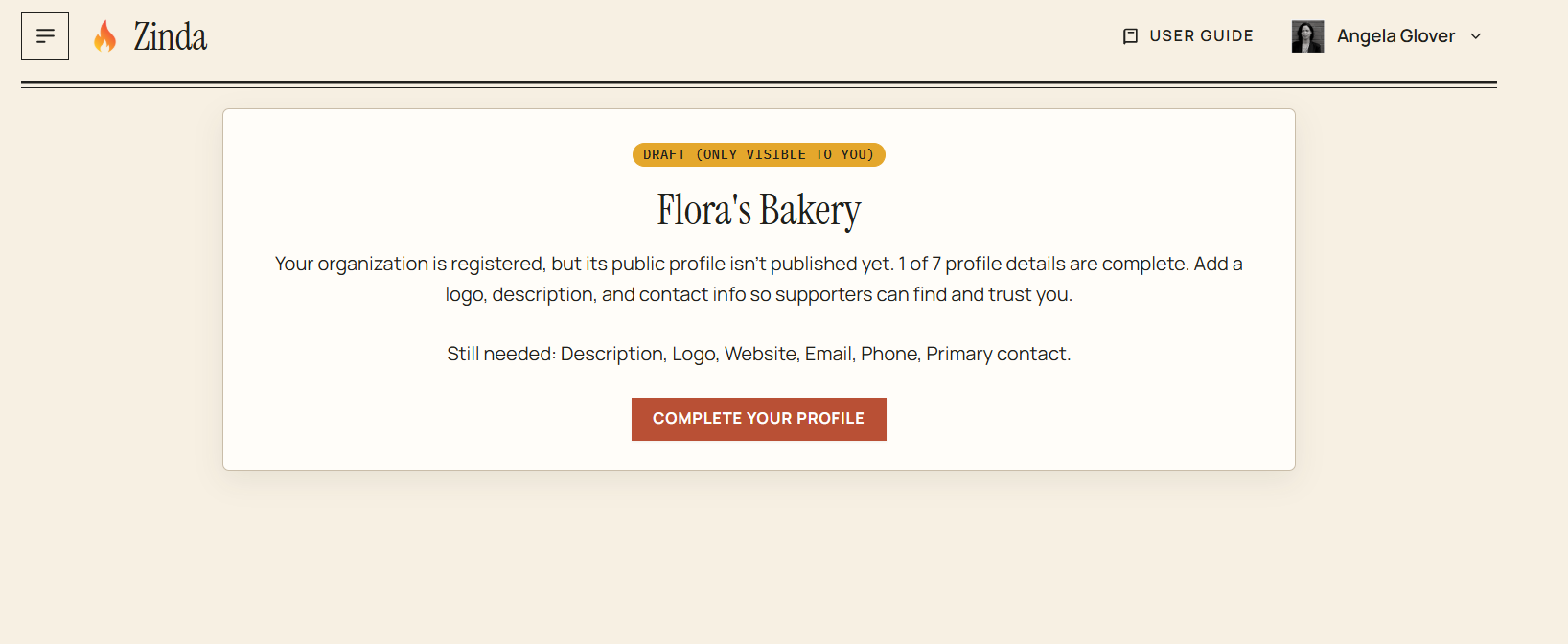
If your corporation's profile page has not been completed, you'll see this screen displaying as a 'Draft' . Click 'Complete your profile'
Organization/Corporation Profile
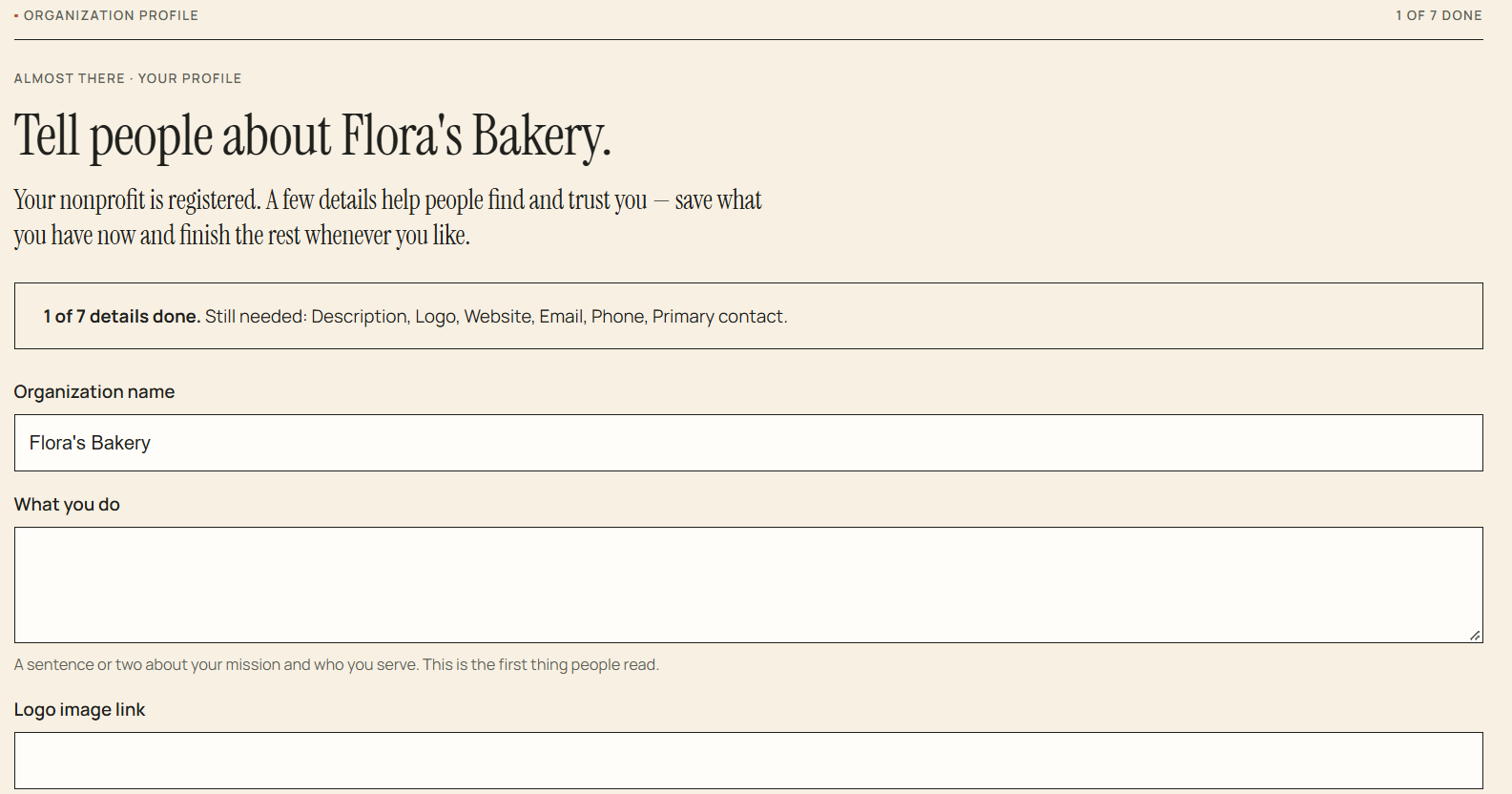
Complete all the required fields
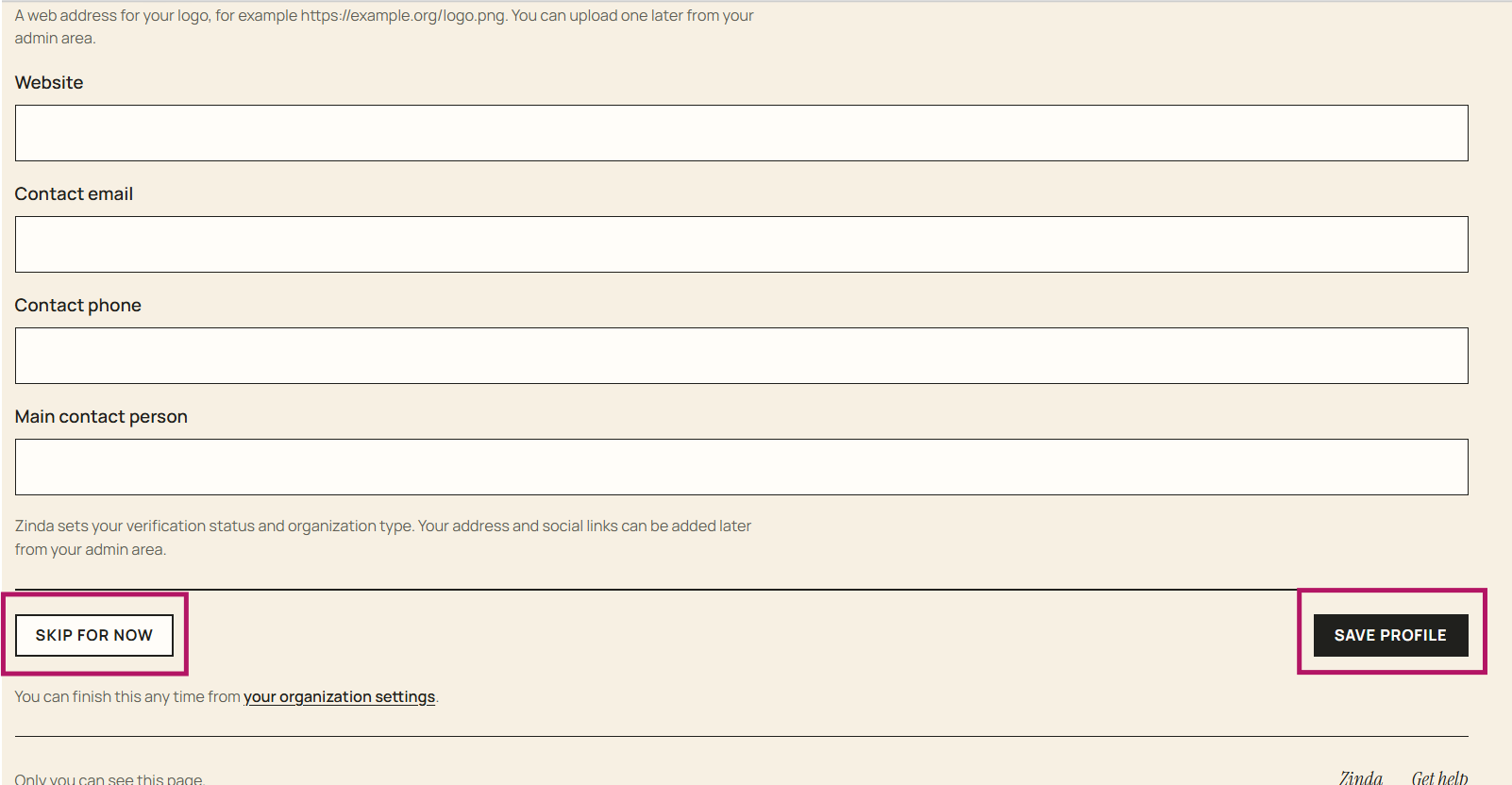
Select 'Skip for now' (goes back to the dashboard) and complete it later using 'Organization' in the menu
Select 'Save Profile'
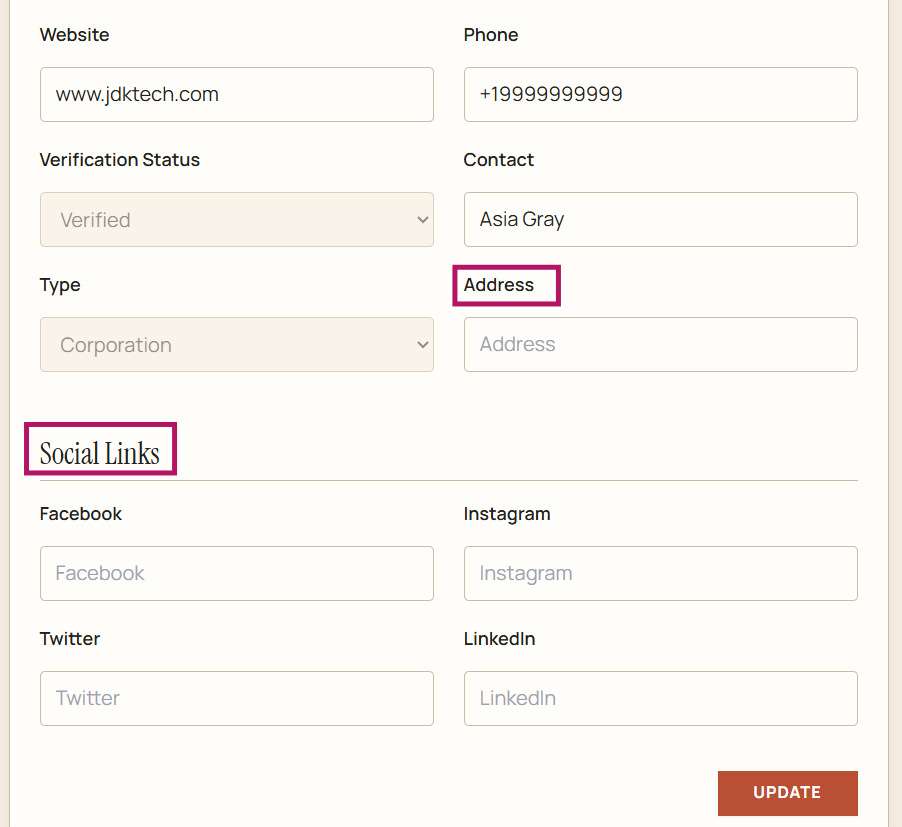
Official corporation profile - add address and any social media links + click 'Update'
To 'Edit' the profile information, enter changes and click 'Update'