Discover Events
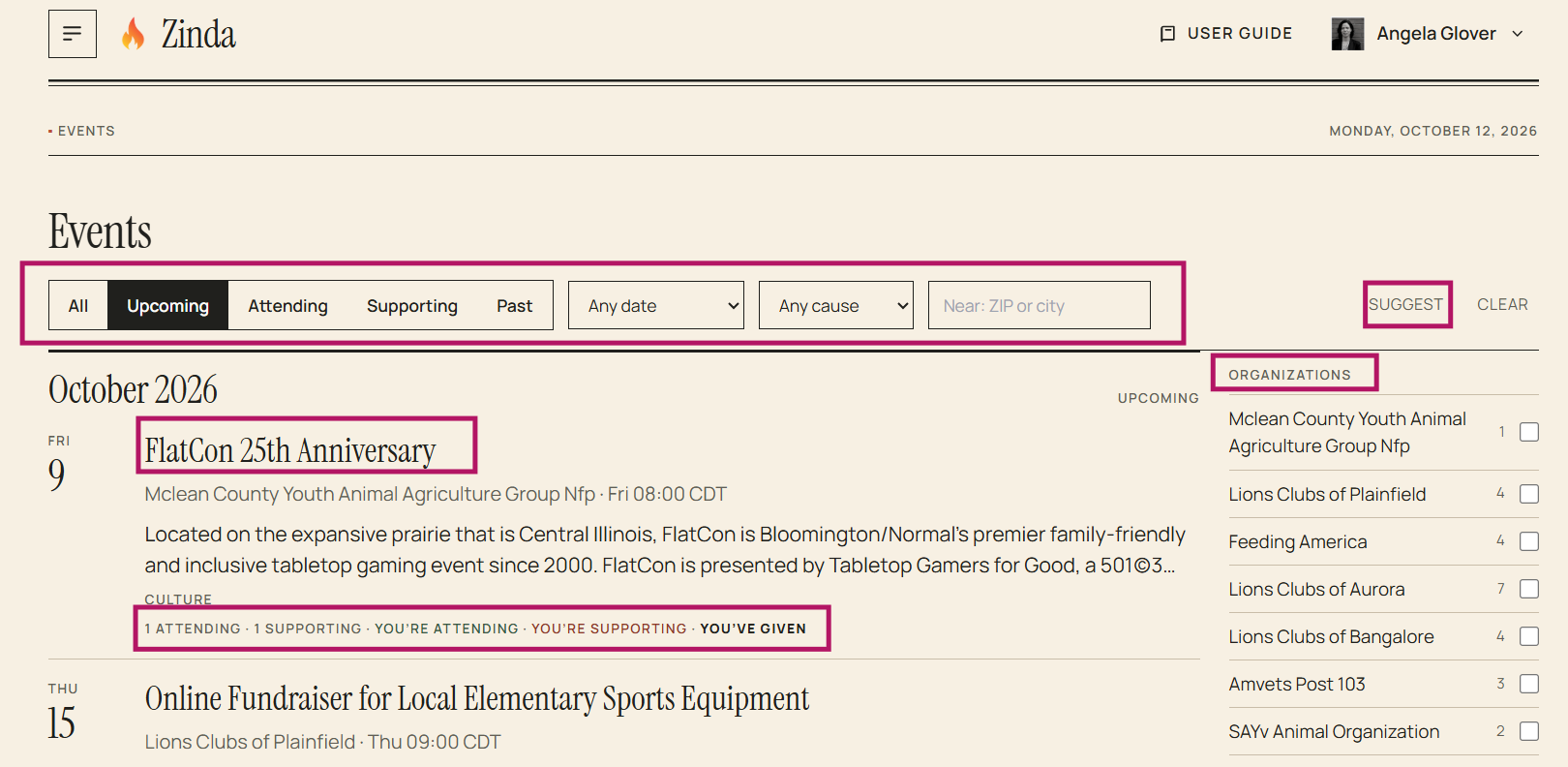
To discover events, click on 'Discover Events' in the menu
Options:
- You can click on an event name to see the details
- You can click on any option listed below the event description to go to the event details (ex: attending, supporting)
- You can use the 'filter' to limit your view (upcoming, attending, supporting, past, specific date(s), cause(s), or by zip code)
- You can use 'suggest' to enable an AI based search using your existing information to suggest events that you may be interested in
- You can select specific organizations to view
Event Details
Options:
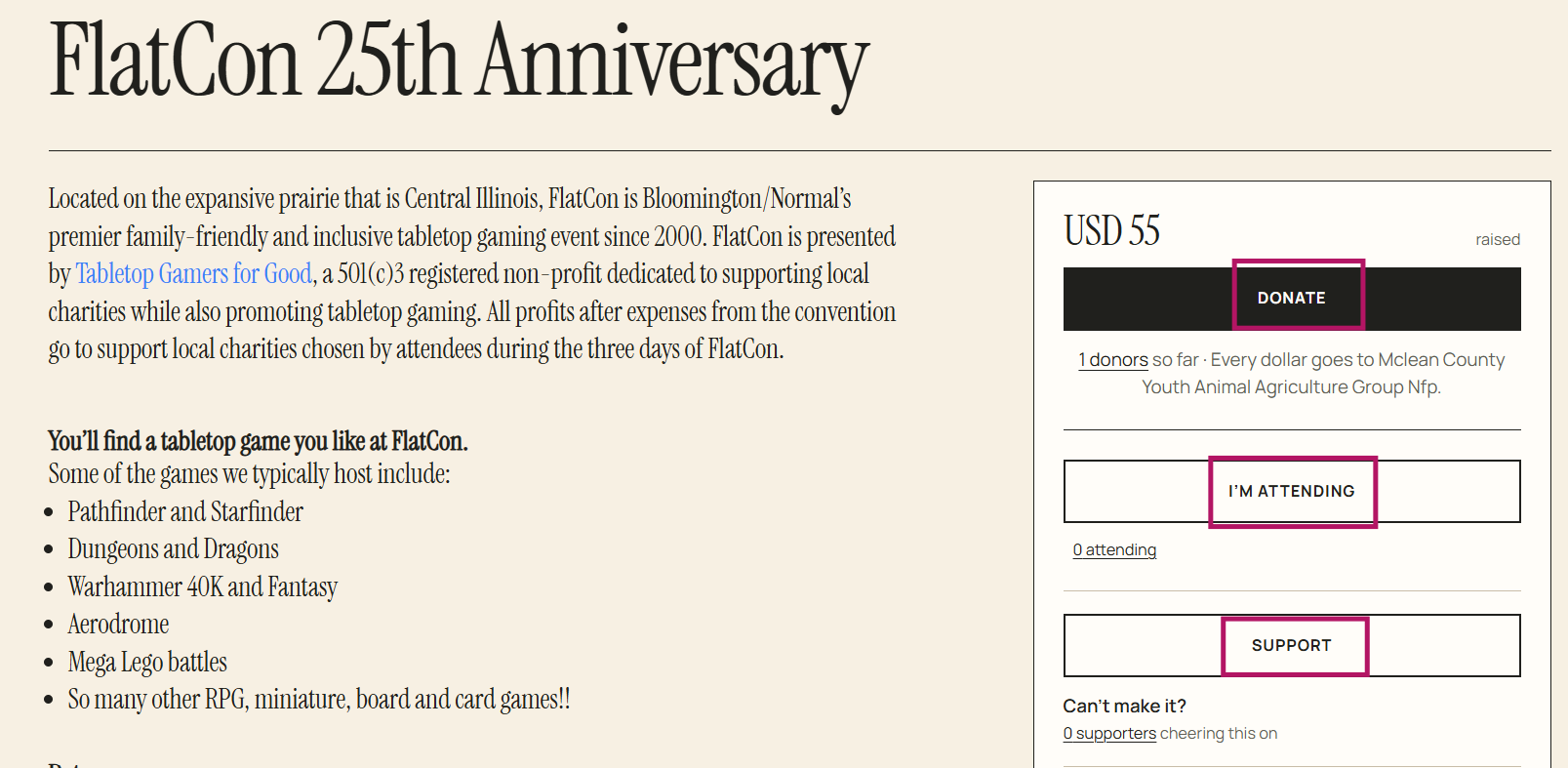
- You can click on 'Donate' to donate to the event (click here for step by step donation instructions: https://docs.zinda.org/3/zinda-manual/60/organization-details)
- You can click on 'I'm Attending' to set your status as attending the event
- You can click on 'Support' to support the event
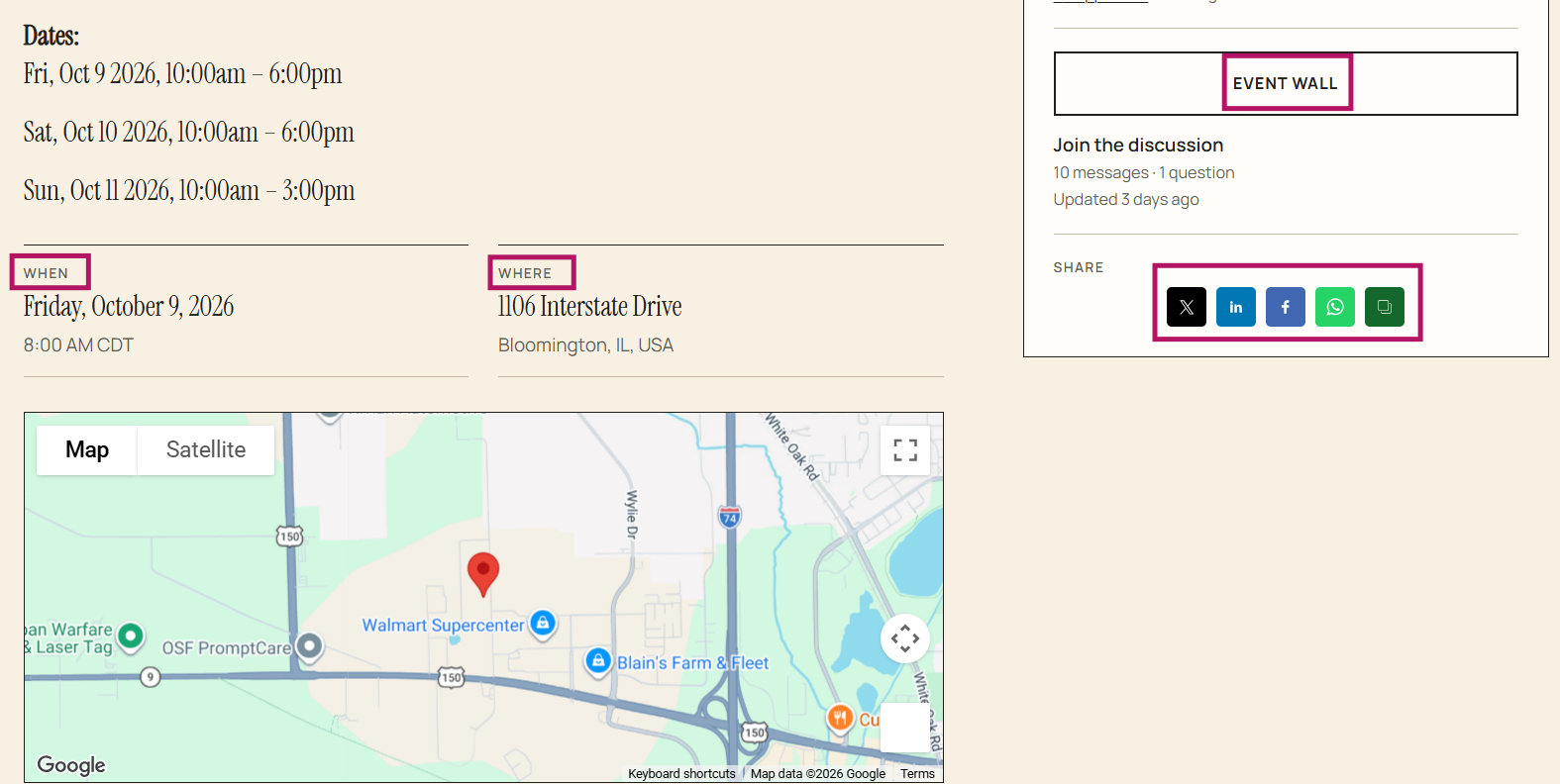
- You can click on 'Event Wall' to view or post messages on the event community page
- You can click on any 'Social media' platform to share the event with your network
- You can view the date, time, and location of the event
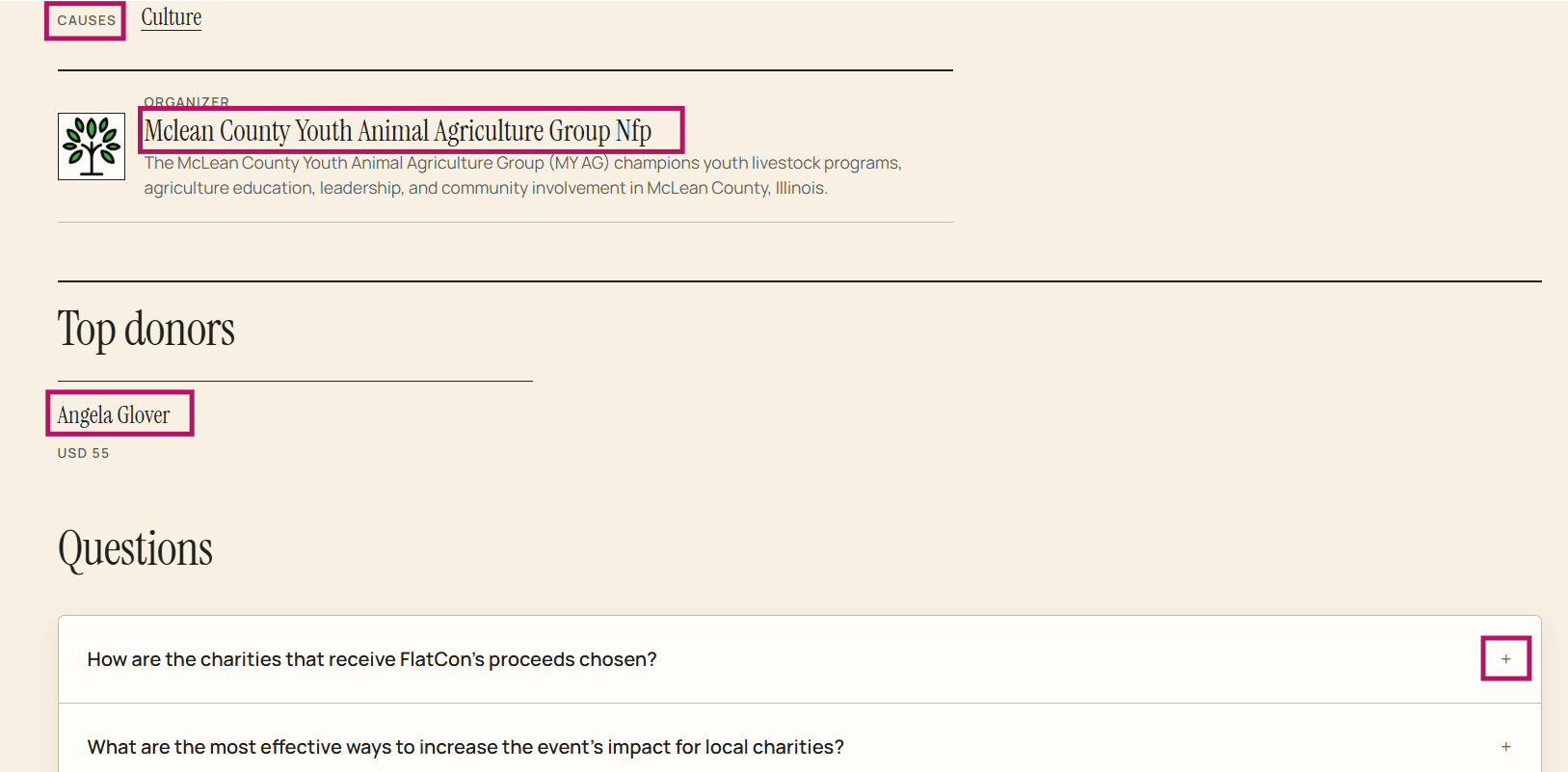
- You can click on 'Causes' to go to organizations with related events
- You can click on the organization's name to go to the organization's page
- You can click on the 'users name(s)' to go to their Zinda journey page
- You can click on the 'plus sign' to view answers to some common questions related to the event