 Move Individual Login
Open Individual Login
Individual Login
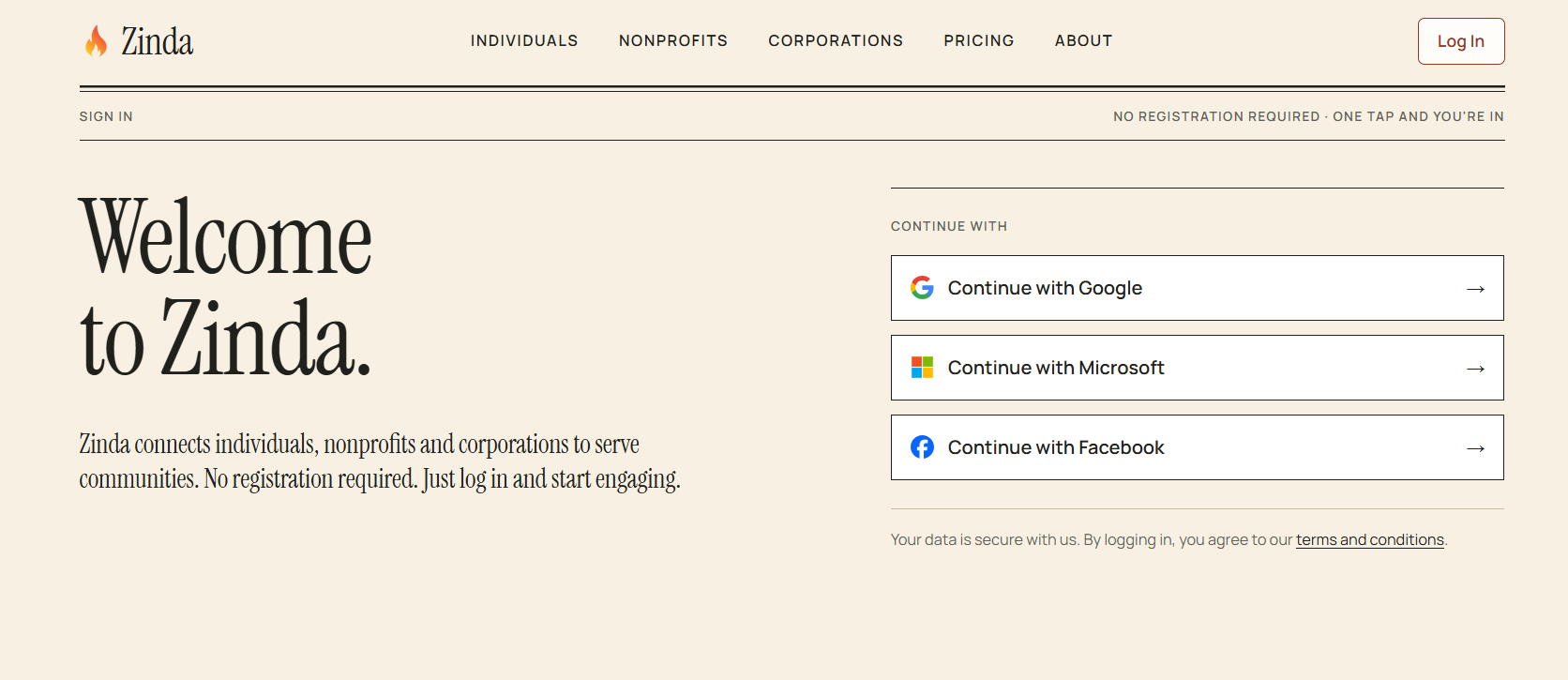
As an individual user on Zinda it is free to join, simply login via (Google, Microsoft, or Facebook) to get started
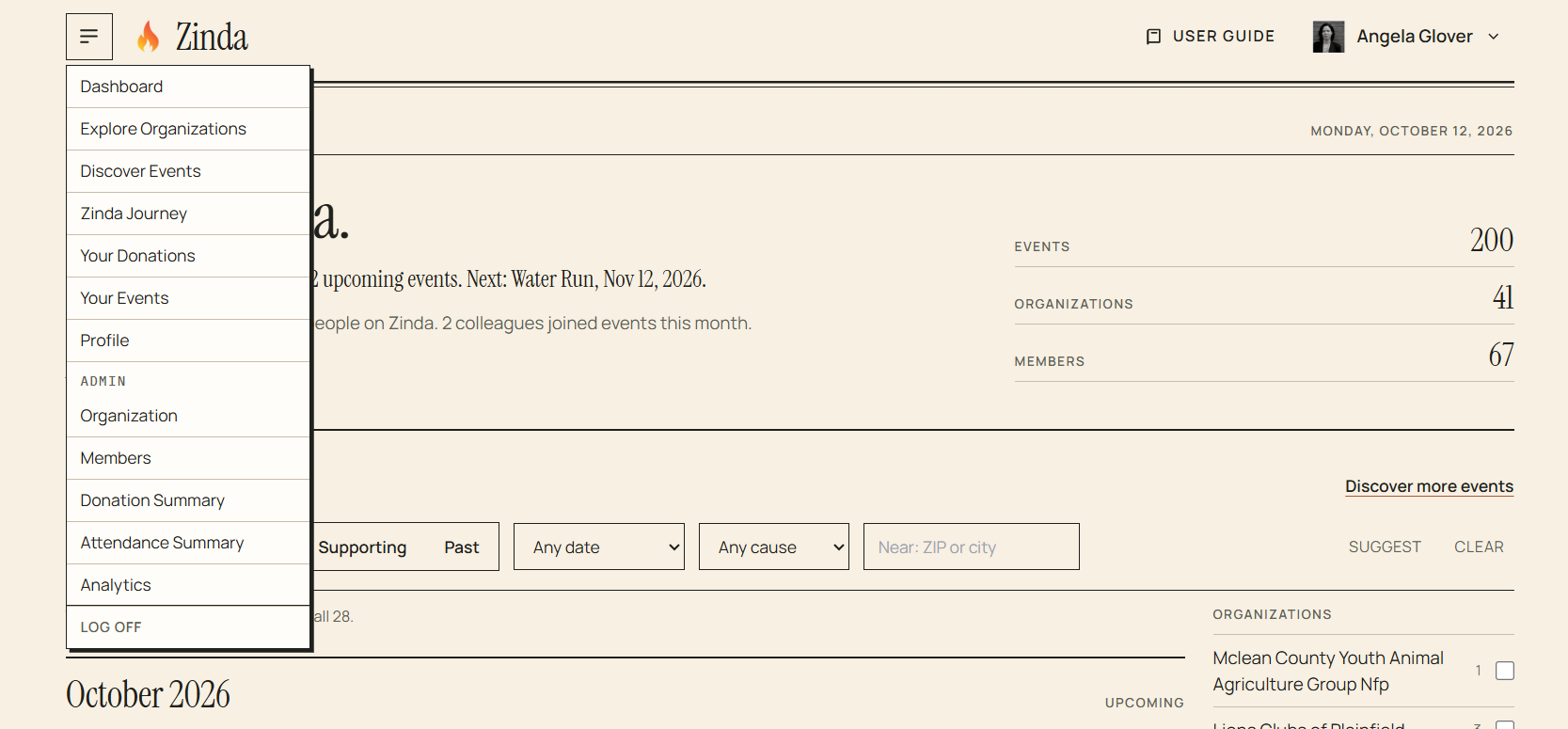
After logging in, you will land on the dashboard. The menu will display all options that apply to individuals
Individual Login
46 words
Move Dashboard
Open Dashboard
Dashboard
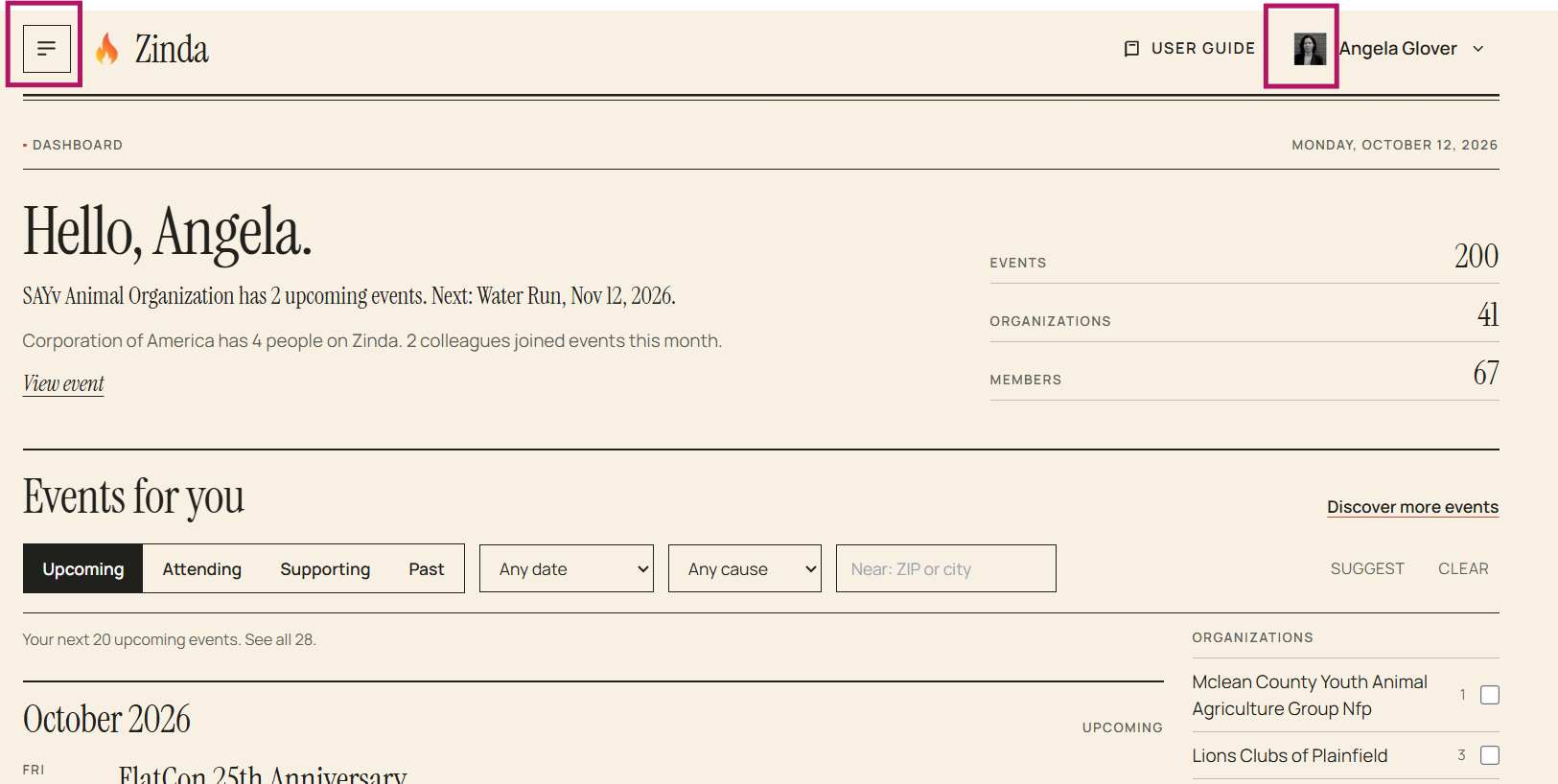
The dashboard is where you will click on the 'menu' in the top left corner to view your navigation options and click on your user 'profile icon' to view your current Zinda journey
Events for you:
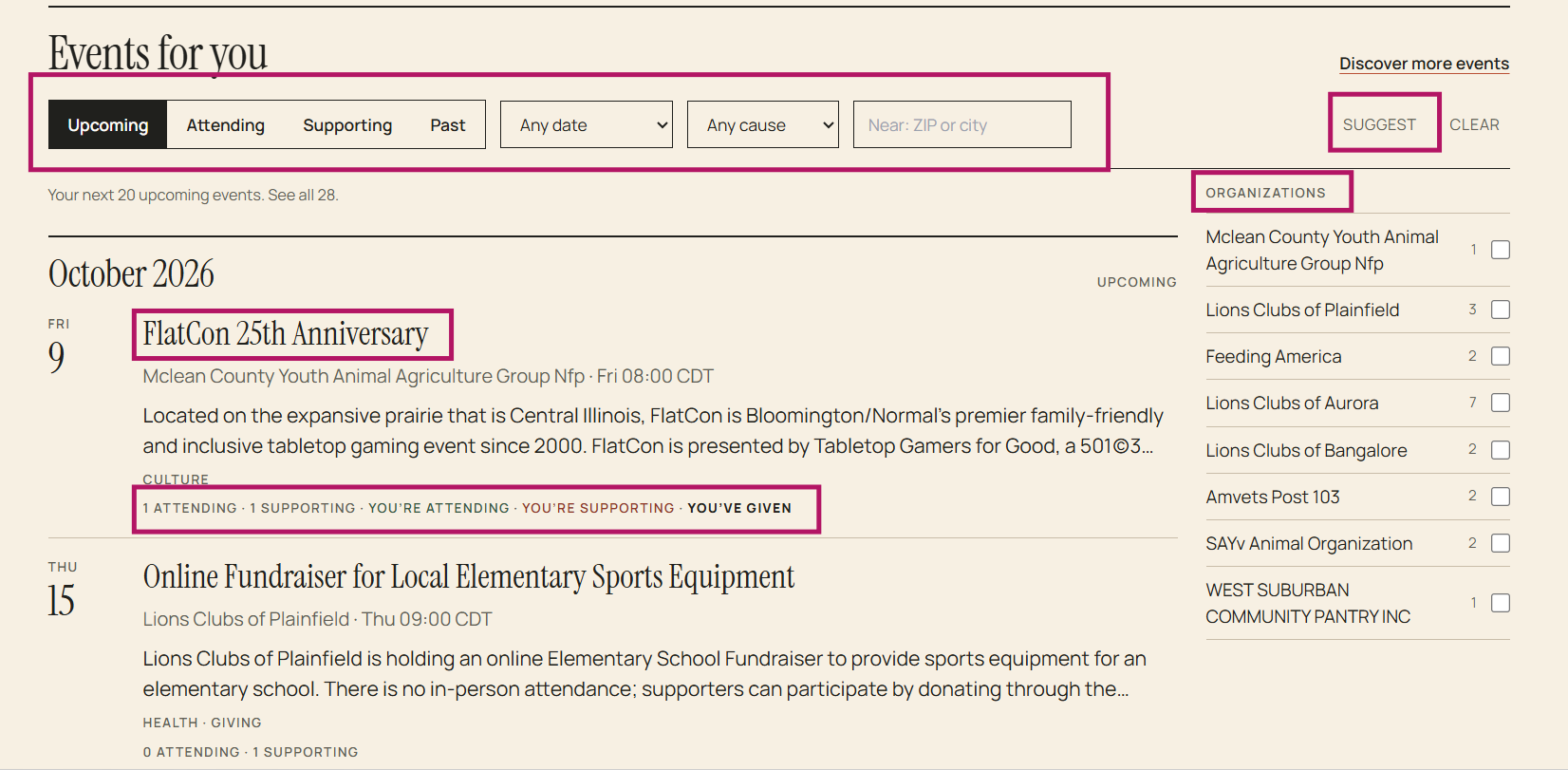
This section displays all public events and any private events that are applicable to you
Options:
- You can click on an event name to see the details
- You can click on any option listed below the event description to go to the event details (ex: attending, supporting)
- You can use the 'filter' to limit your view (upcoming, attending, supporting, past, specific date(s), cause, or by zip code)
- You can use 'suggest' to enable an AI based search using your existing information to suggest events that you may be interested in
- You can select specific organizations to view
Dashboard
142 words
Move Explore Organizations
Open Explore Organizations
Explore Organizations (Non-Profits/Corporations)
To explore organizations (non-profits/corporations), click 'Explore Organizations' on the menu
- You can view the 'Non-Profits' or 'Corporations' details by clicking on the name
- You can use the 'filter' to view (all, member, supporting, type, cause, or by zip code)
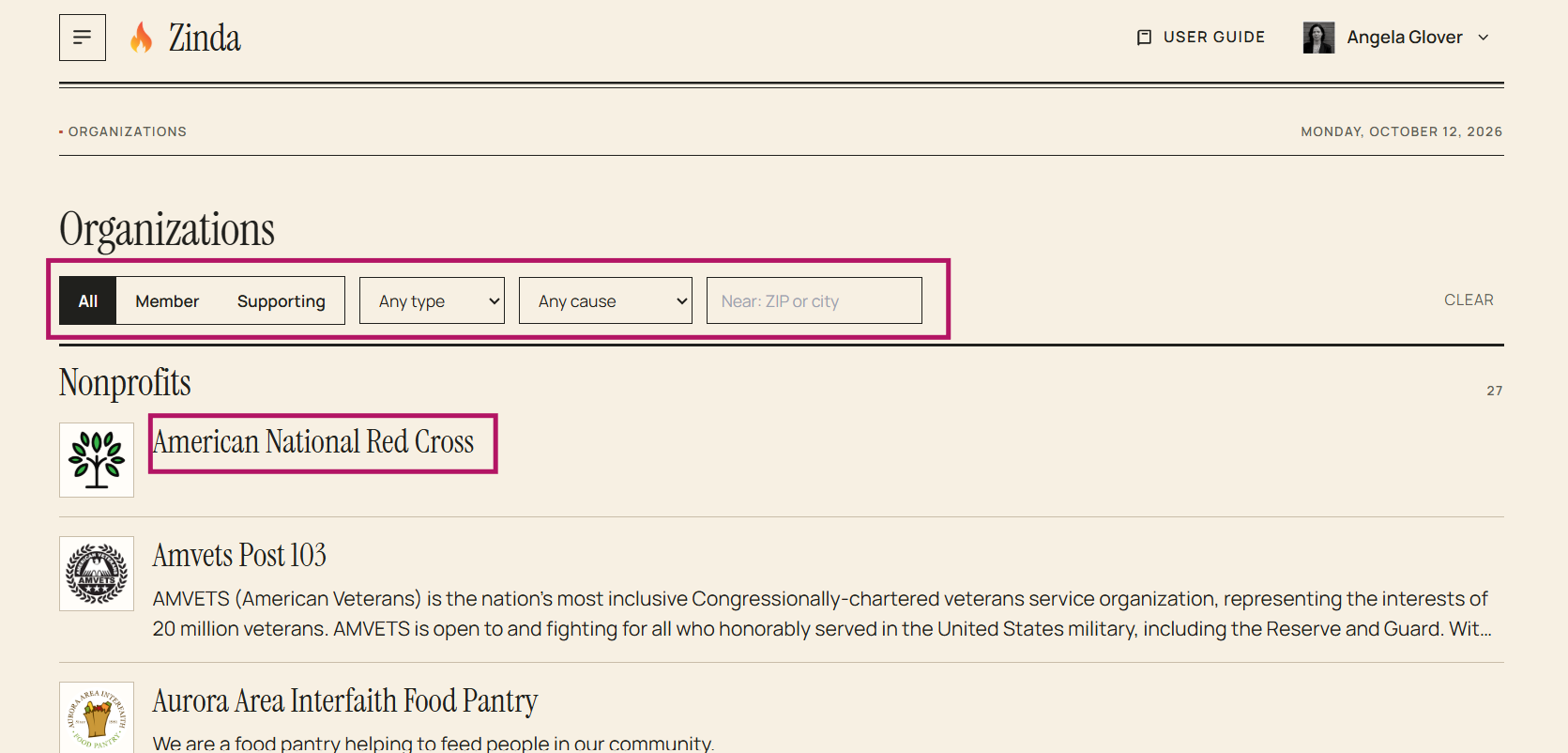
Explore Organizations
45 words
Move Organization/Non-Profit Details
Open Organization/Non-Profit Details
Organization/Non-Profit Details
To view the organization/non-profit's details, click on the 'organization/non-profit name'
Options:
- You can click on 'causes' to view other non-profits/organizations with related causes
- You can click on the 'quick reference' options to go to a specific section on the details page
- You can click on 'donate' to make a donation
- You can click on 'support' to support the non-profit/organization
- You can click on 'RSVP' to go to an event's details and click 'I'm attending' to attend an event
- You can click on any 'social media' platform to share the non-profit/organization with your network
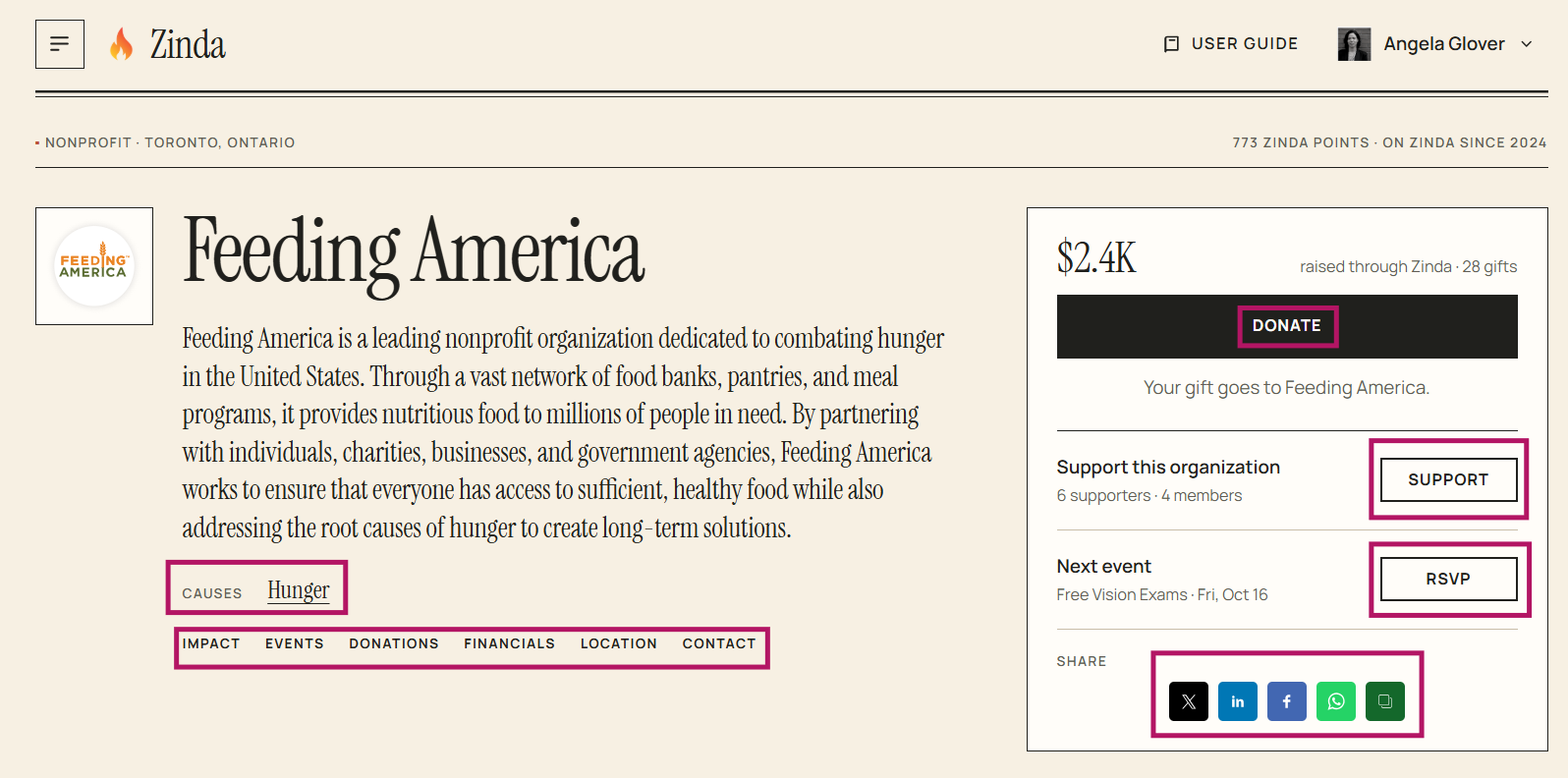
Donations
- Click 'Donate'
- Enter donation amount + click 'Pay'
- Select payment method + enter payment information
- Click 'Pay'
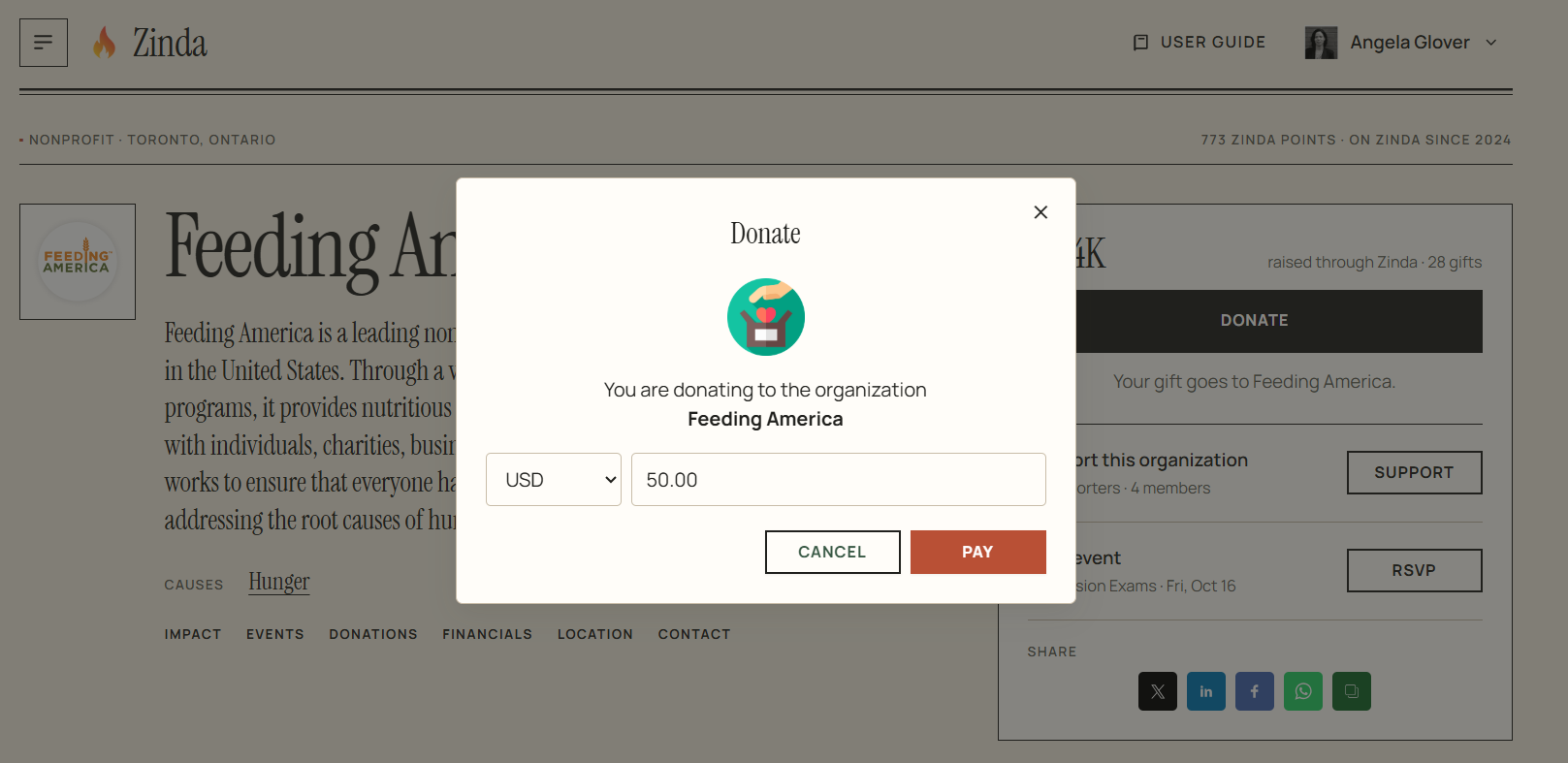
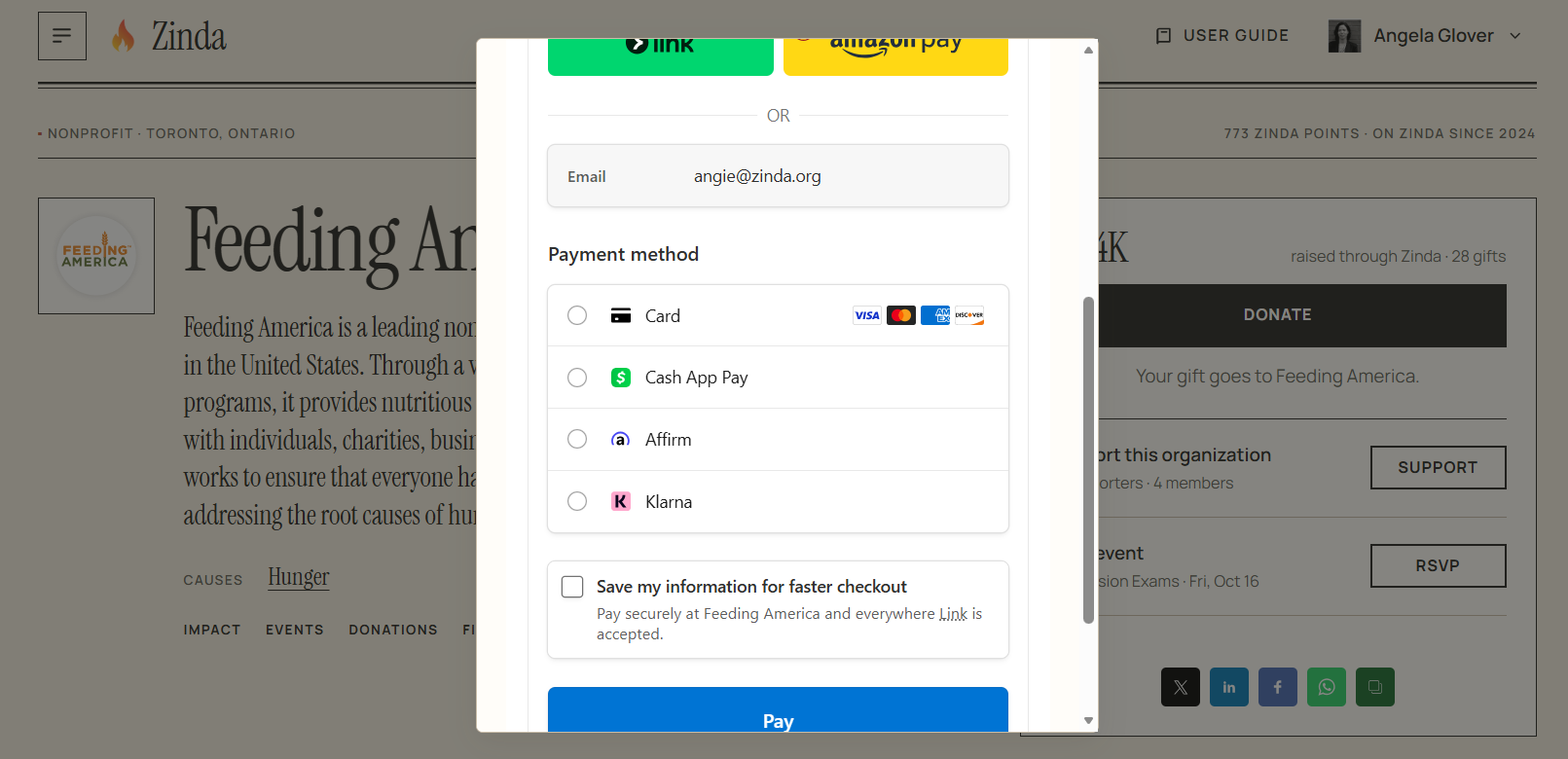
Impact on Zinda
Non-Profit/Organization Statistic
Organization/Non-Profit Details
162 words
Move Discover Events/Details
Open Discover Events/Details
Discover Events
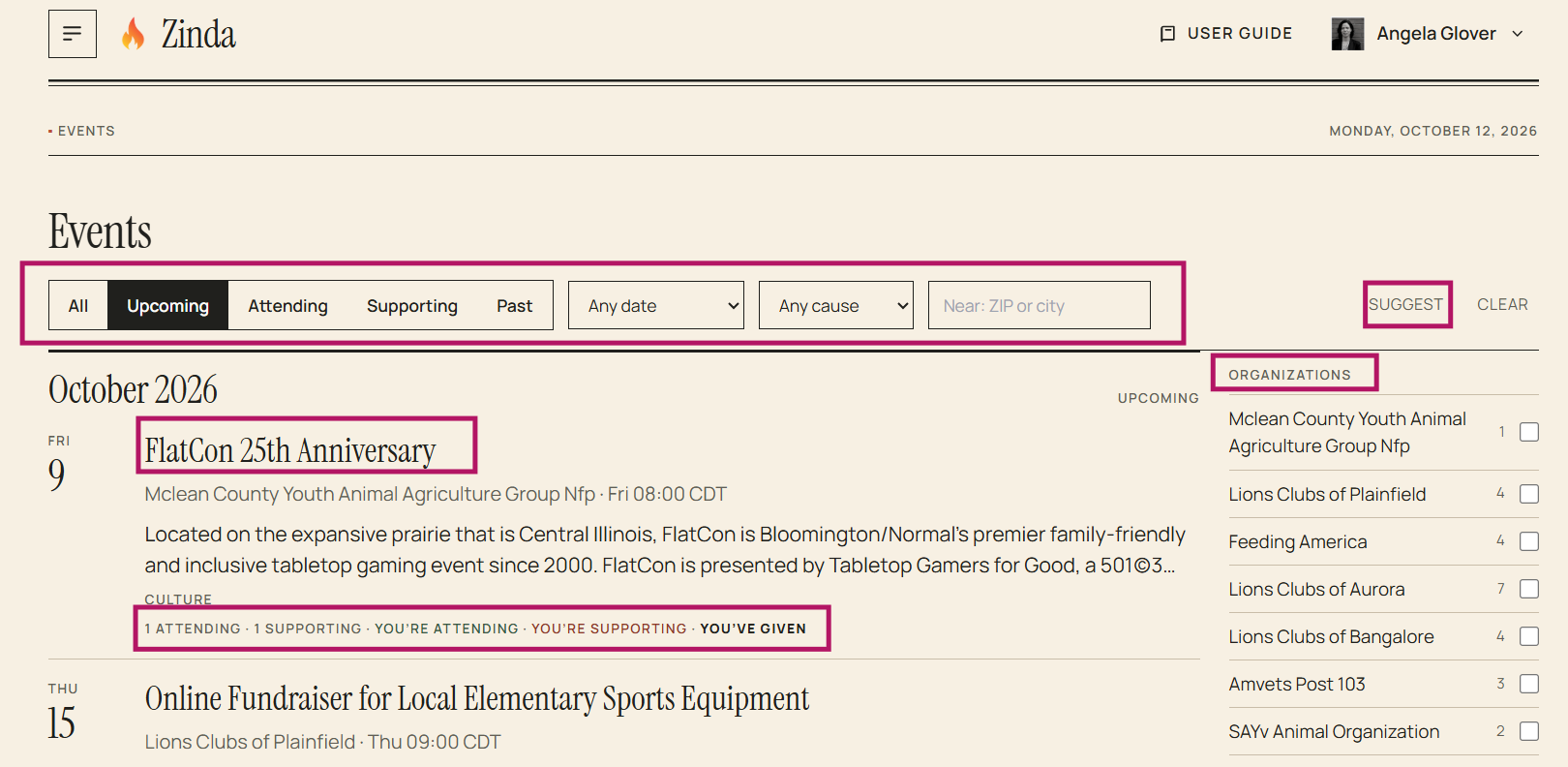
To discover events, click on 'Discover Events' in the menu
Options:
- You can click on an event name to see the details
- You can click on any option listed below the event description to go to the event details (ex: attending, supporting)
- You can use the 'filter' to limit your view (upcoming, attending, supporting, past, specific date(s), cause(s), or by zip code)
- You can use 'suggest' to enable an AI based search using your existing information to suggest events that you may be interested in
- You can select specific organizations to view
Event Details
Options:
- You can click on 'Donate' to donate to the event (click here for step by step donation instructions: https://docs.zinda.org/3/zinda-manual/60/organization-details)
- You can click on 'I'm Attending' to set your status as attending the event
- You can click on 'Support' to support the event
- You can click on _'Event Wall
Discover Events/Details
257 words
Move Zinda Journey
Open Zinda Journey
Zinda Journey
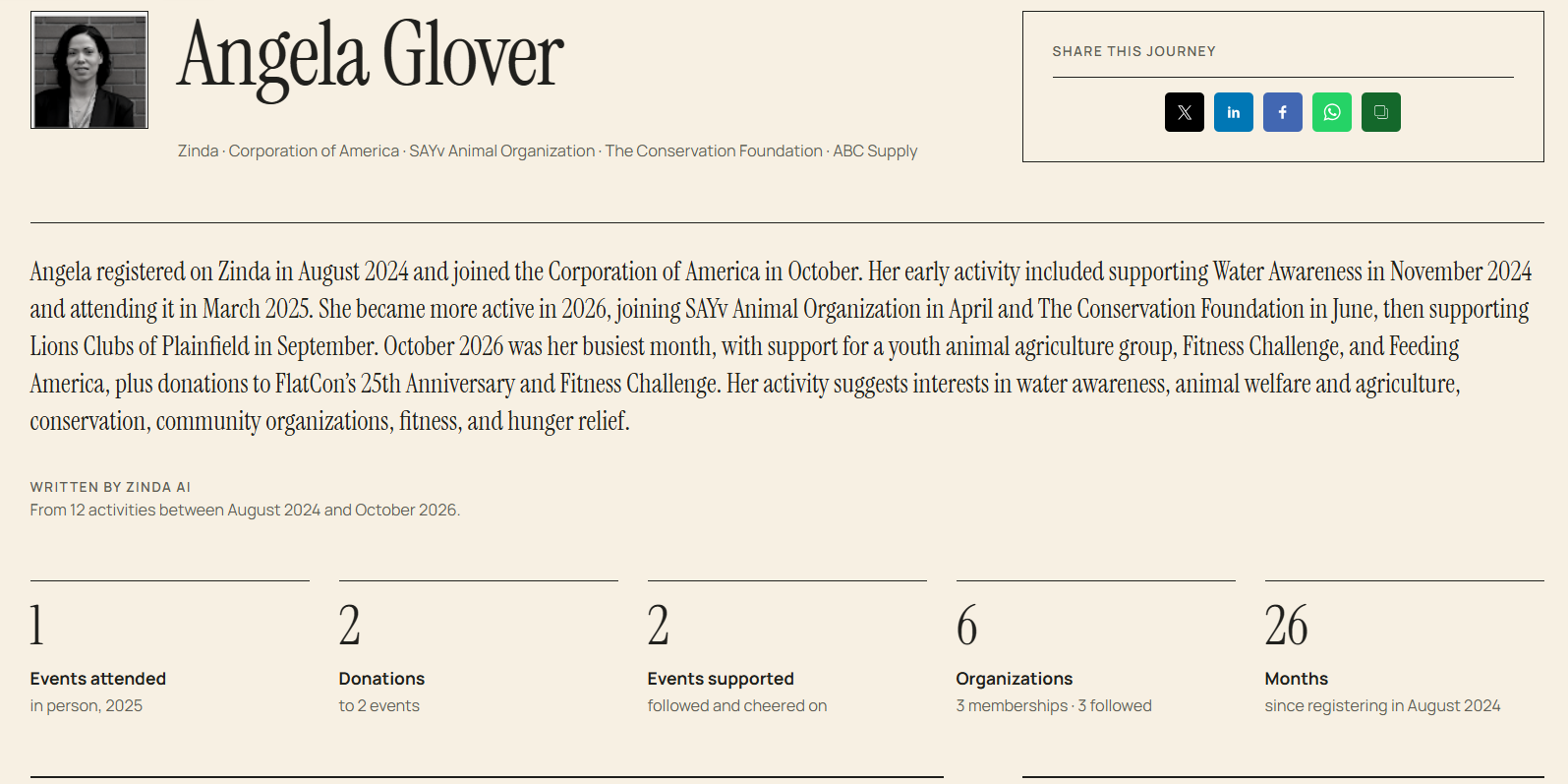
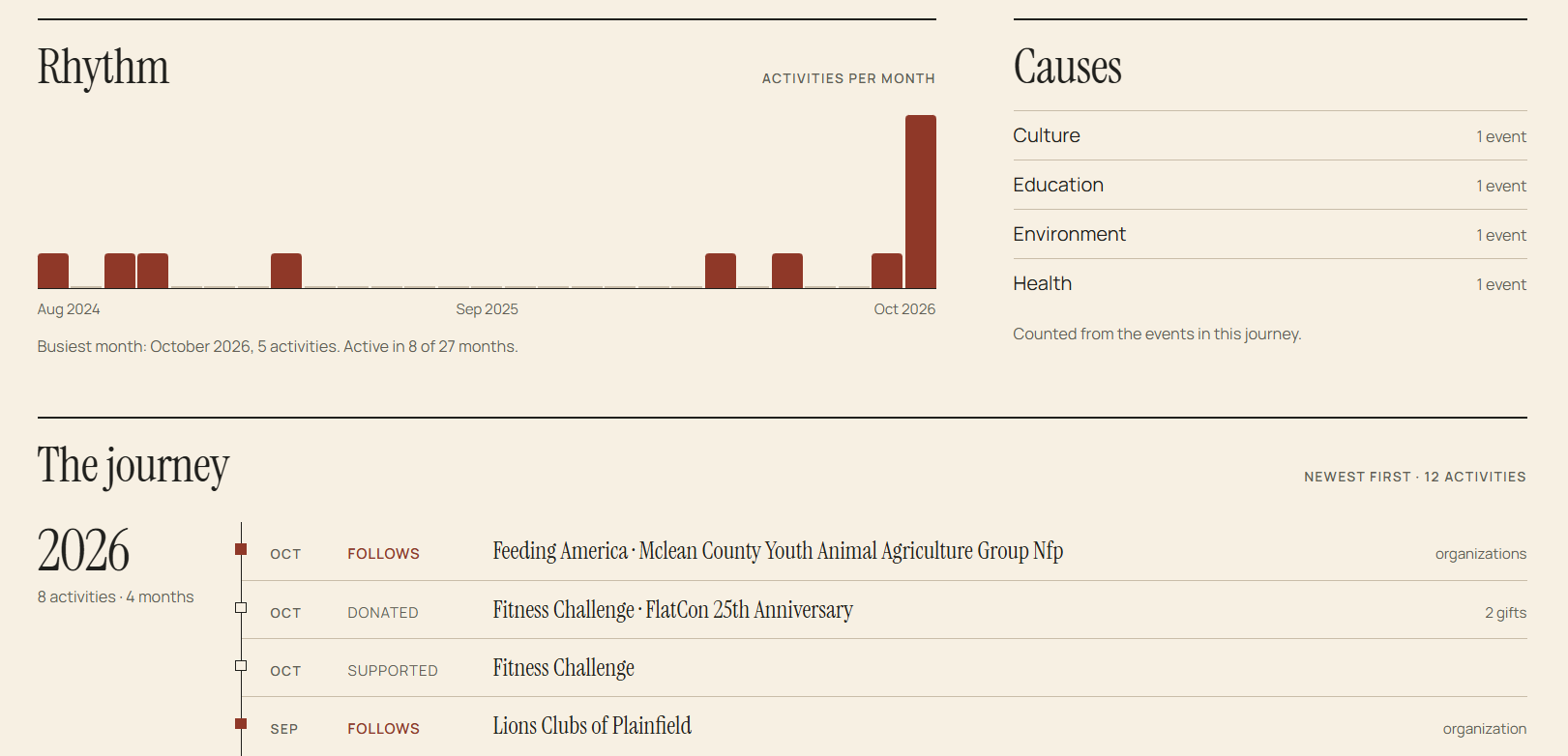
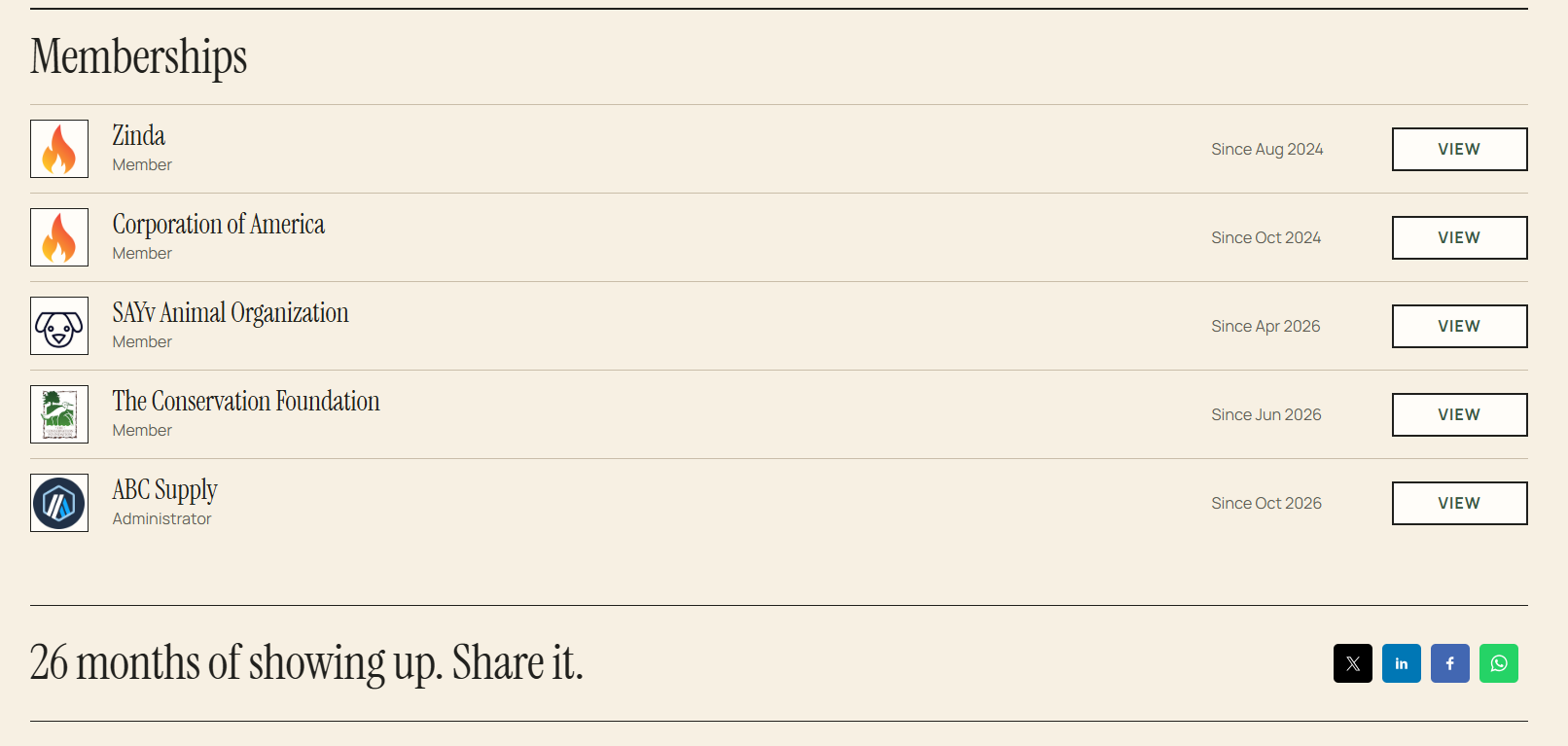
To view your Zinda journey, click on 'Zinda Journey' in the menu (journey entries are clickable).
You can click on any 'Social media' platform to share your journey with your network.
You can click on any user's profile icon to visit their Zinda journey
Zinda Journey
49 words
Move Your Donations
Open Your Donations
Your Donations
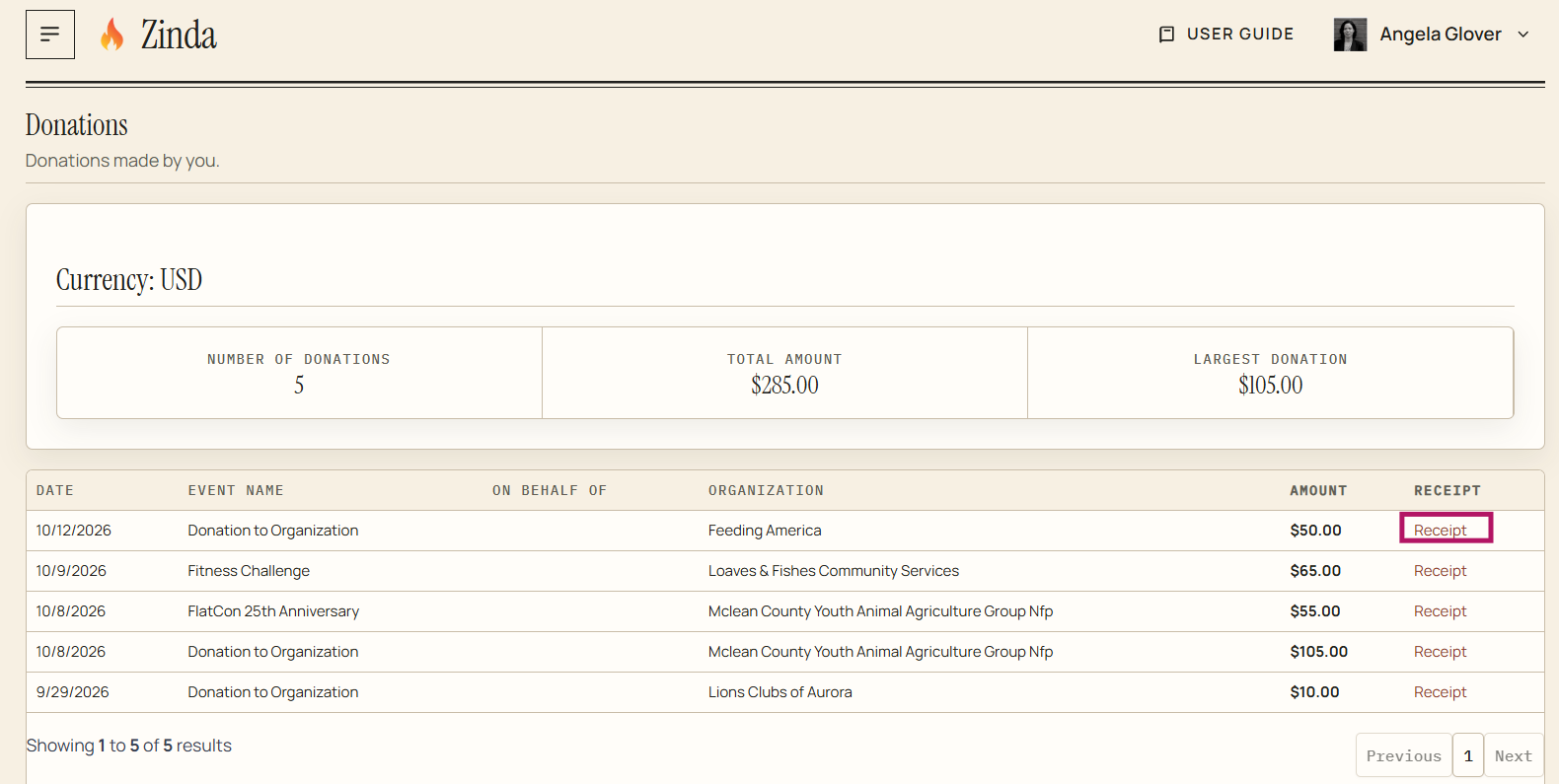
To view your donations, click on 'Your Donations' in the menu
You can click on 'Receipt' to view your donation receipt
Your Donations
24 words
Move Your Events
Open Your Events
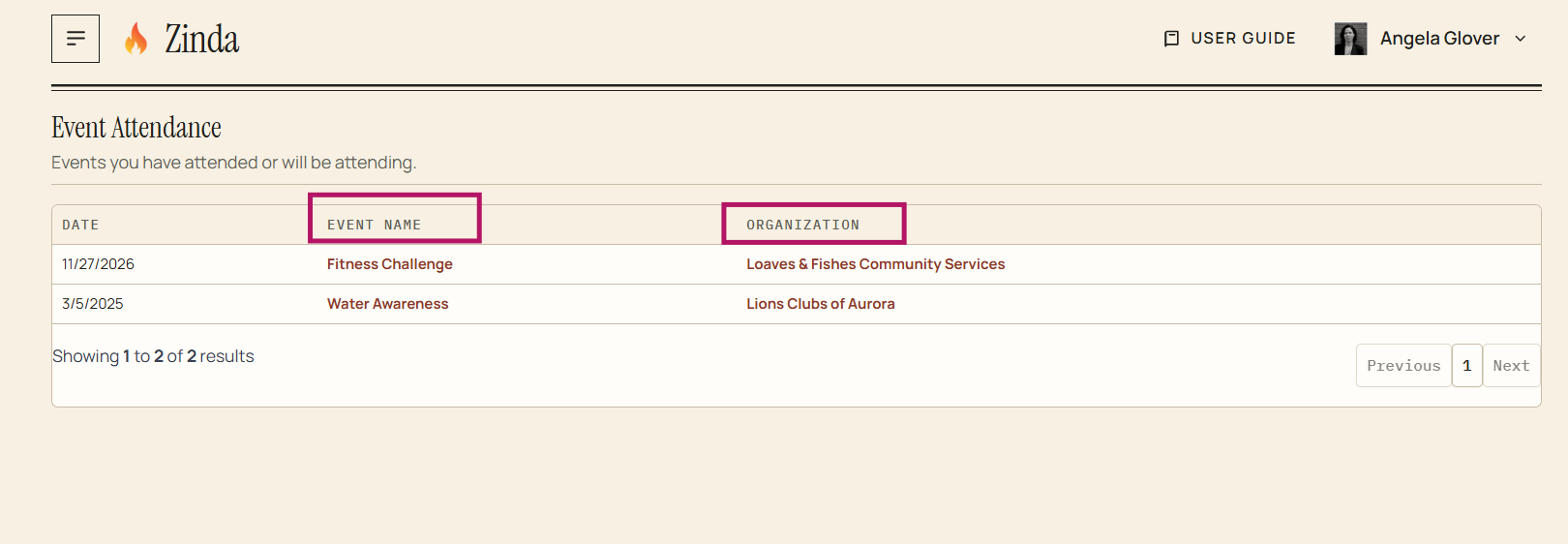
Your Events
You can click on the 'Event Name' to go to the event details
You can click on the 'Organization Name' to go to the organization's detail page
Your Events
30 words
Move Profile
Open Profile
Profile
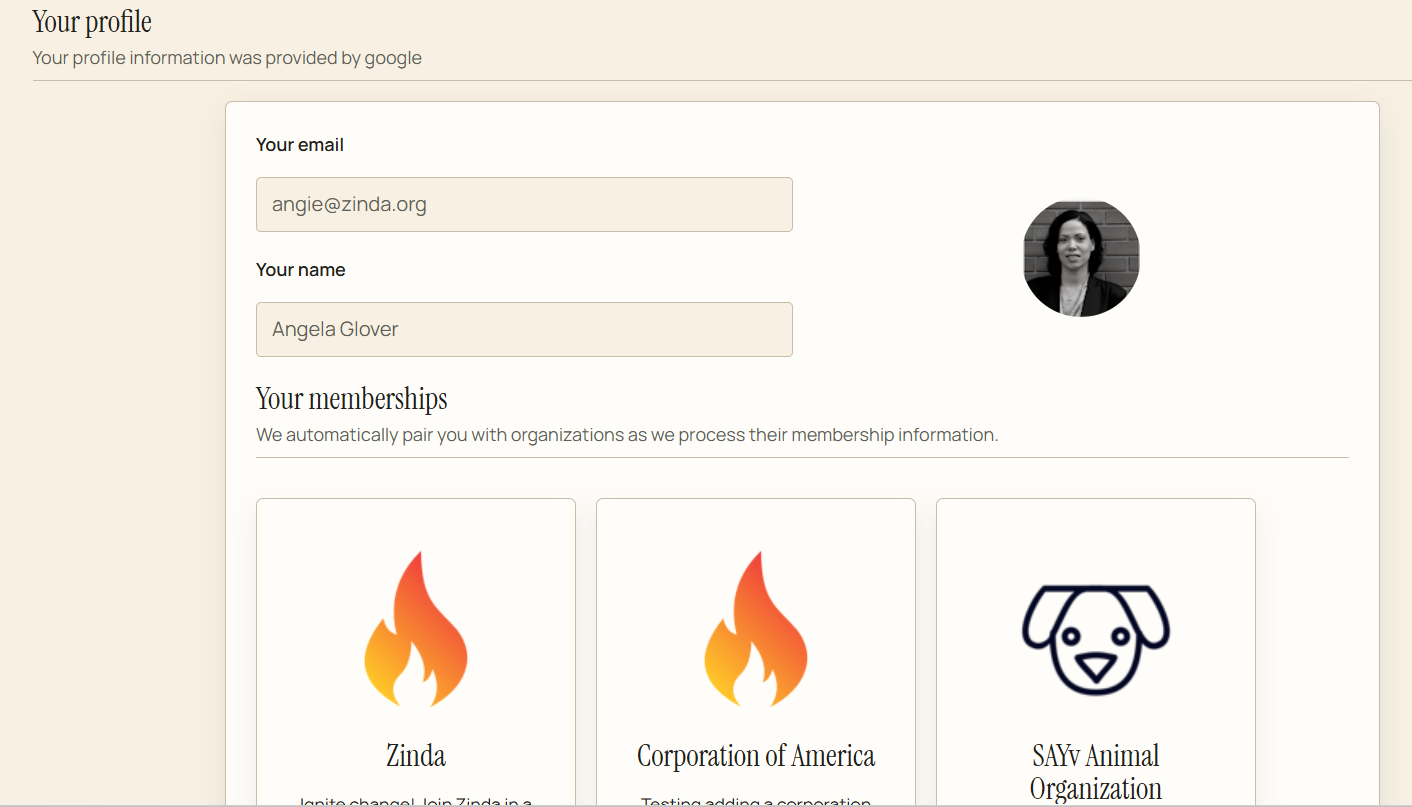
Your profile is private and view only. You can click on any 'Organization' to go to that organization's page
Profile
21 words
Move Non-Profits Join Zinda
Open Non-Profits Join Zinda
Non-Profits Join
Click 'Join as a founding partner'
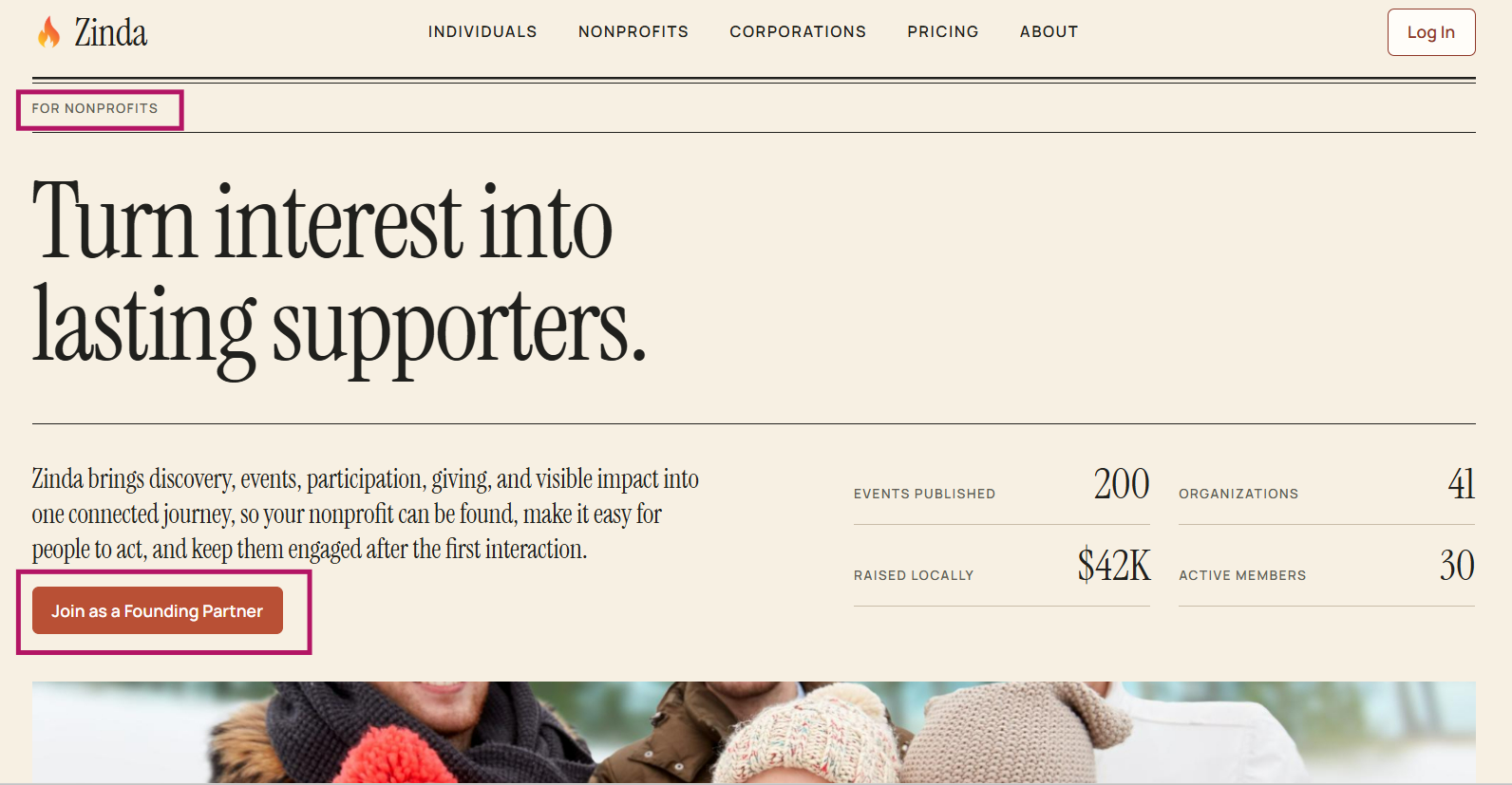
Register your nonprofit by logging in with a work domain email (not a personal email account).
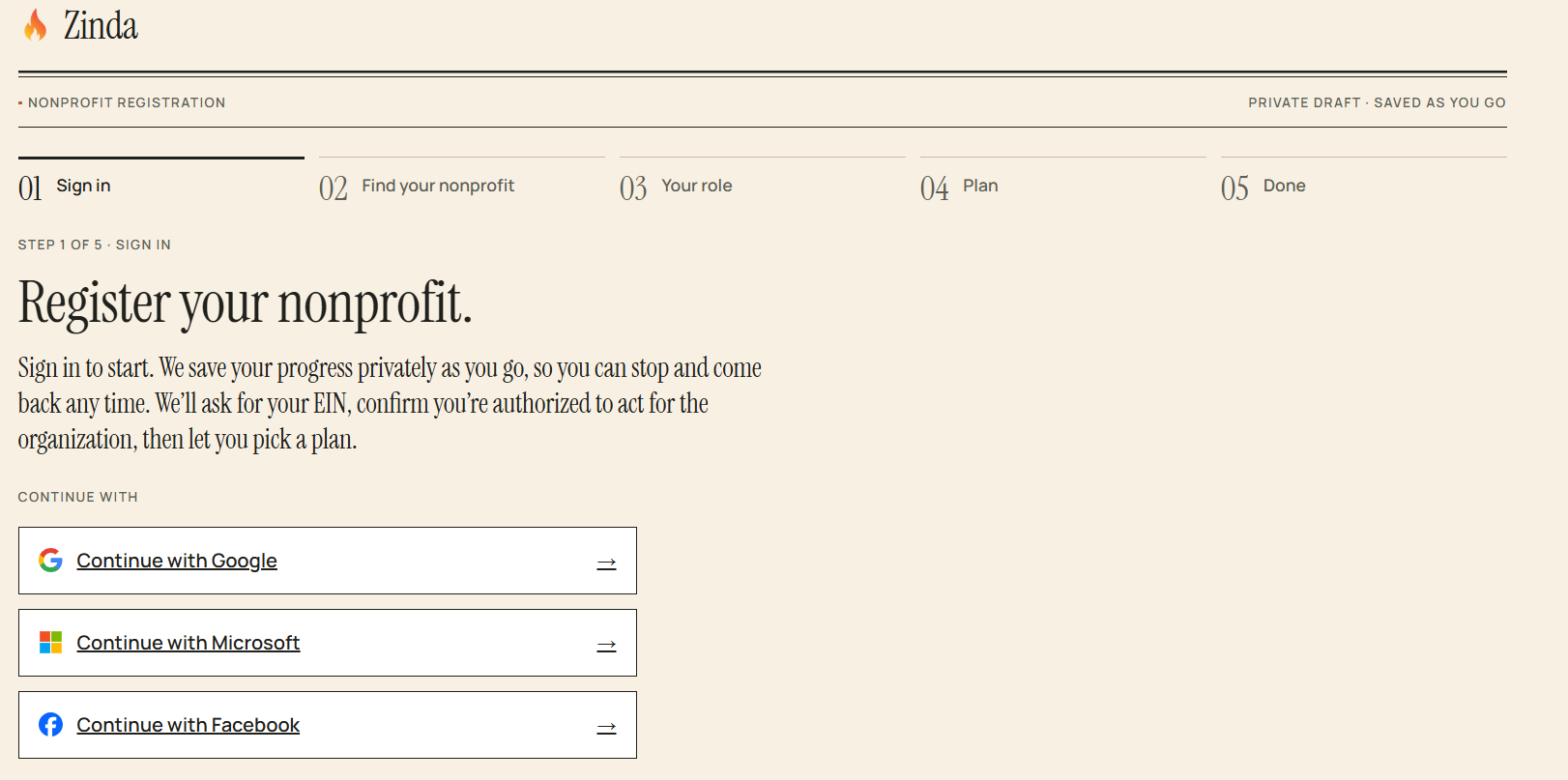
Enter your organization's 'Employer Identification Number' (EIN) + click 'Save and Continue'
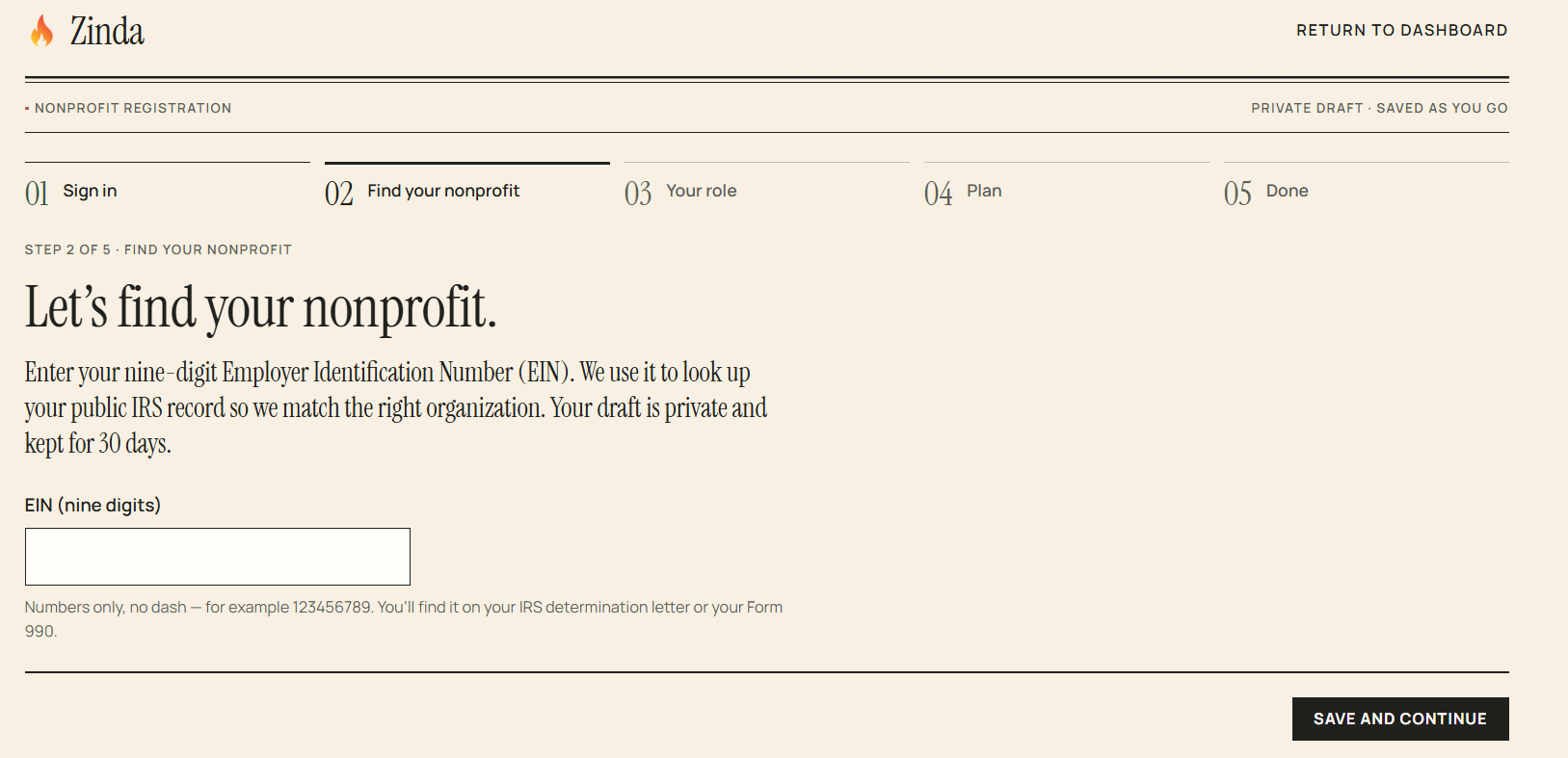
Verify the nonprofit's EIN by entering it again + click 'Confirm EIN'
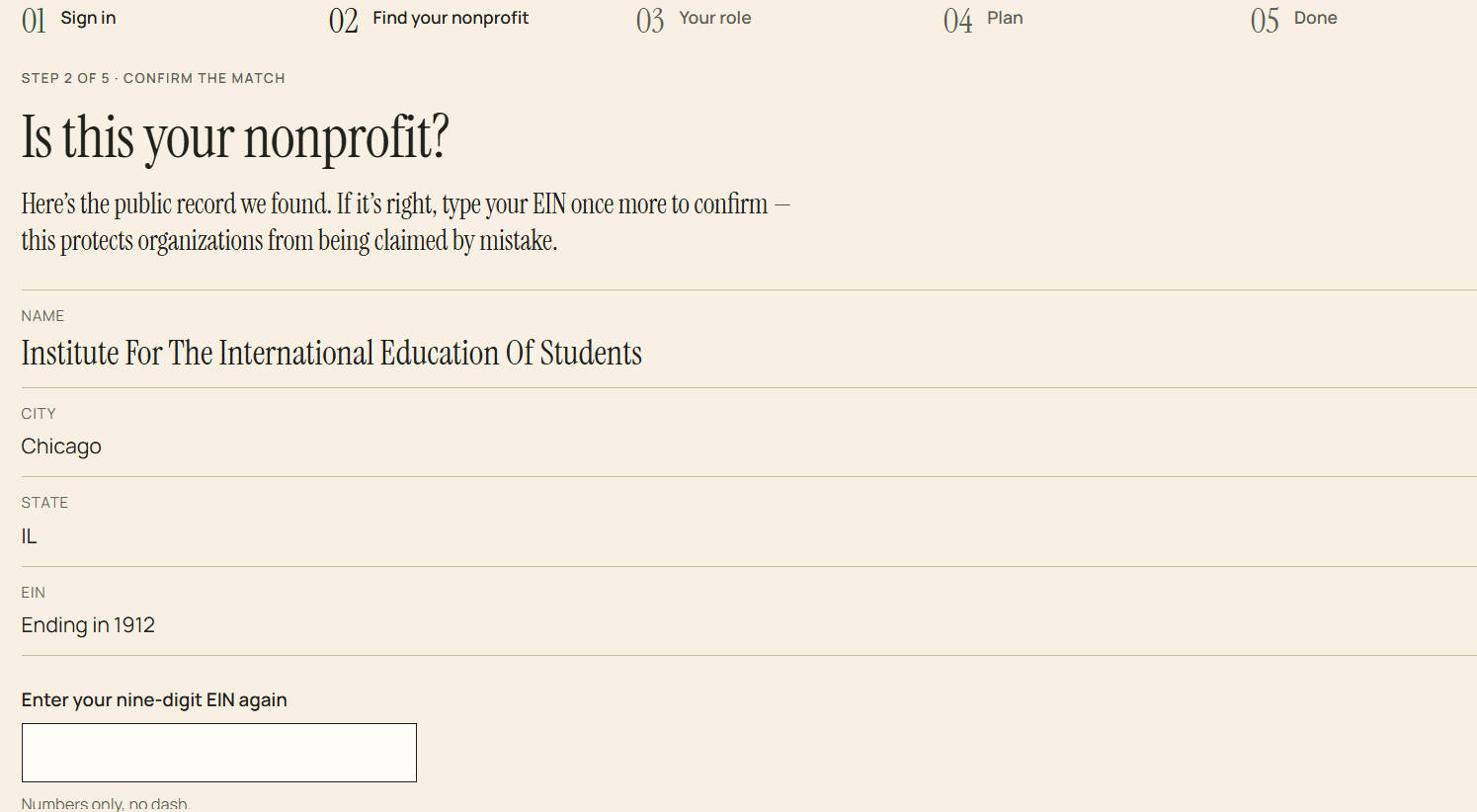
Verify you are authorized to represent the nonprofit + click 'Continue to Plans'
Pick a plan and billing frequency + click 'Complete Registration'
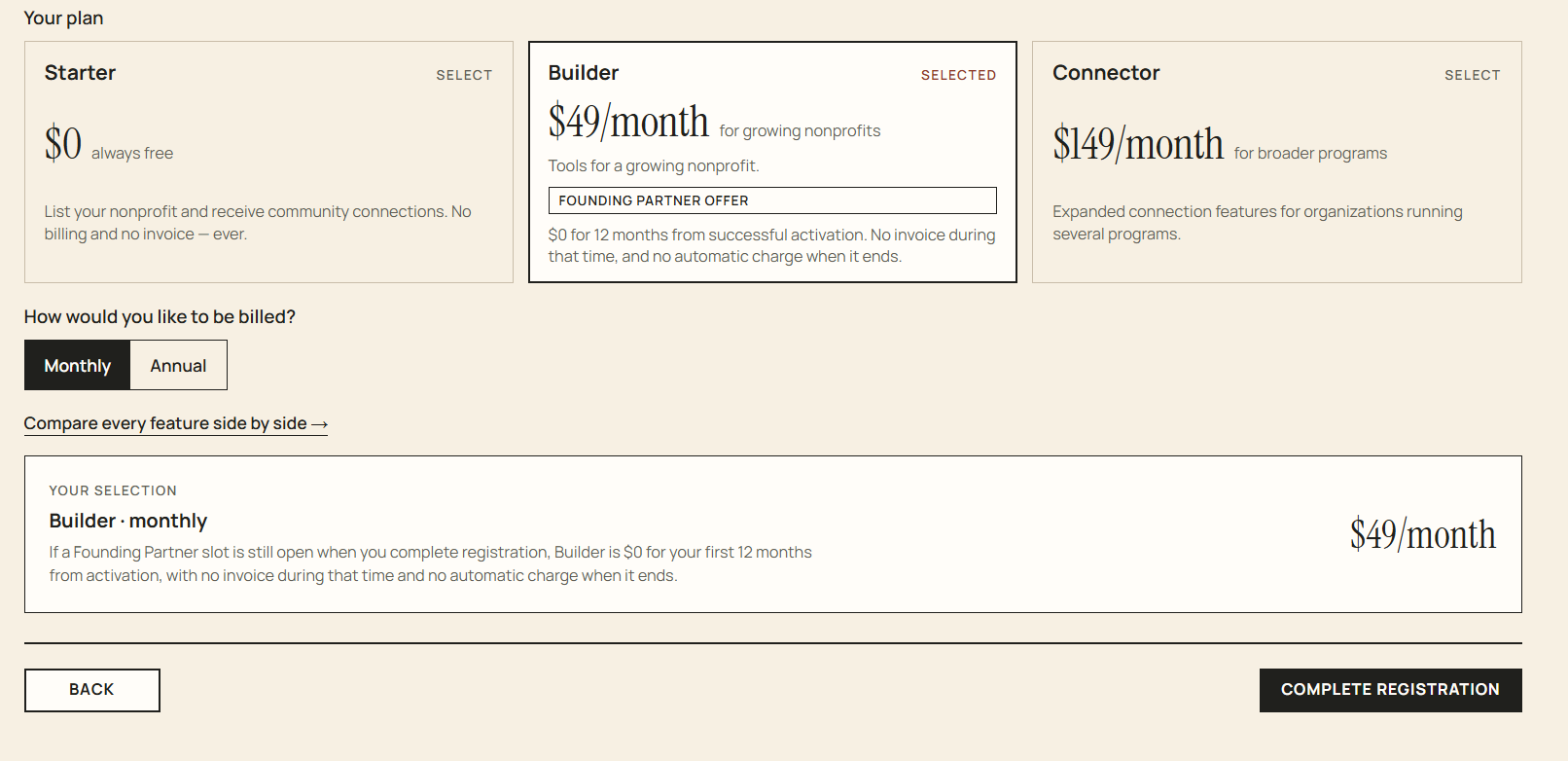
Registration complete - you have several options at this point:
- Complete your organization profile (organization profile page)
- Invite collegues (organiz
Non-Profits Join Zinda
113 words
Move Organizations
Open Organizations
Organization/Non-Profit
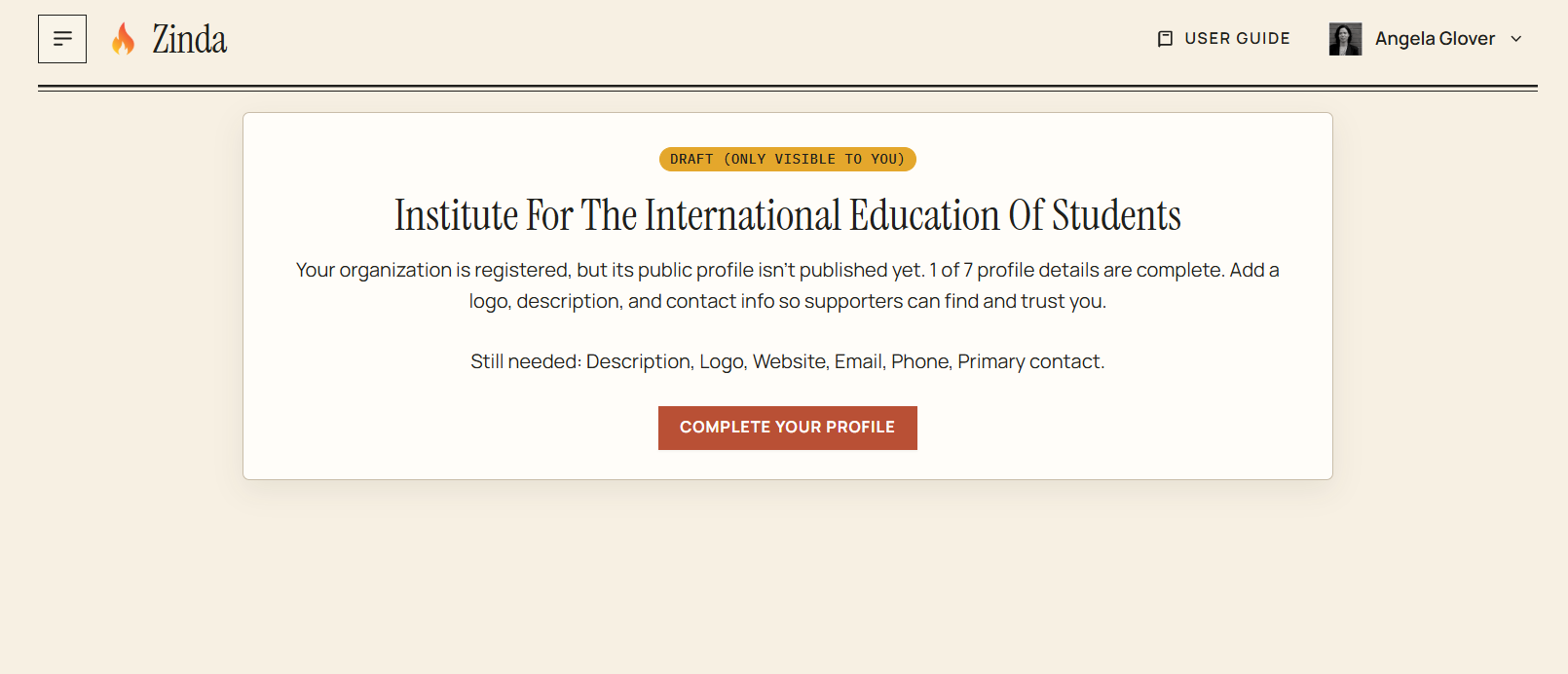
If your organization/non-profit's profile page has not been completed, you'll see this screen displaying as a 'Draft'. Click 'Complete Your Profile.'
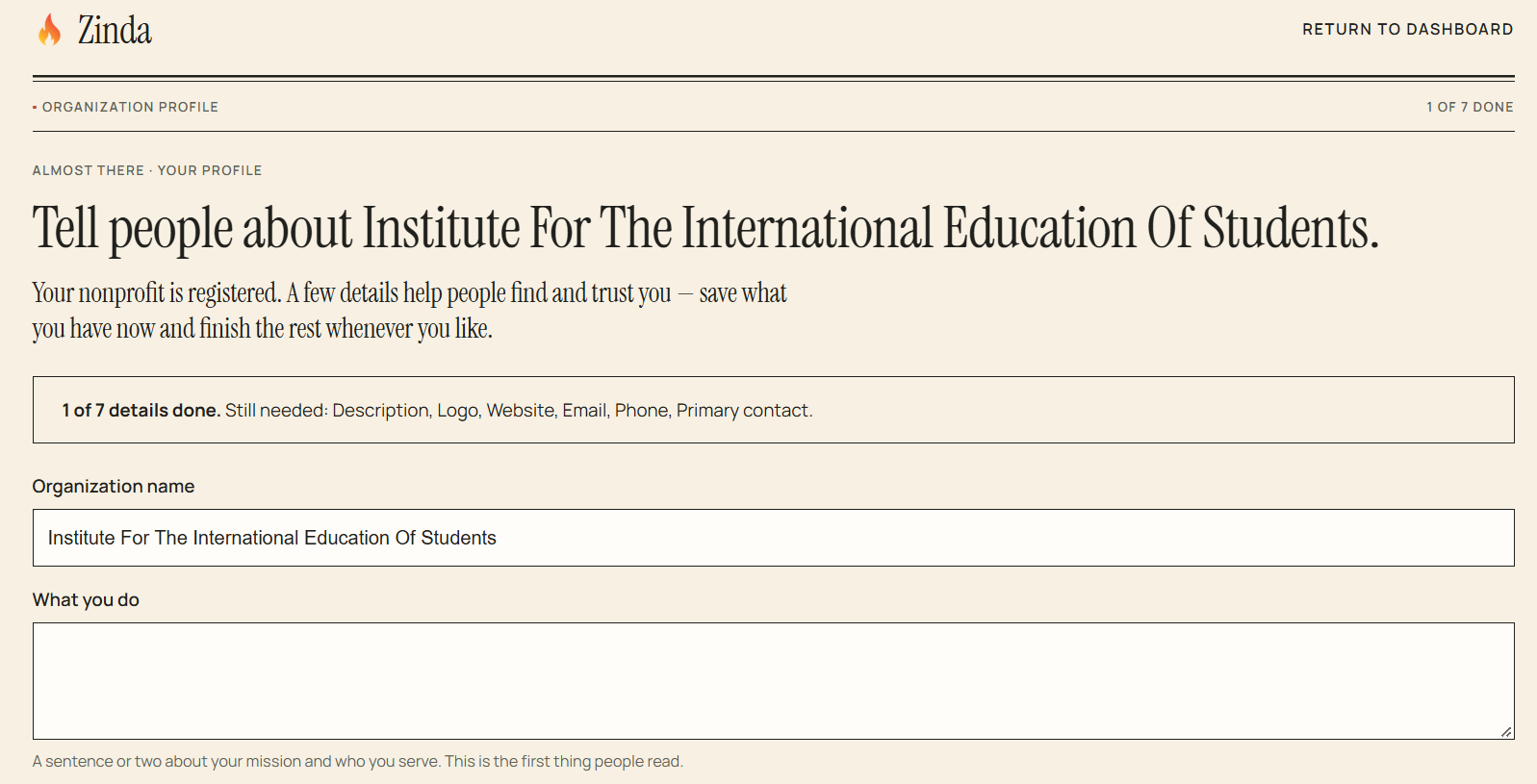
Organization/Non-Profit Profile
Complete all required fields + click 'Save Profile'
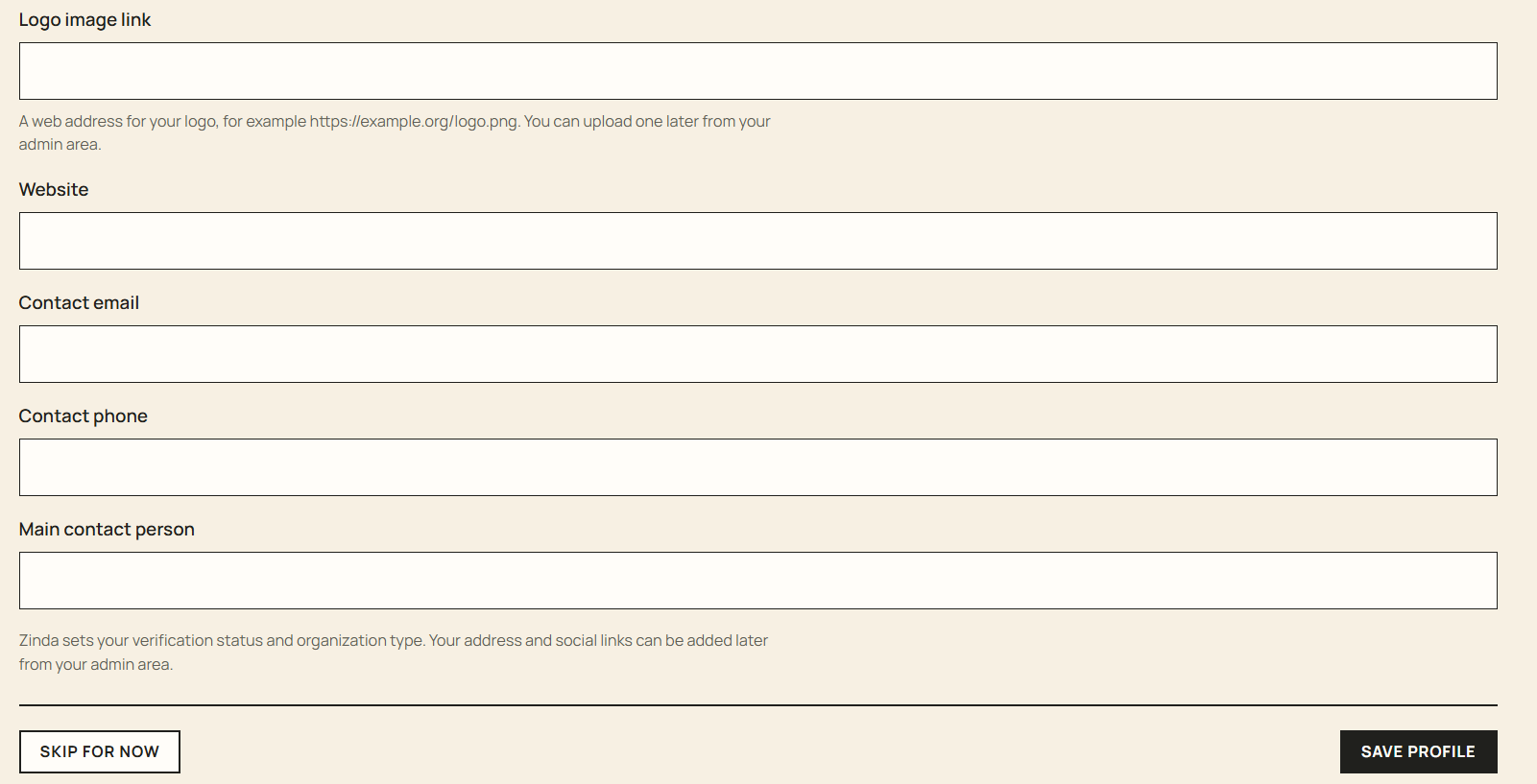
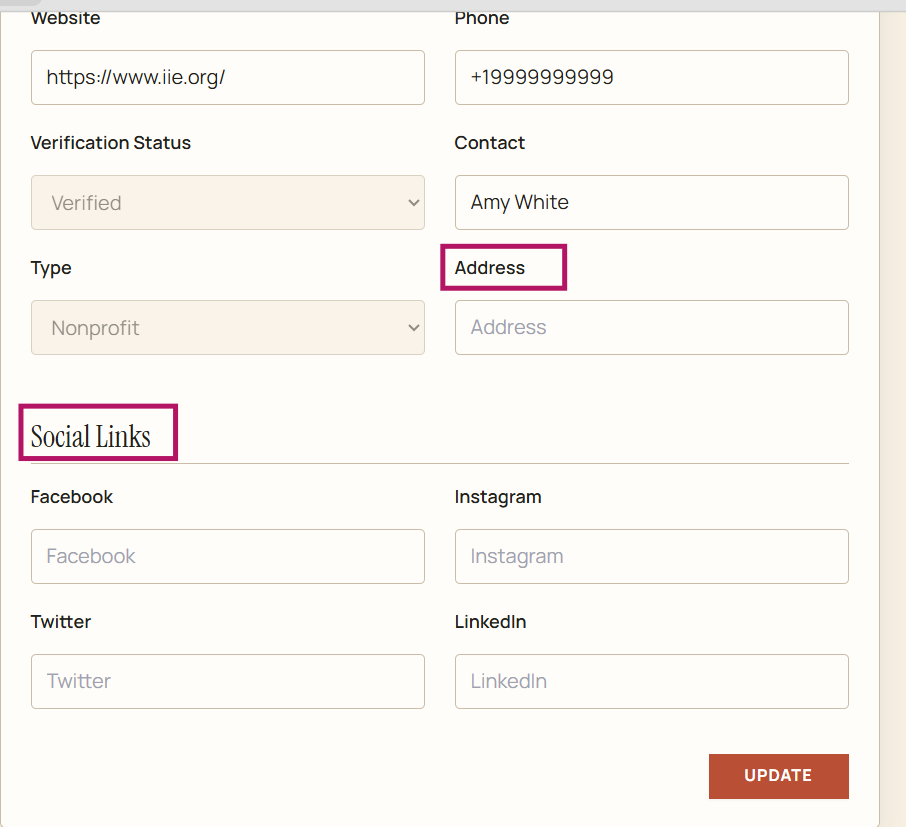
Official Organization/Non-Profit Profile - add organization address and social media links + click 'Update'
To 'Edit' the profile information - enter changes and click 'Update'
Organizations
61 words
Move Organization/Non-Profit Members
Open Organization/Non-Profit Members
Organization/Non-Profit Members
View organization/non-profit members
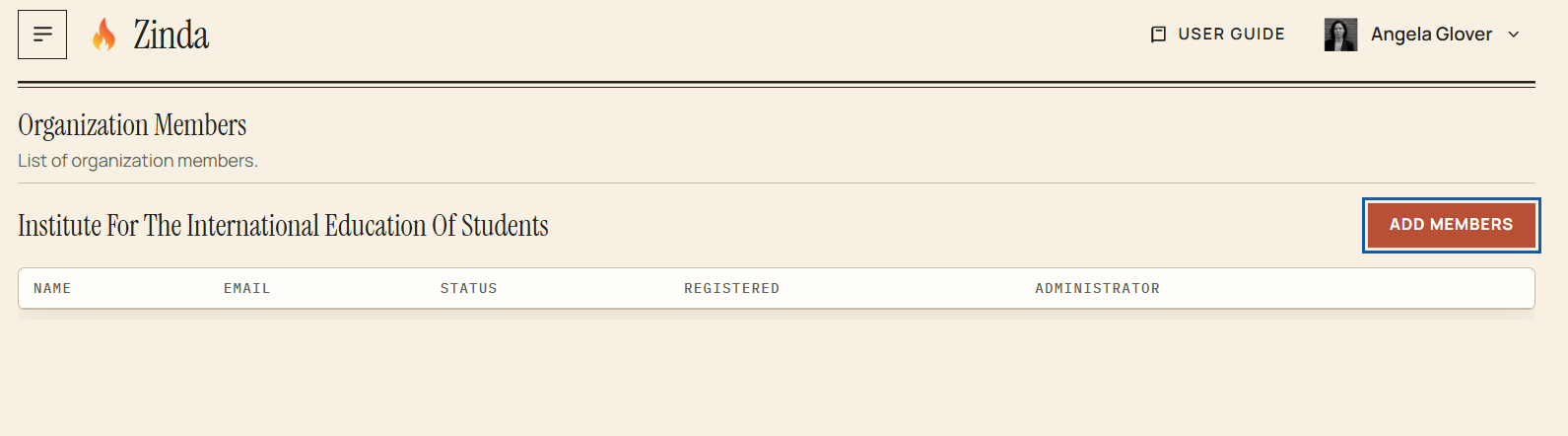
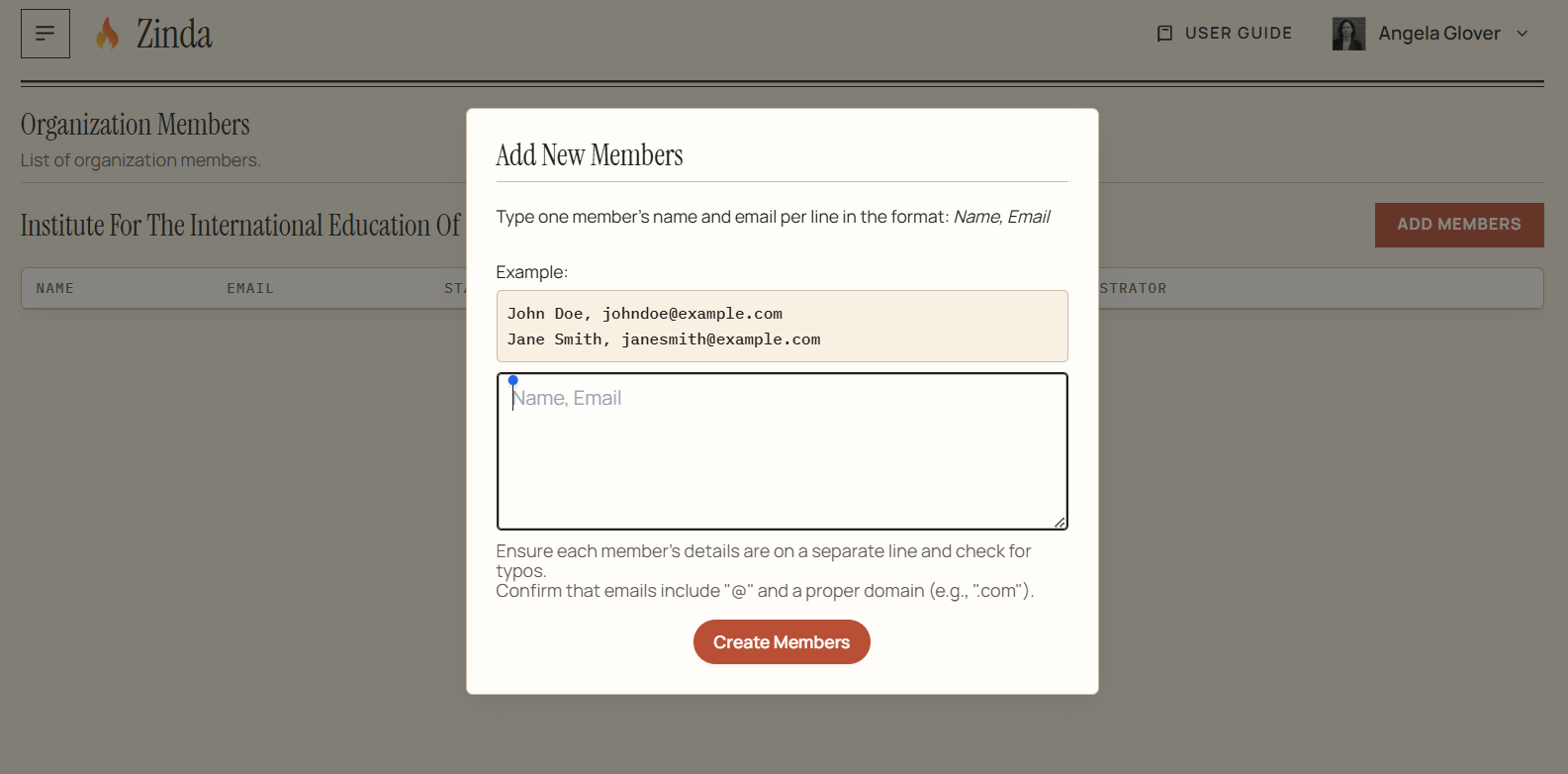
To add member(s) - click 'Add Members' and follow the example + click 'Create Members'
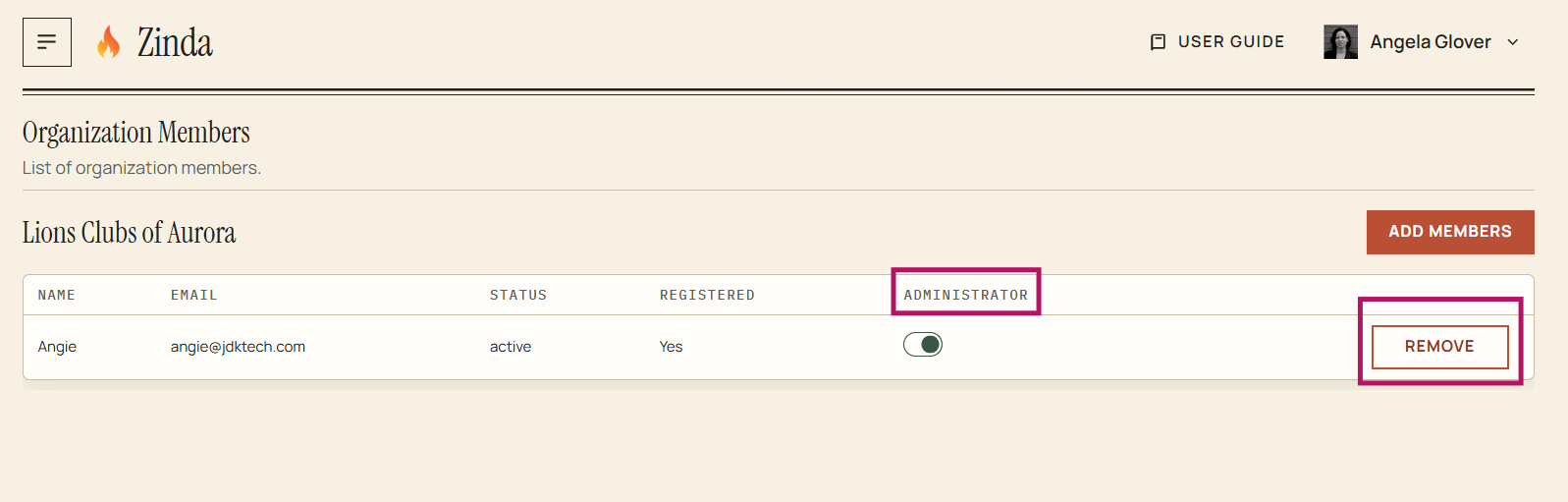
To assign a member as administrator - toggle to the right
To remove a member as administrator toggle to the left
To remove a member(s) - click 'Remove'
Organization/Non-Profit Members
51 words
Move Stripe Payments
Open Stripe Payments
Stripe Payments
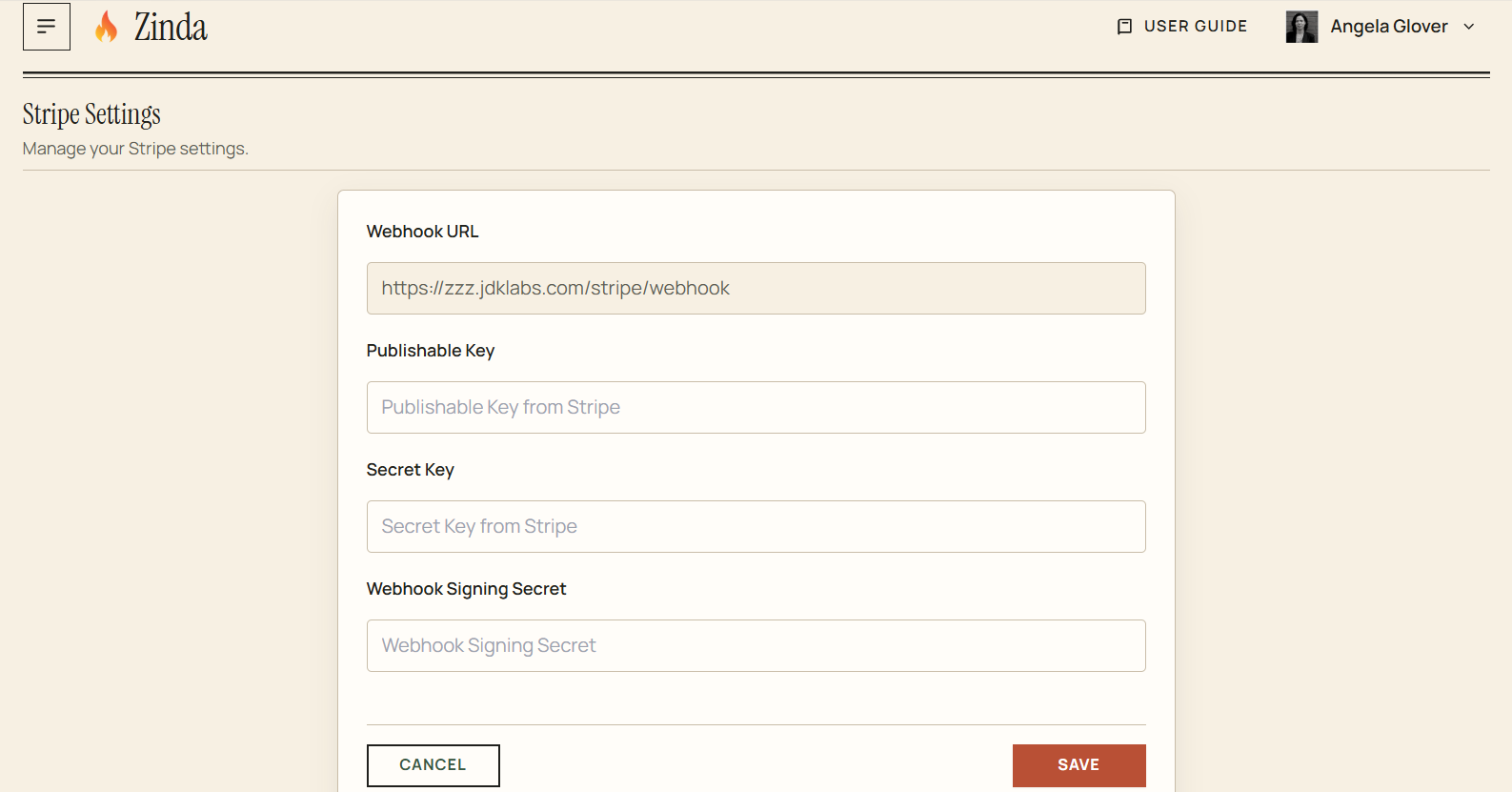
You can connect your payment provider to Zinda which will enable your organization to receive donations (if applicable), follow the instructions below:
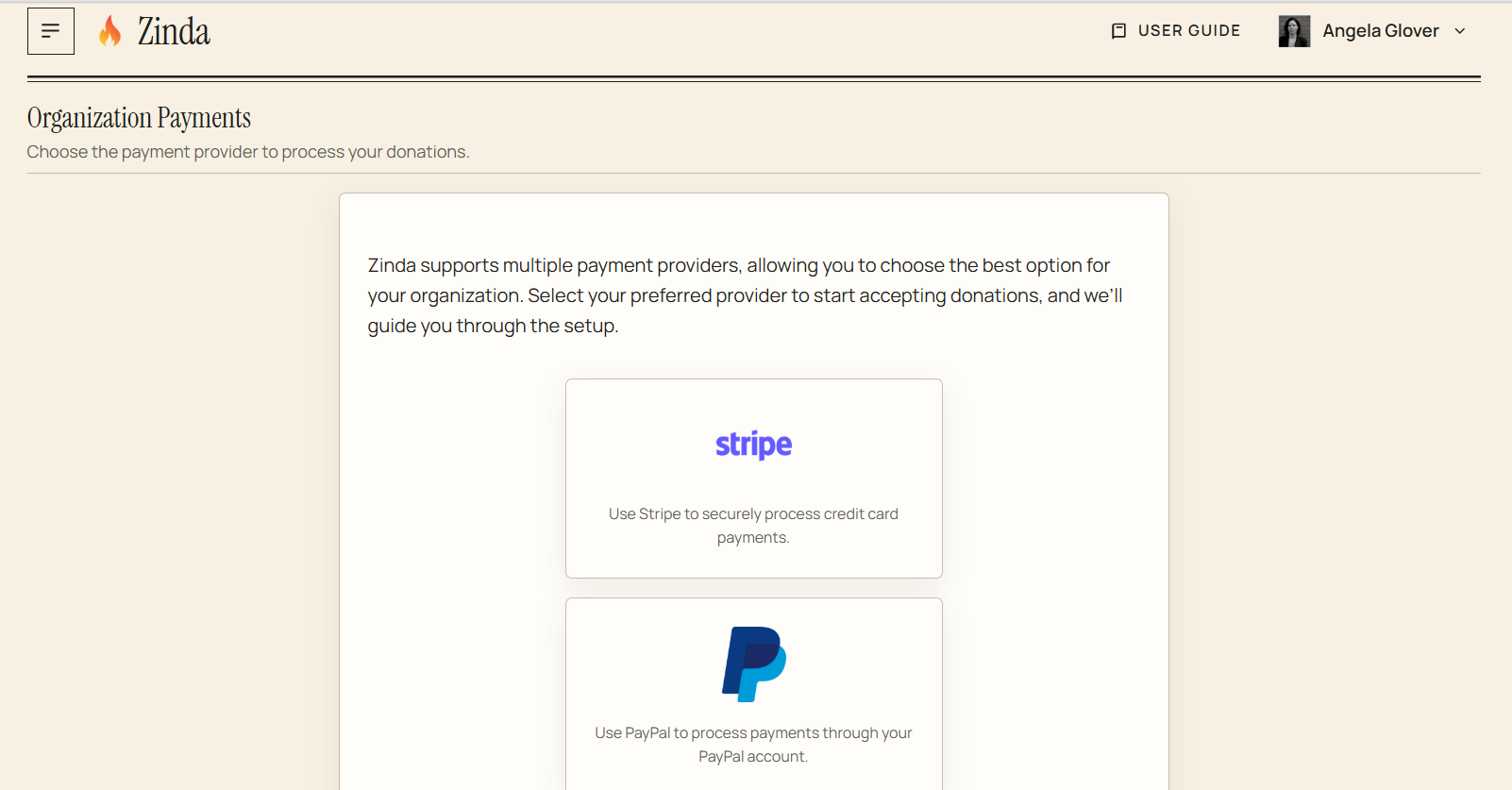
Stripe Settings
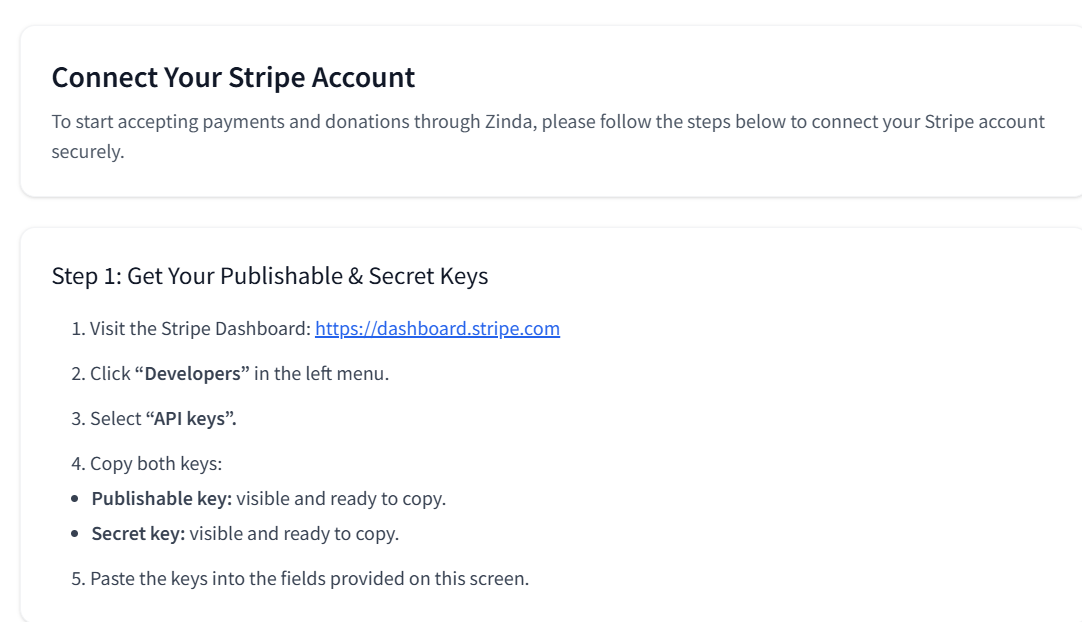
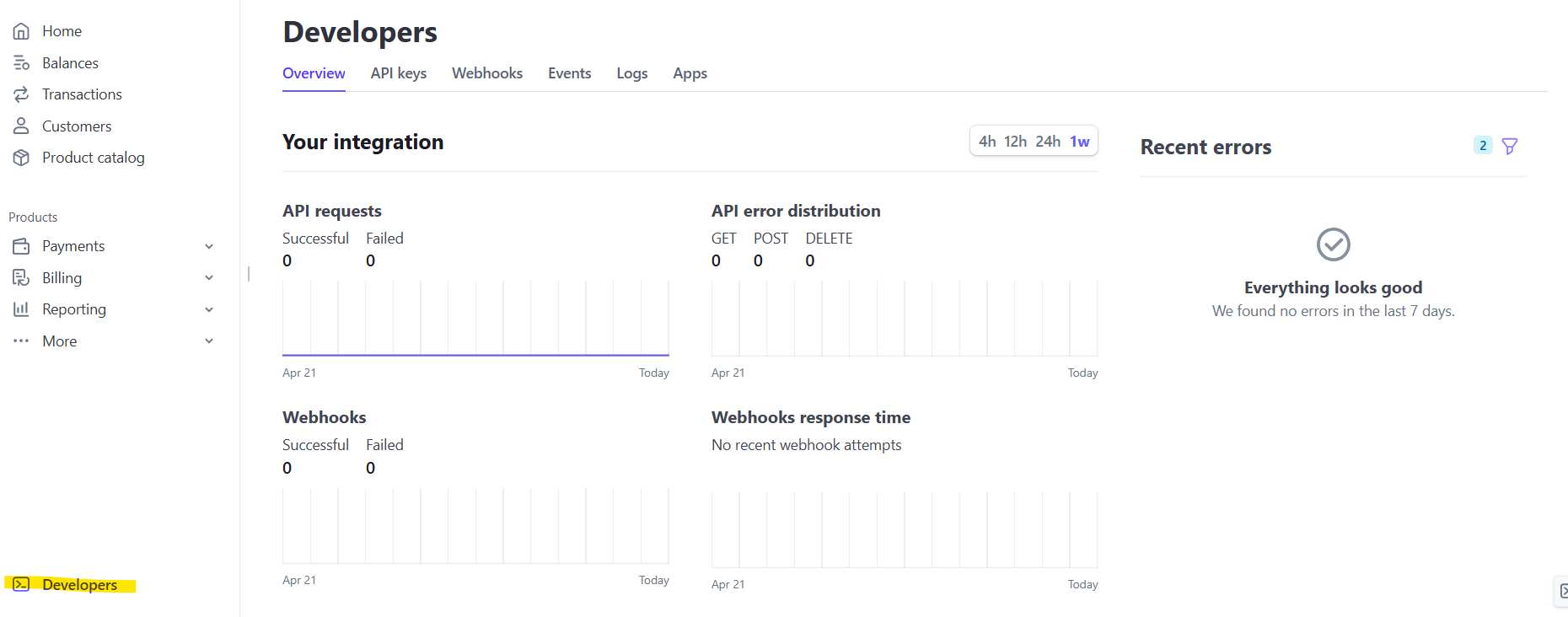
Stripe Setup Instructions - Step 1
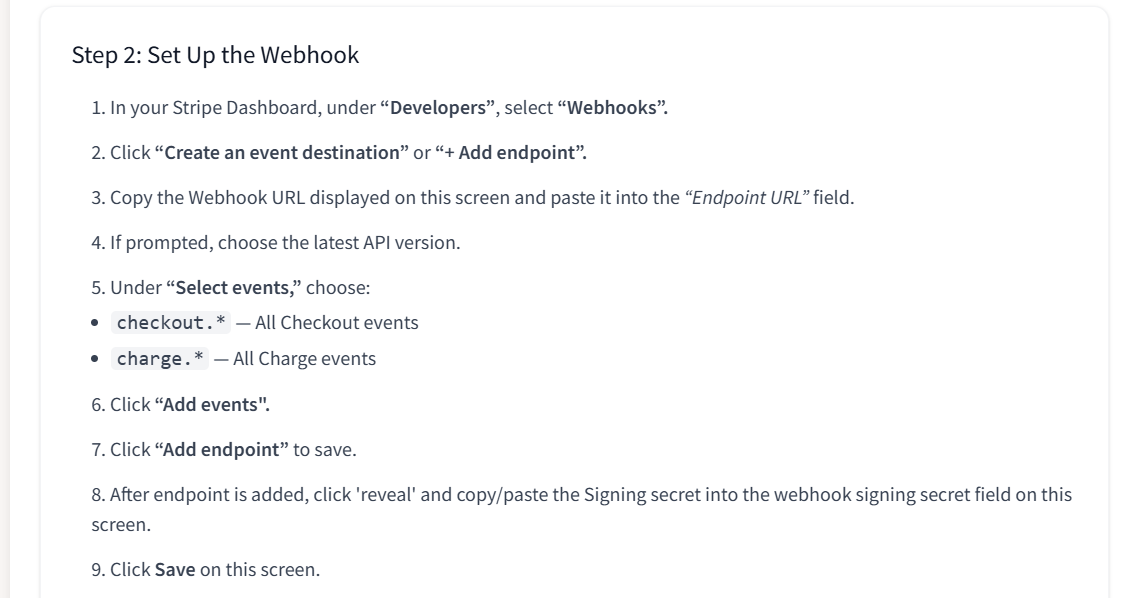
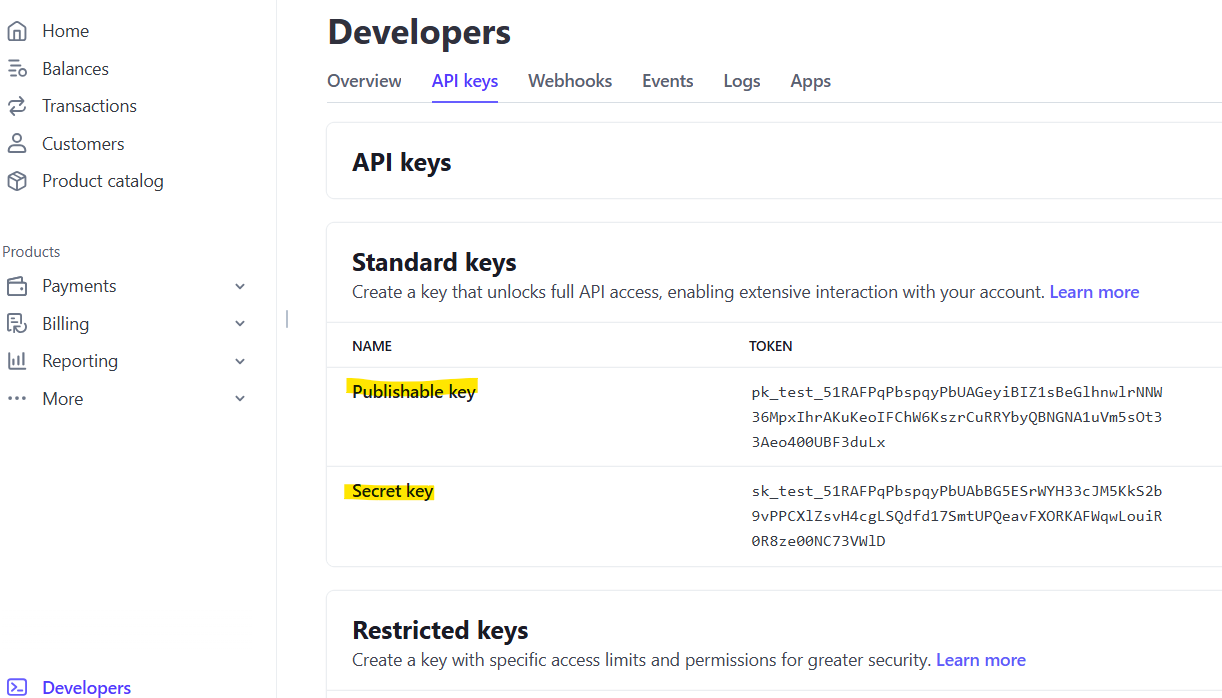
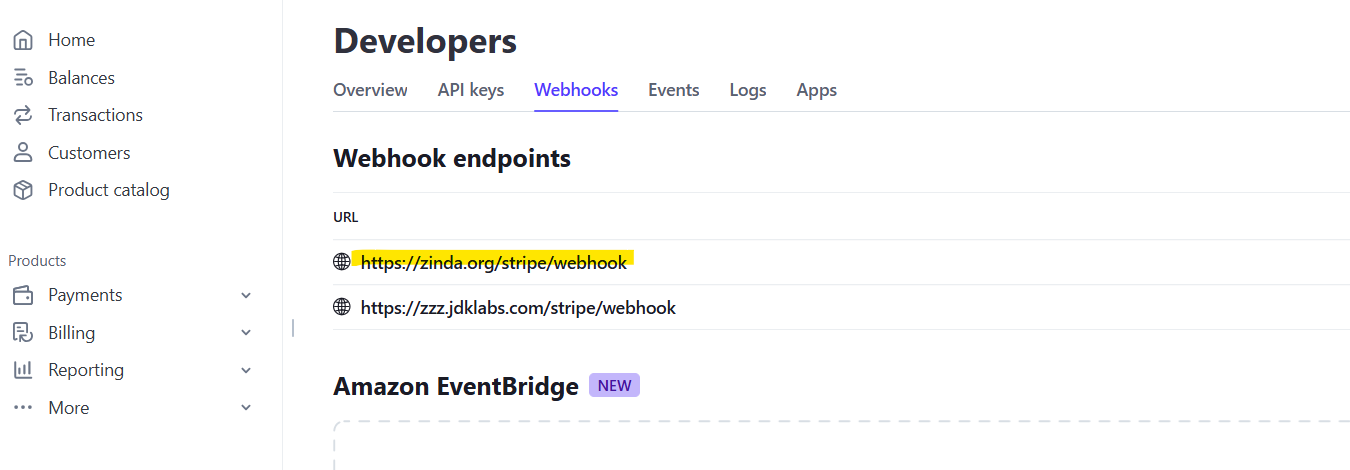
Stripe Setup Instructions - Step 2
After going to your Stripe dashboard (click on 'Developers')
Click on 'API keys'
Click on 'Webhooks'
Click on 'Create an event destination' - if no event destination exists
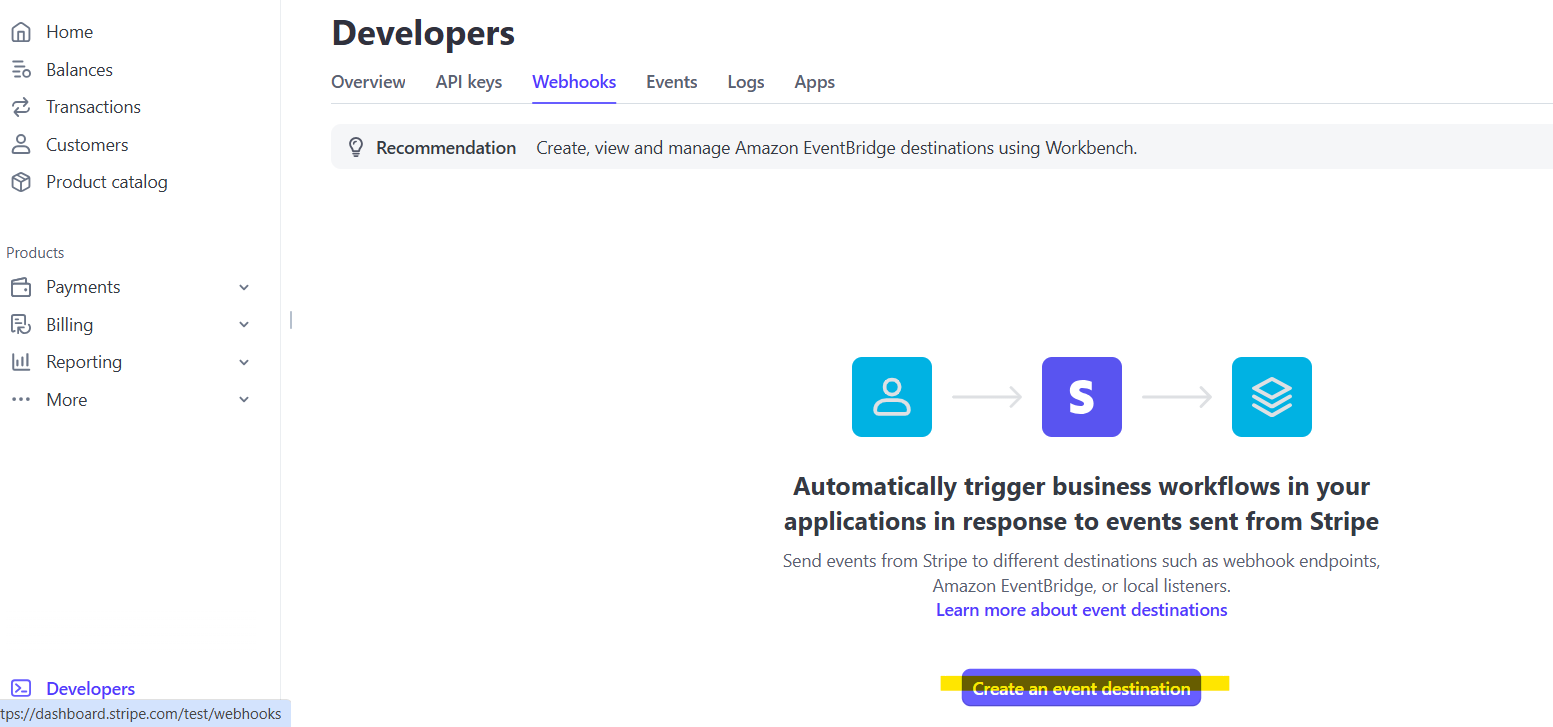
Click on 'Add endpoint' - if an ev
Stripe Payments
154 words
Move PayPal Payments
Open PayPal Payments
PayPal Payments
Connect your payment provider to Zinda which will enable your organization to receive donations (if applicable), follow the instructions below:
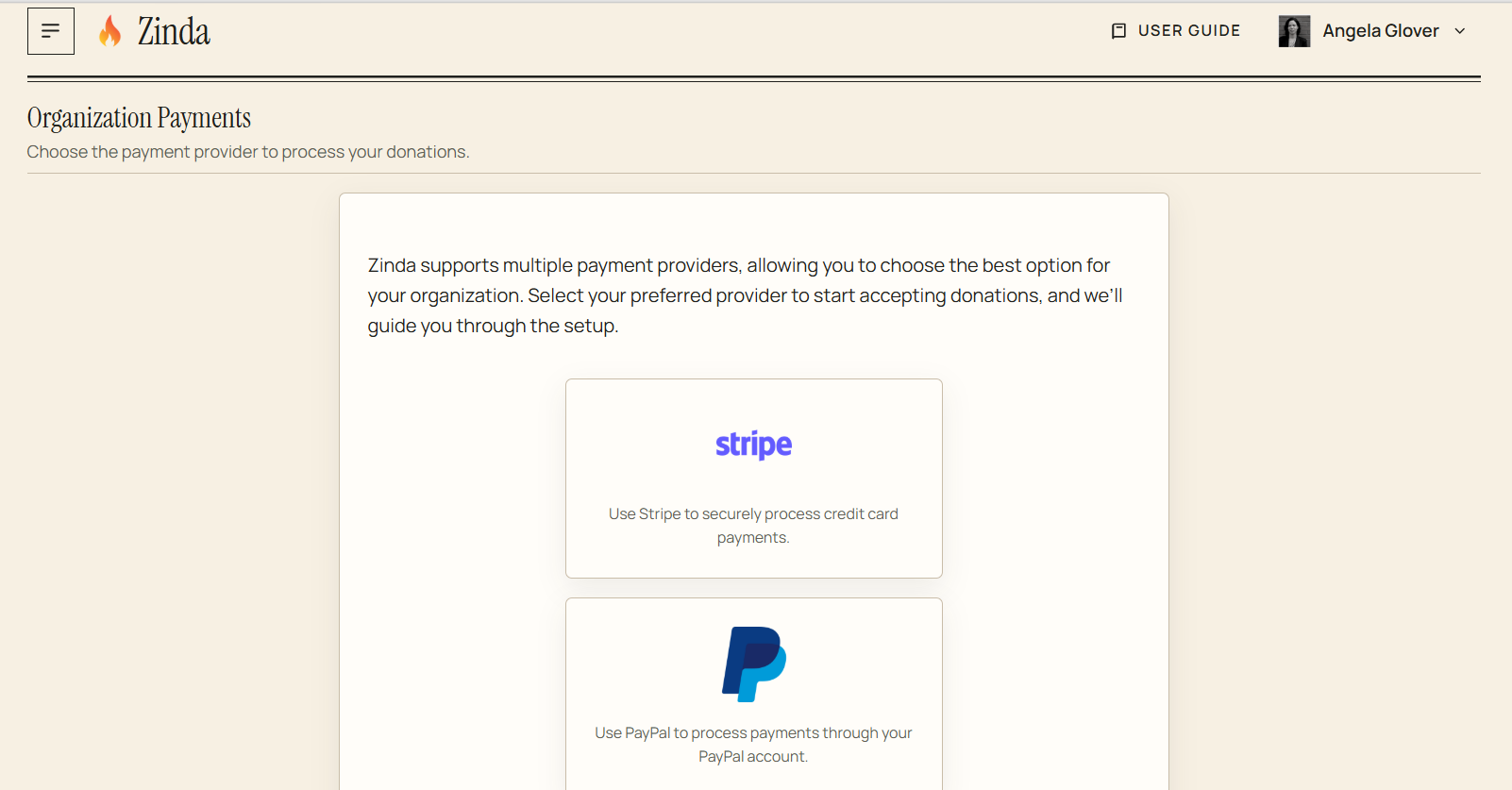
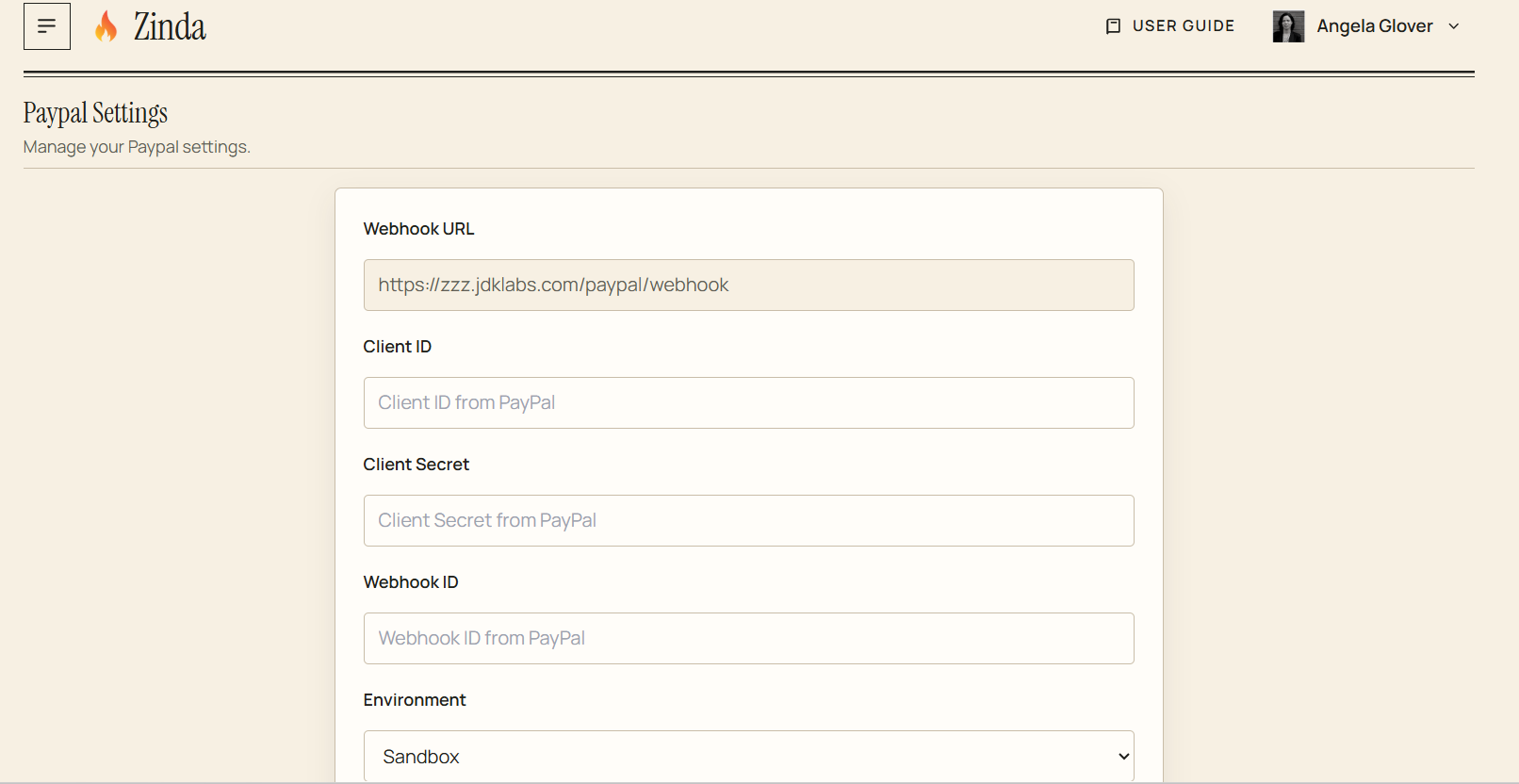
PayPal Settings
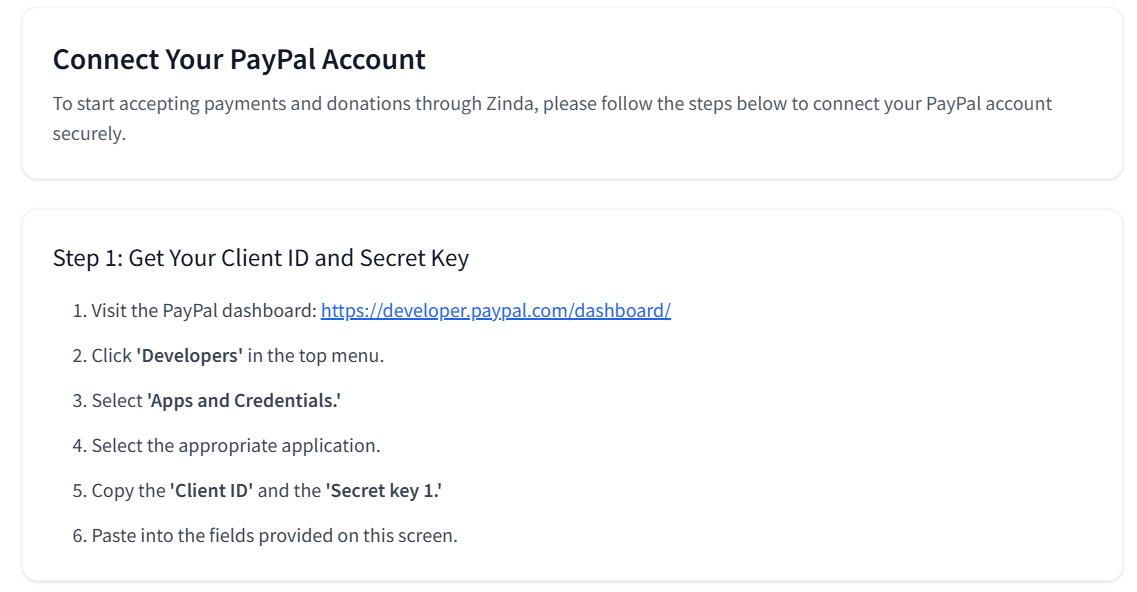
PayPal Setup Instructions - Step 1
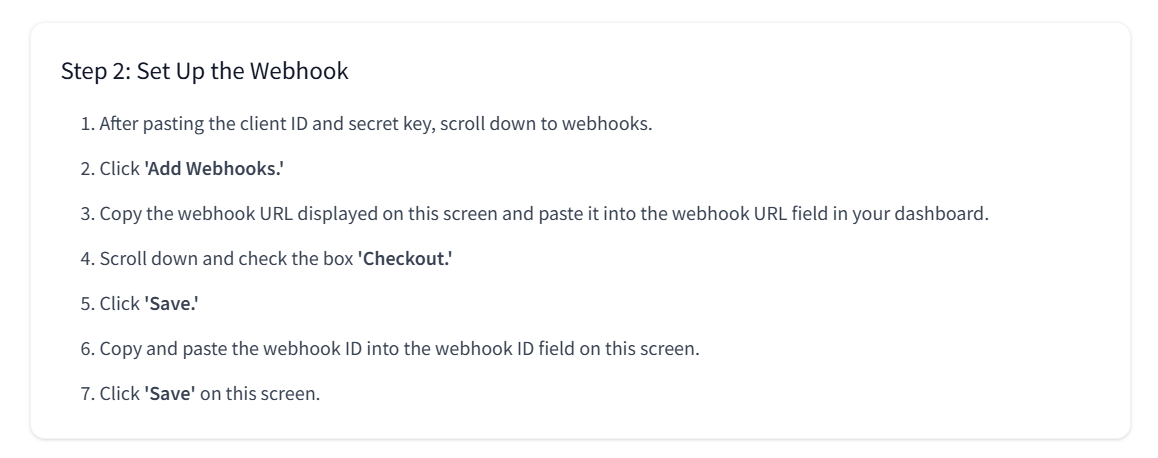
PayPal Setup Instructions - Step 2
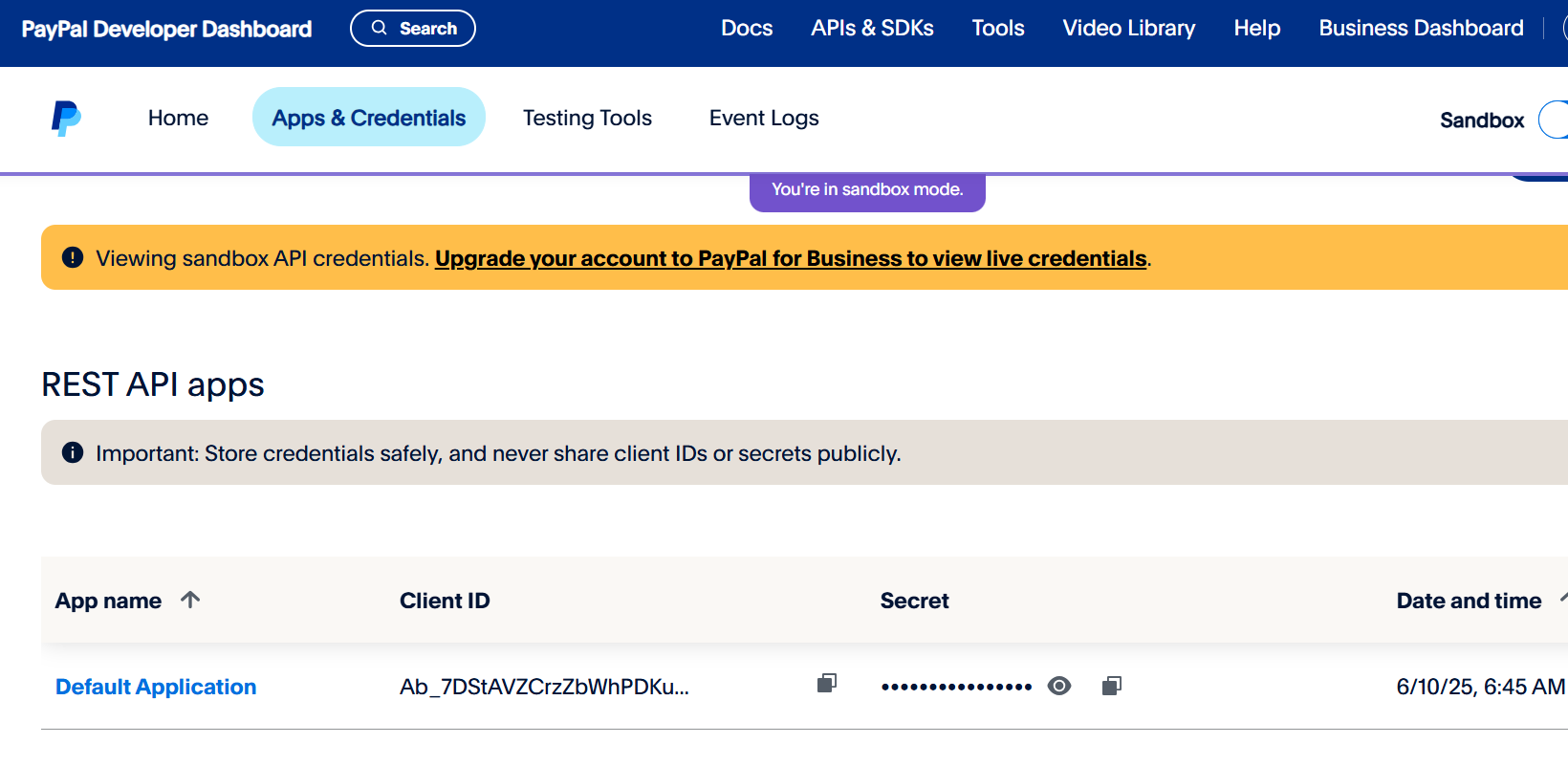
After going to your PayPal developer dashboard, click on 'Apps & Credentials'
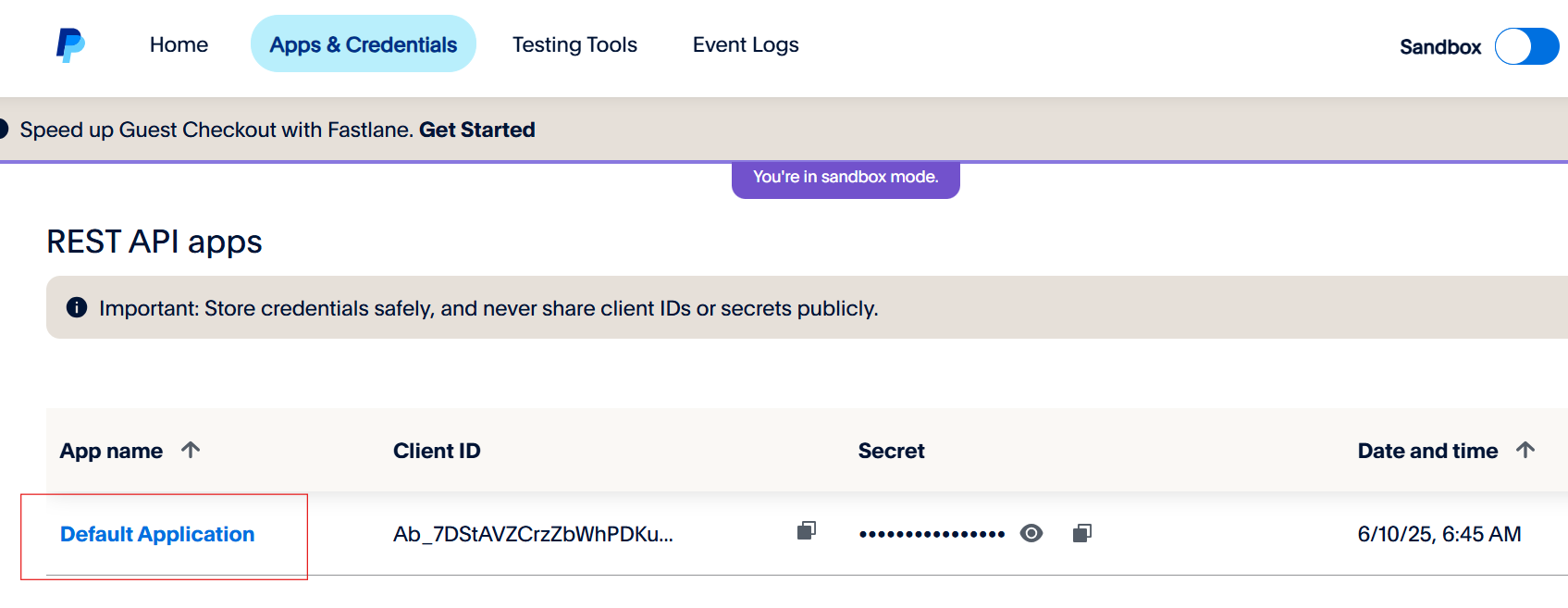
Click on the appropriate application
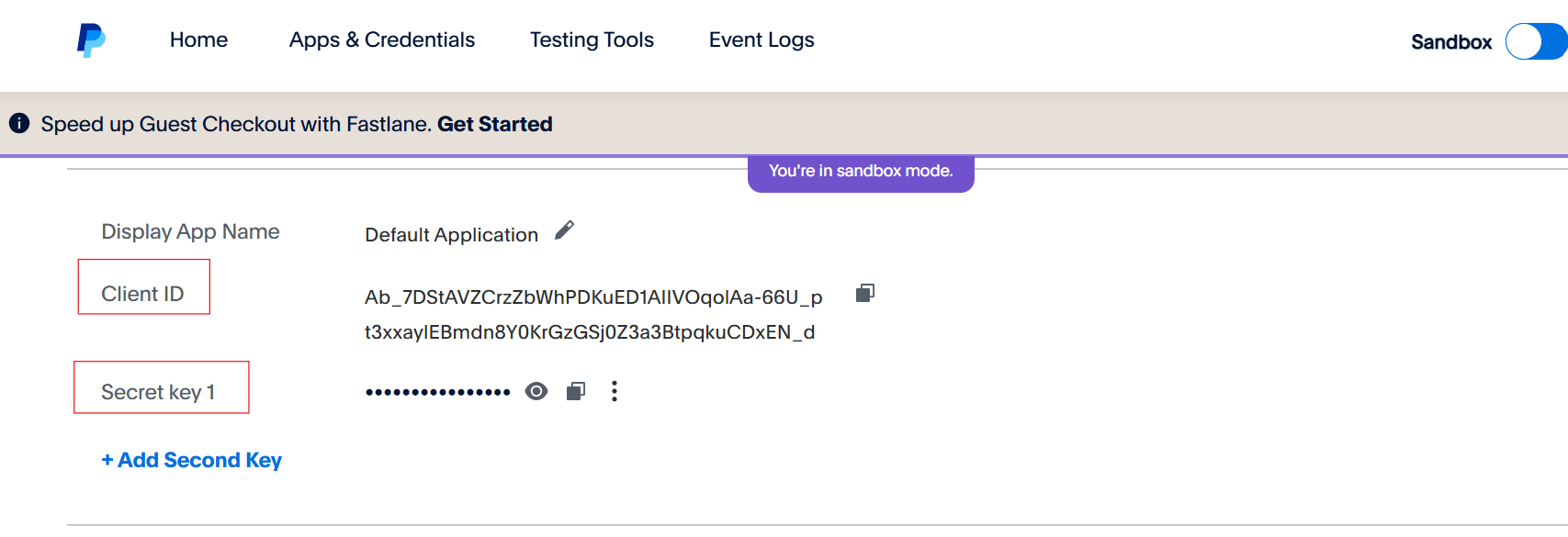
Scroll down to the API credentials. Copy/paste the 'Client ID' and the 'Secret key 1' into the corresponding fields in the platform
Scroll down to the webhooks, click 'Add Webhook'
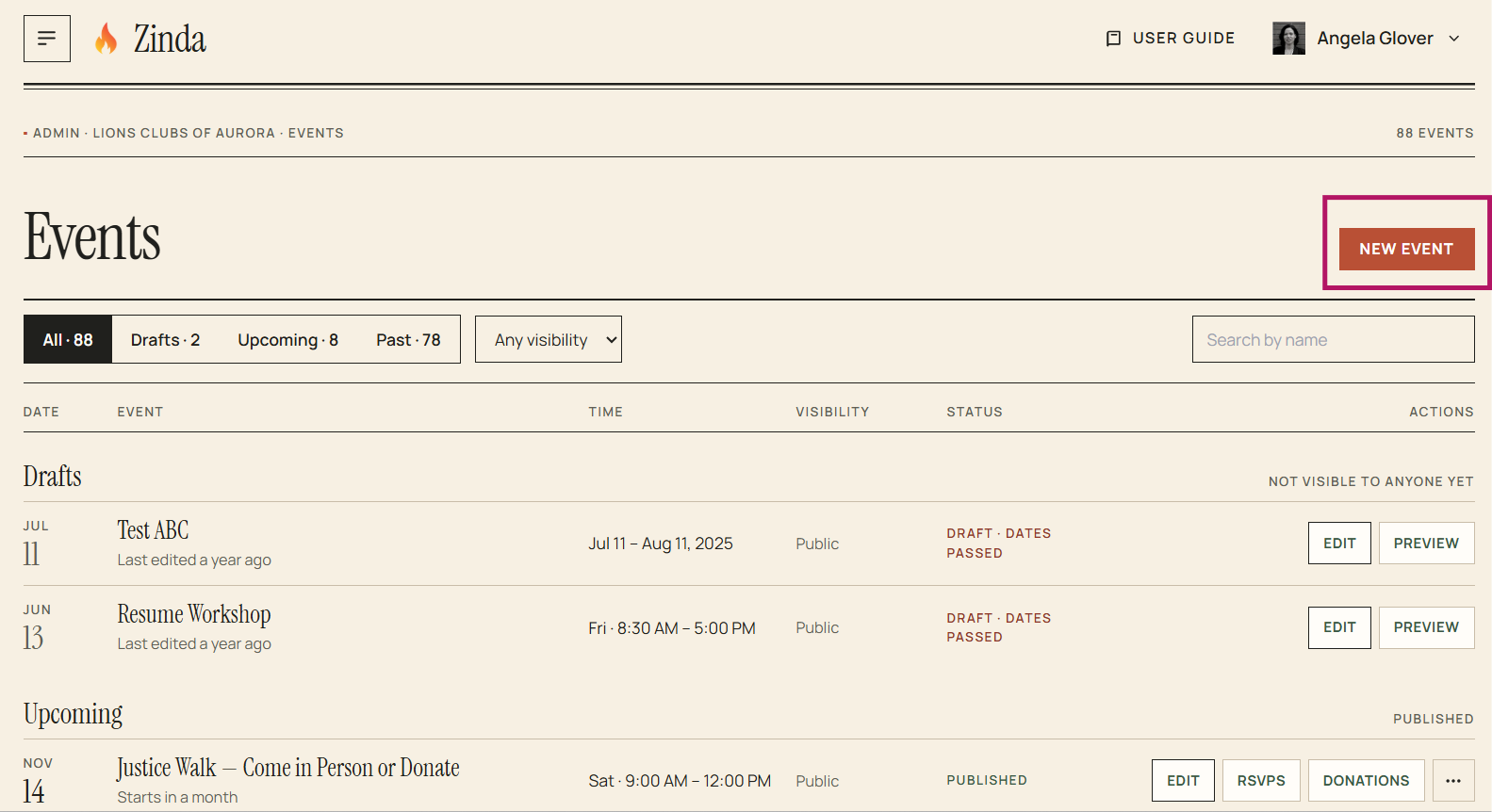
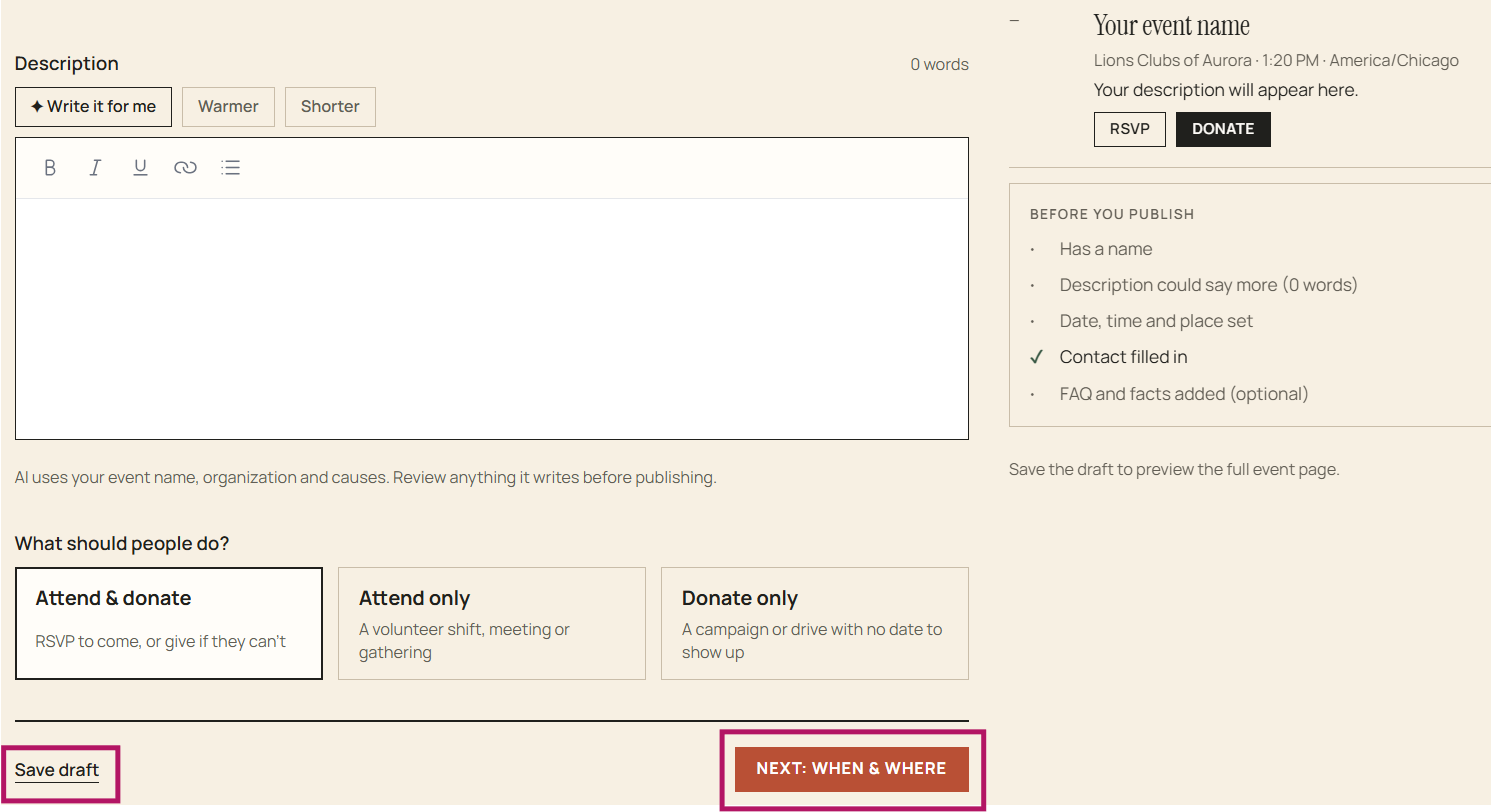
Complete Step 1 - The Event (event name, event description, event type - attend, donate or both). You can also enable AI to suggest an event name and write the event description
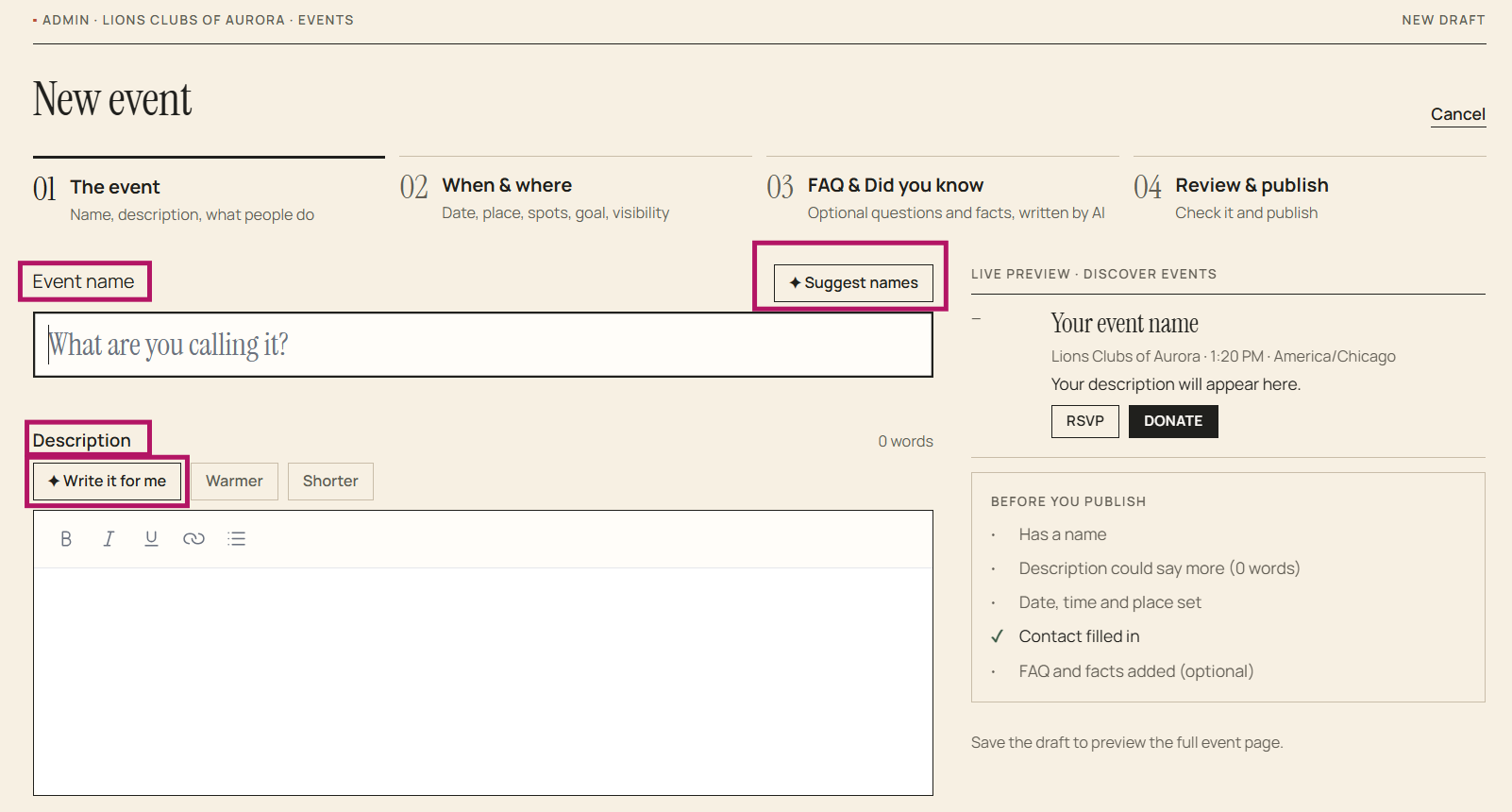
You can save the event as a 'Draft' and finish it later using 'Edit' or continue to step 2
Complete Step 2 - When and Where (date, place, spots, goal, and visibility)
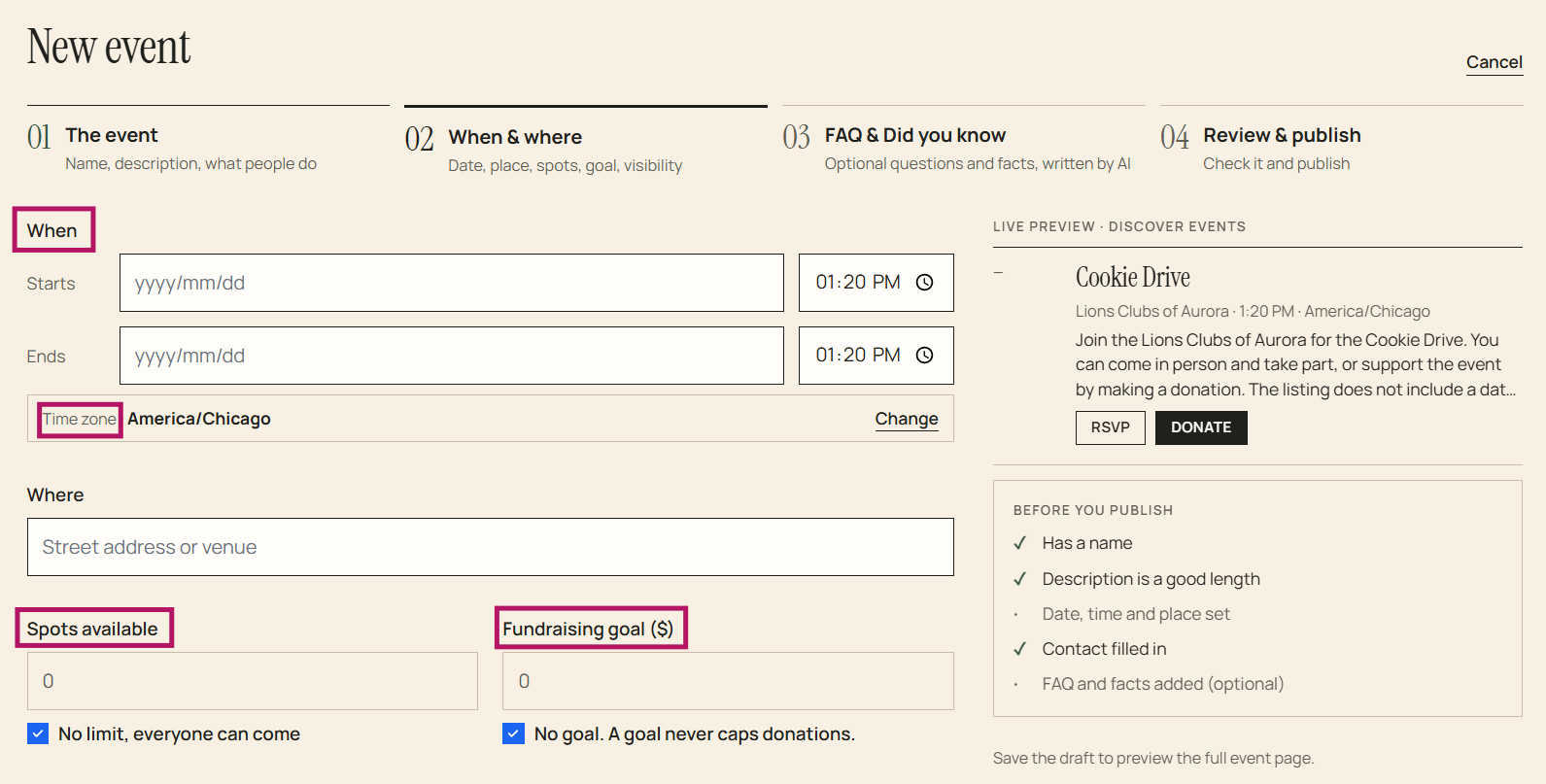
You can save as a 'Draft' and finish it later using 'Edit' or continue to Step 3
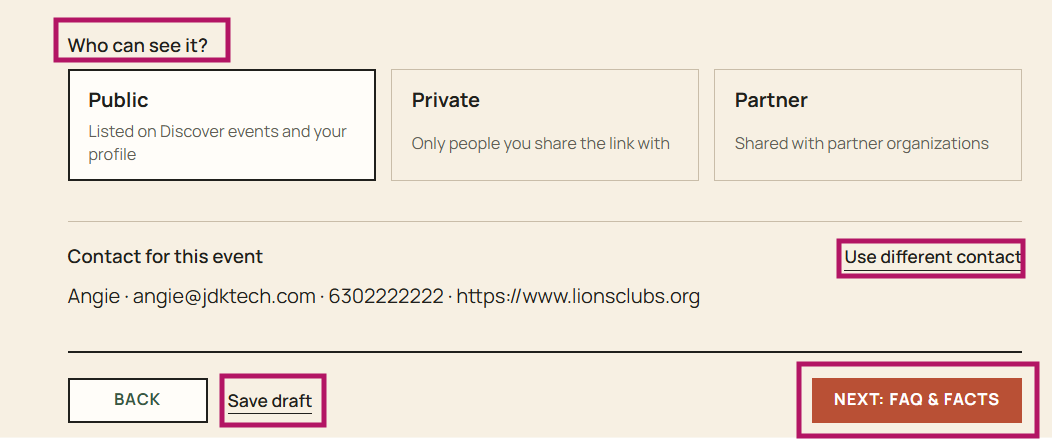
Complete Step 3 (optional) - AI can write common questions and sourced facts from your name and description which will be displayed on the
Create Events
187 words
Move View/Manage Events
Open View/Manage Events
View/Manage Events
To view your organization's events, click on Events in the menu
To edit a draft only event, click 'Edit'
To preview a draft event, click 'Preview'
To view the event's public page, click 'View public page'
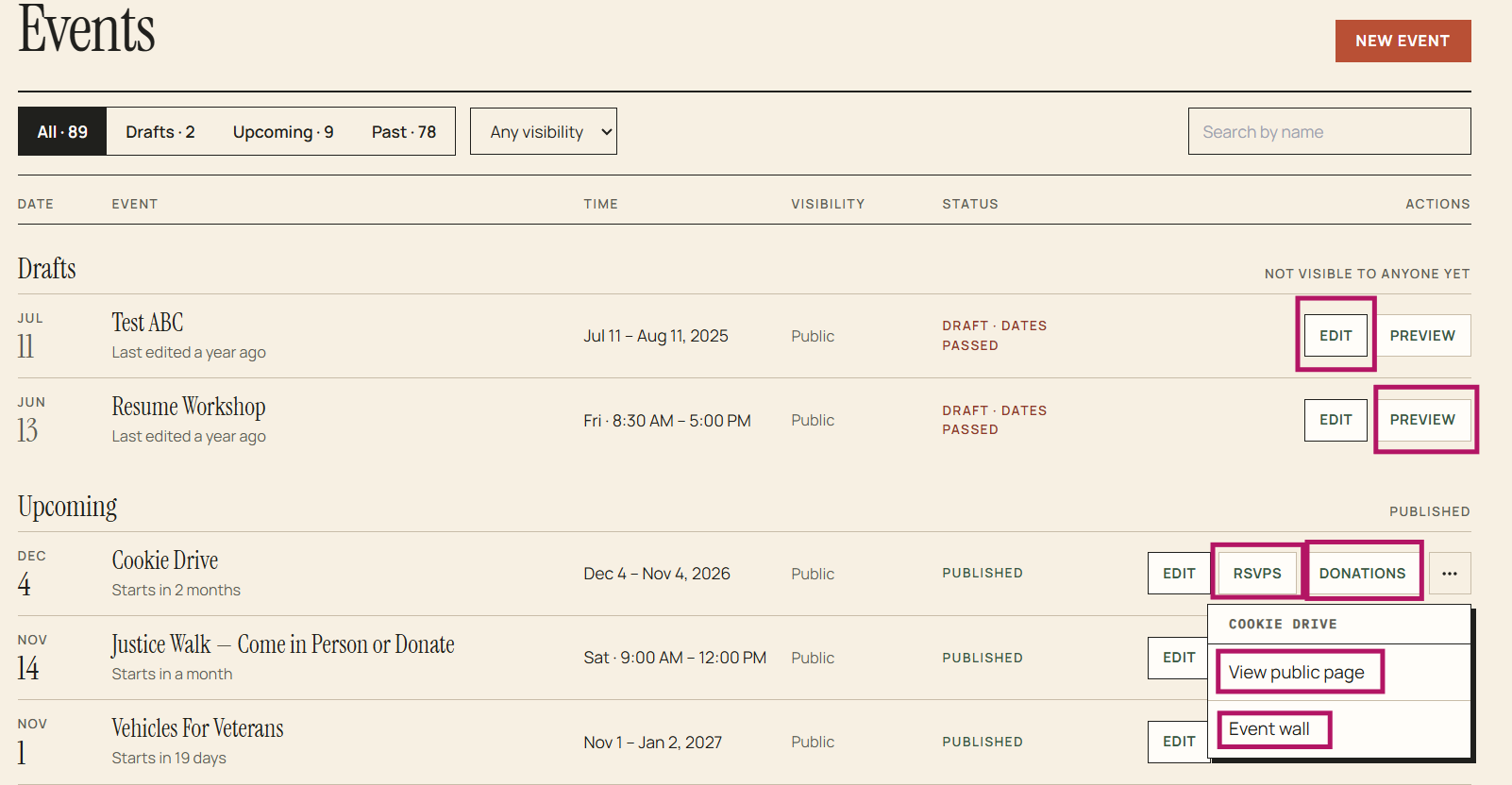
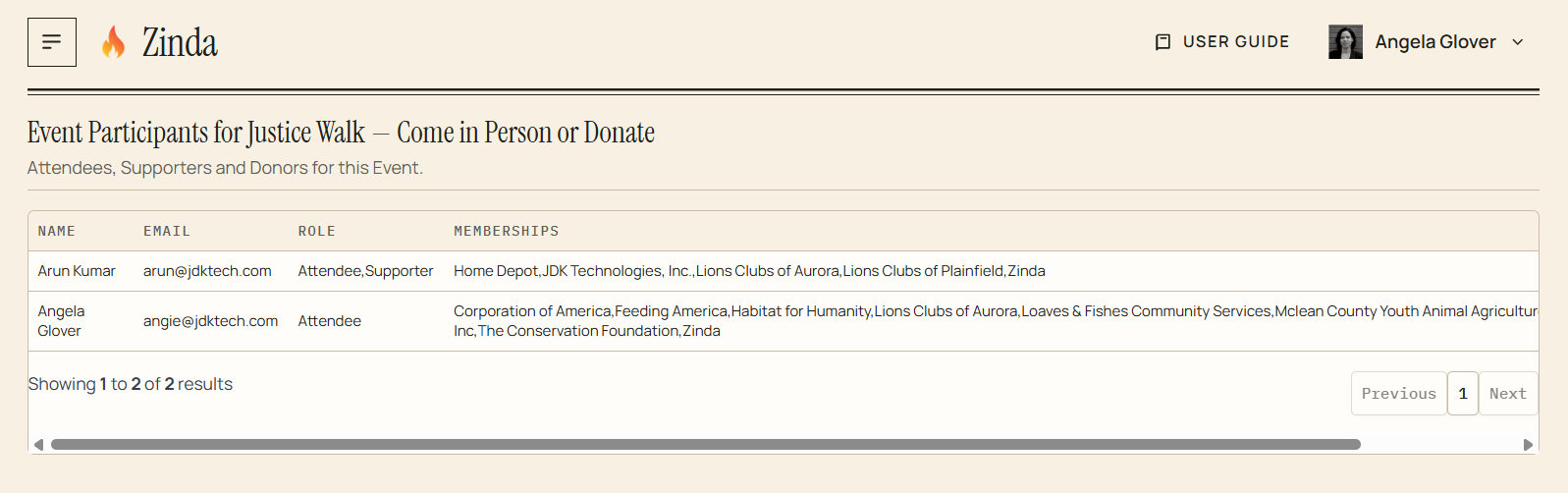
To view your event attendees before an event, click 'RSVP'
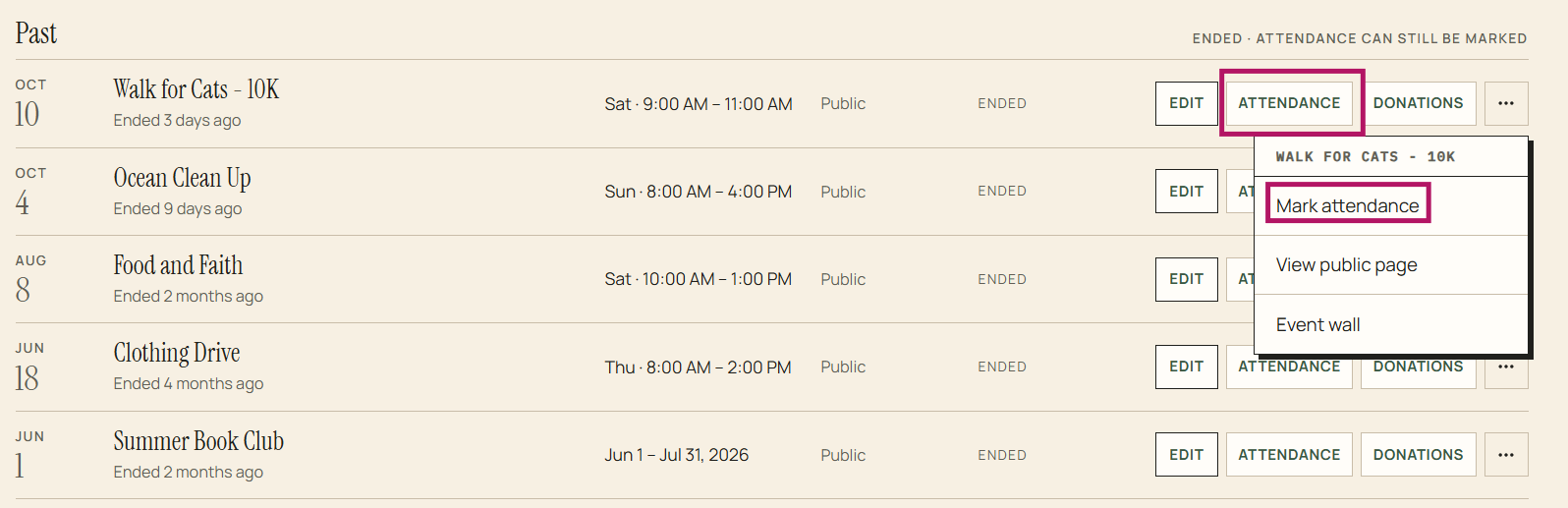
To manage your event attendees after an event, click 'Attendance' and then click 'Mark attendance'
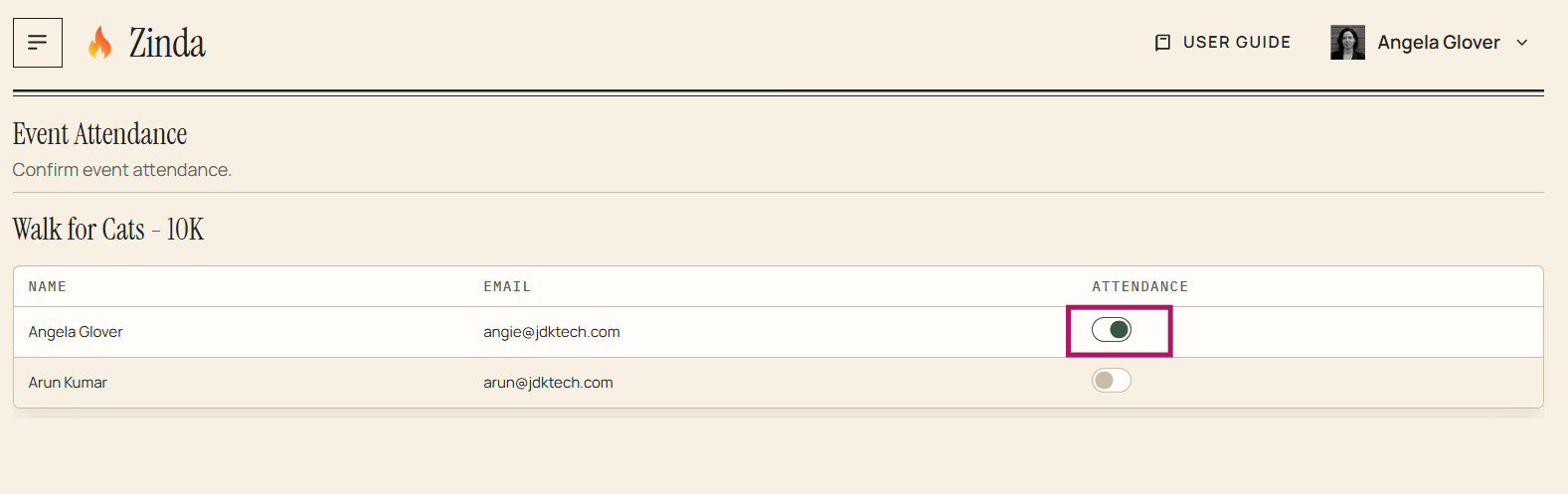
Confirm attendance by toggling to the right
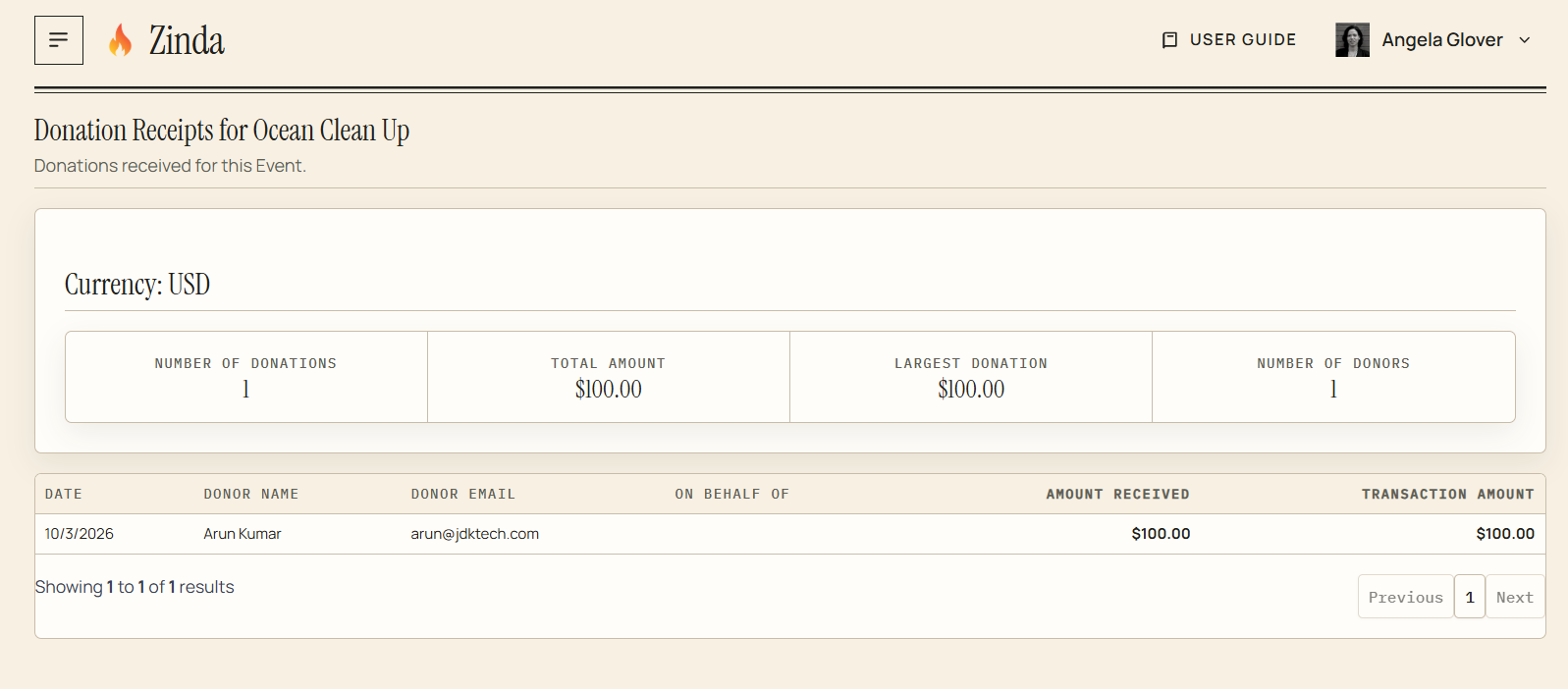
To view event donations, click 'Donations'
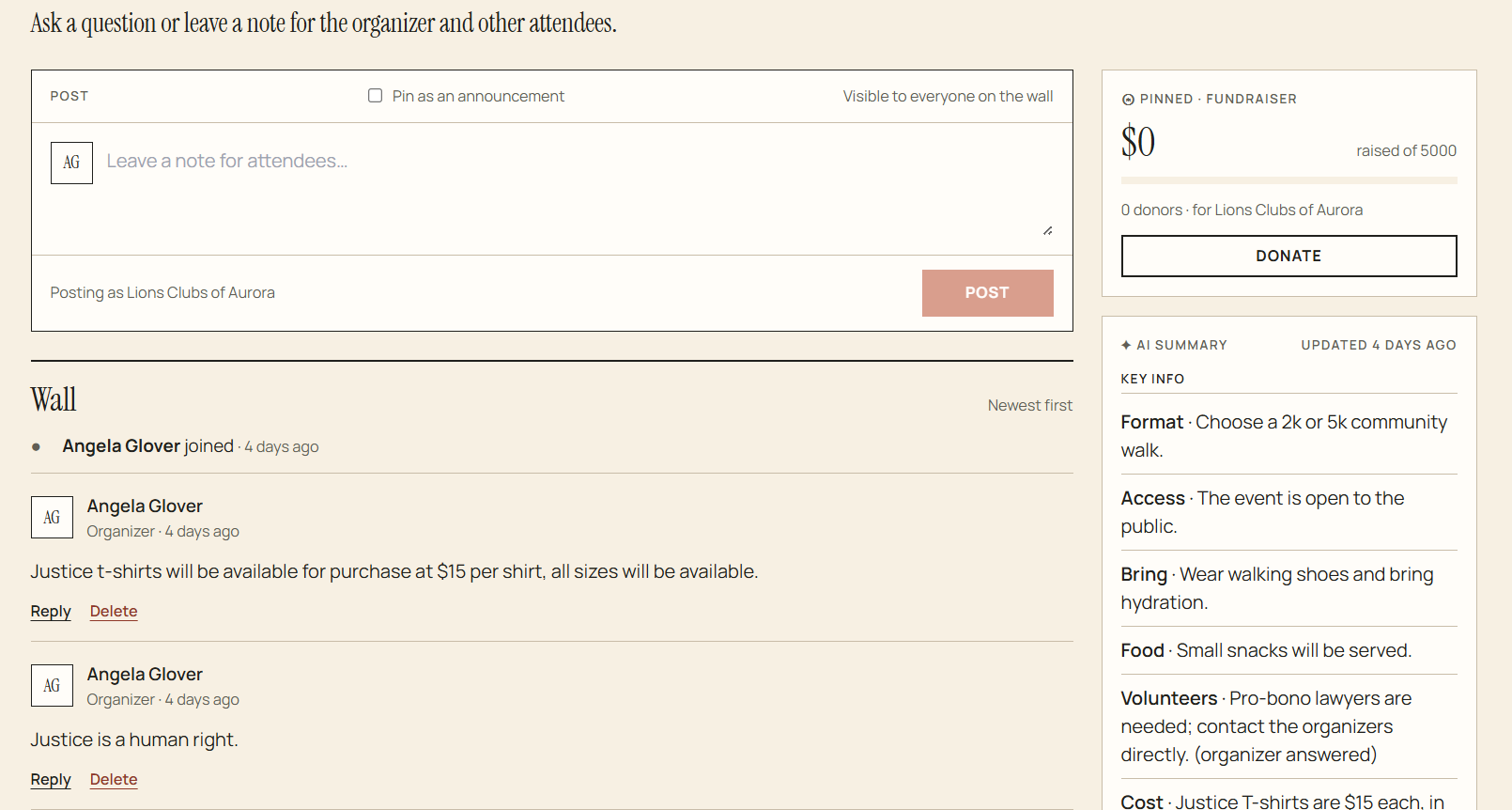
To view or post to an event's wall (community forum), click 'Event wall'
View/Manage Events
95 words
Move Non-Profit Reports
Open Non-Profit Reports
Donation Summary
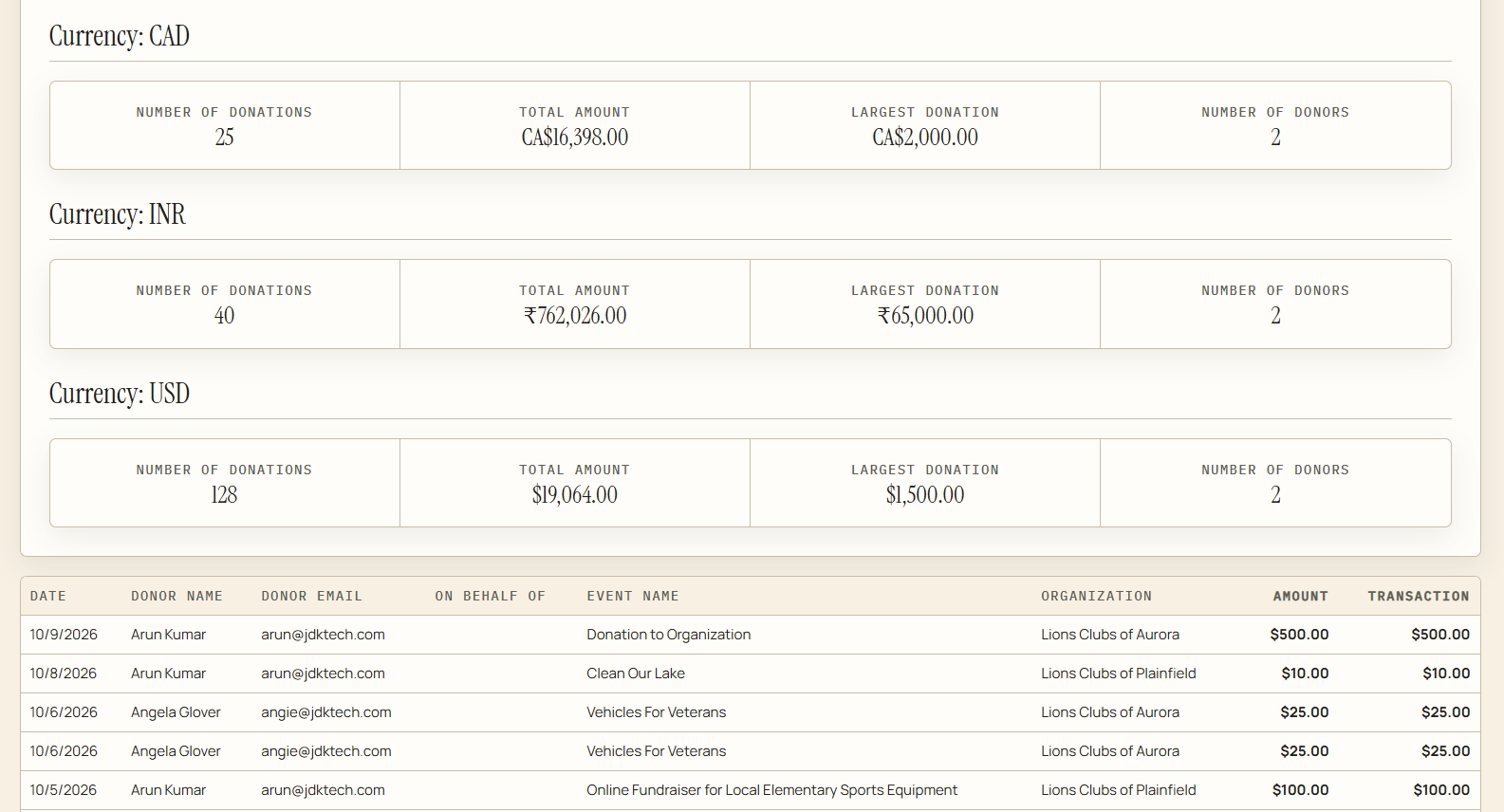
To view your organization's donation summary report, click 'Donation Summary' in the menu
Attendance Summary
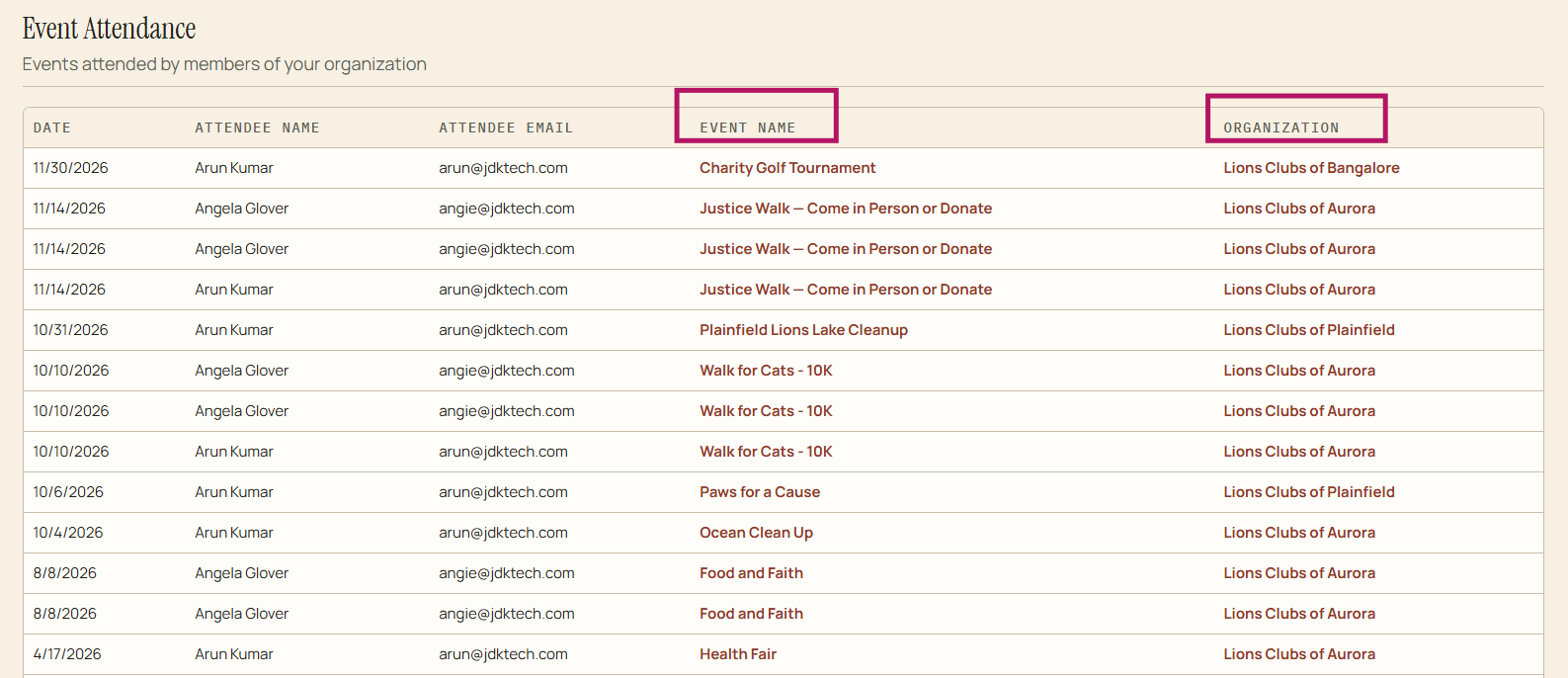
To view your organization's attendance summary, click 'Attendance Summary' in the menu. 'Event Name' and 'Organization' are clickable and will take you to the event page or organization page
Analytics
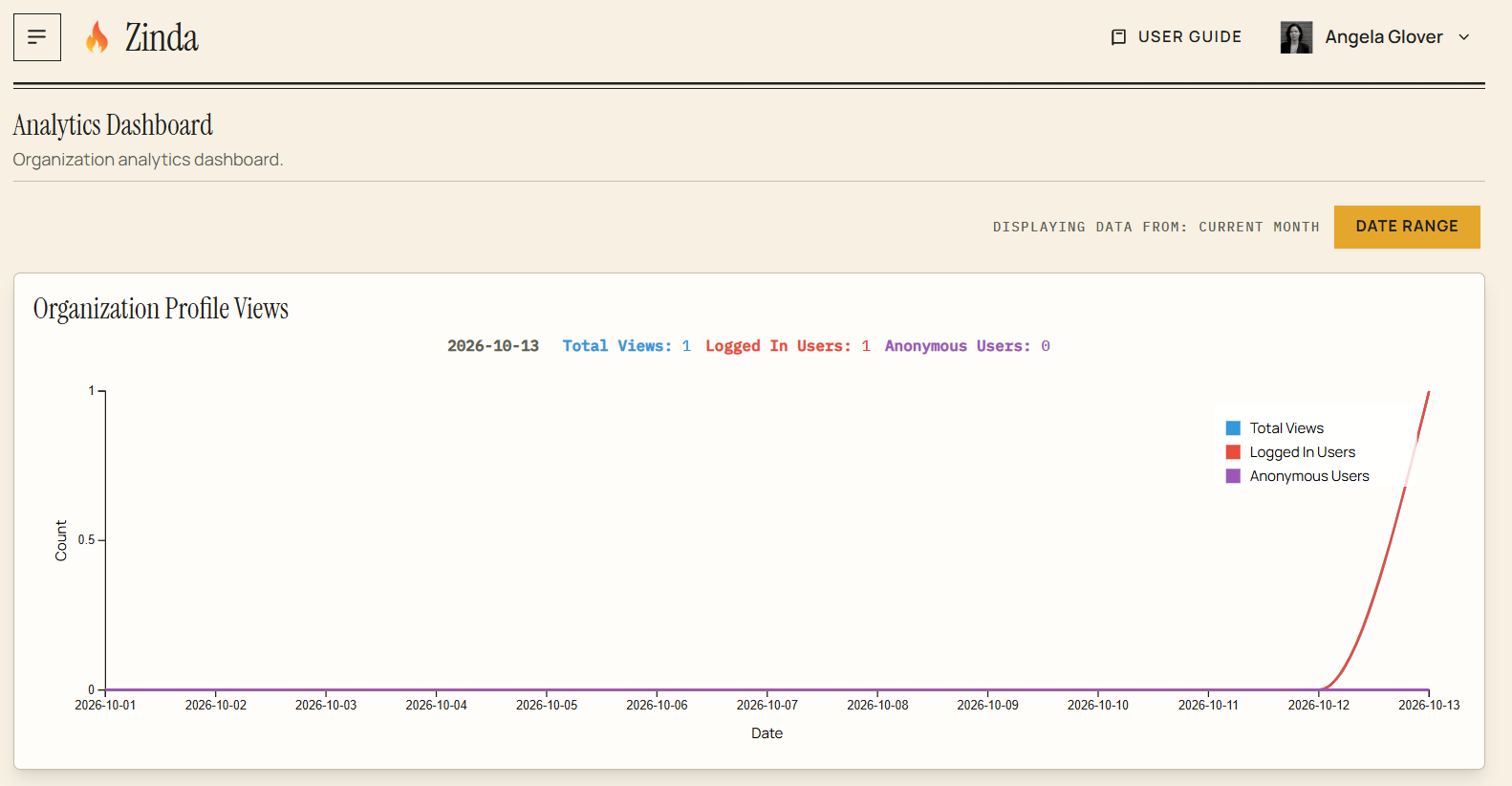
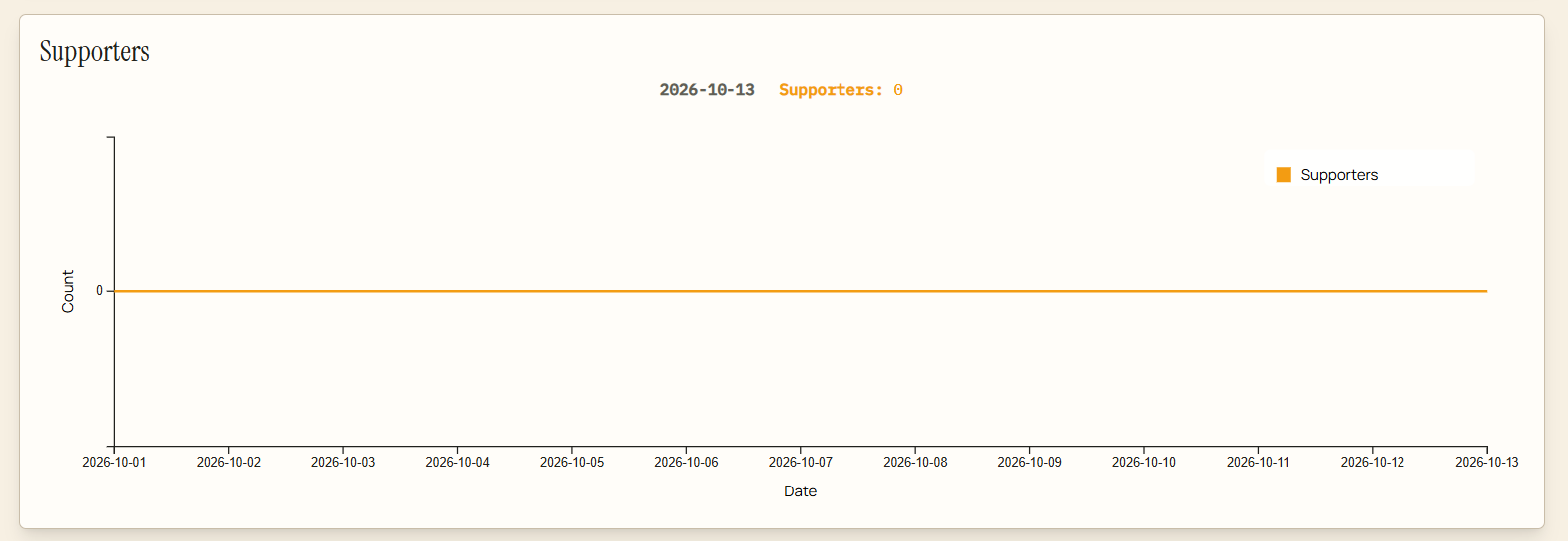
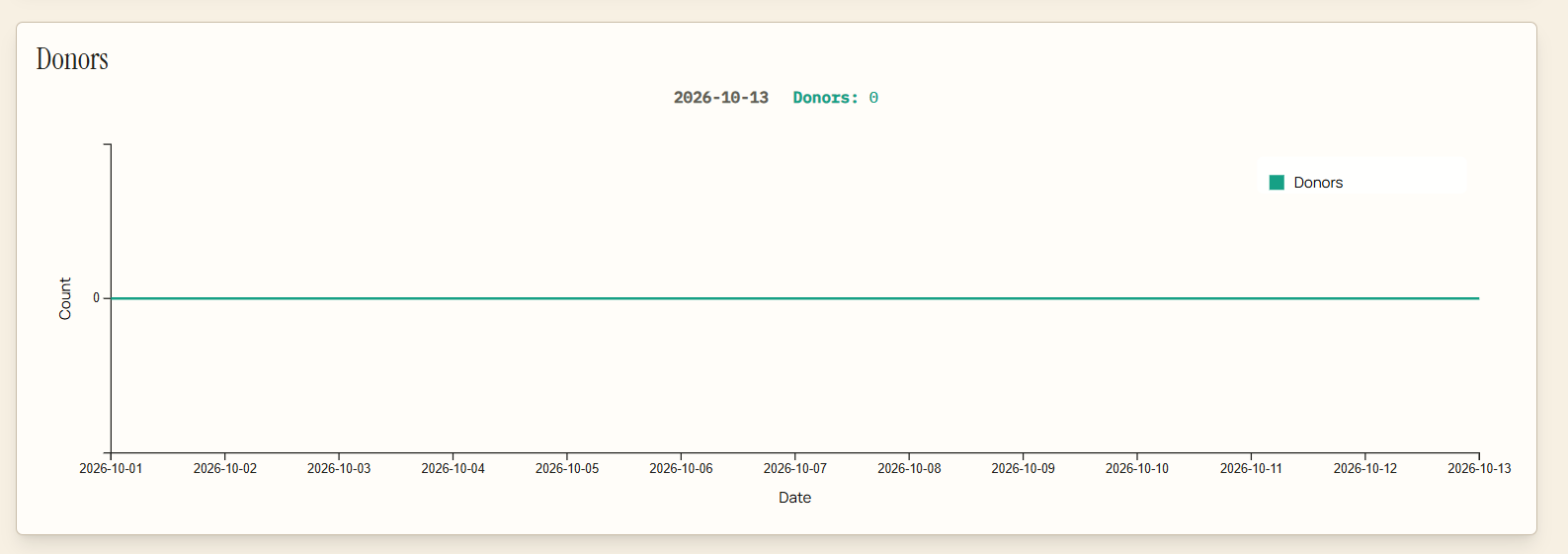
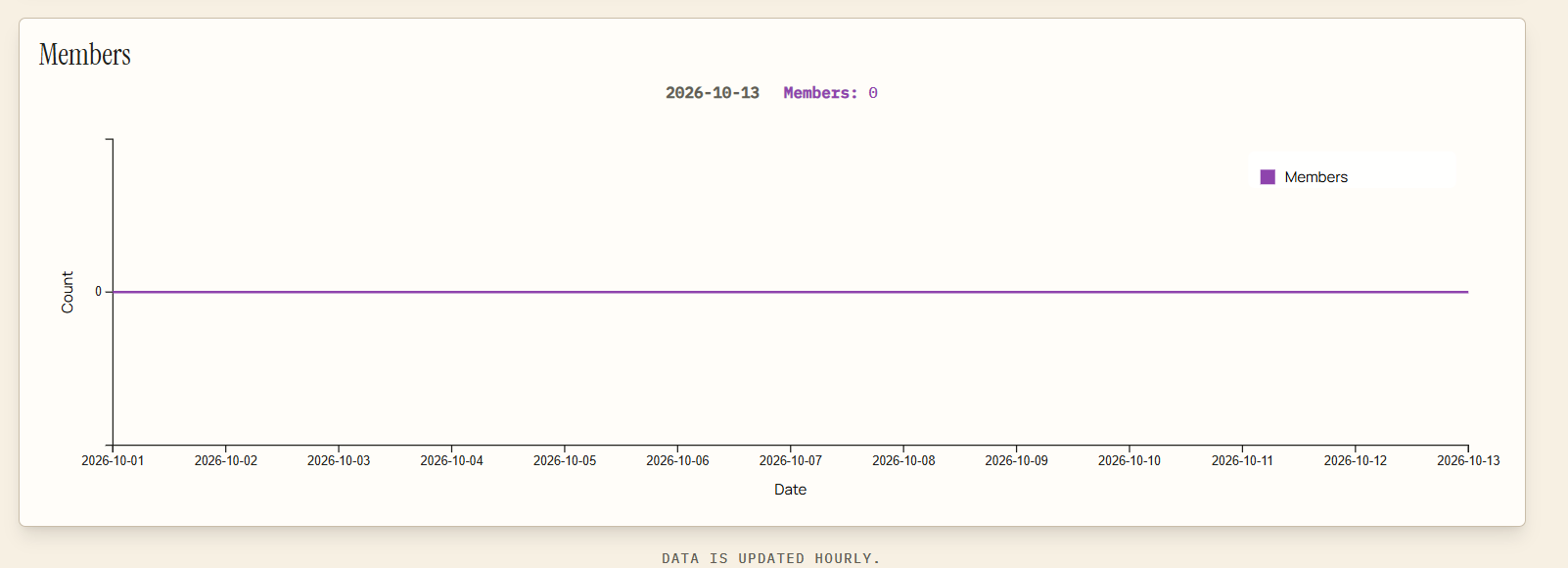
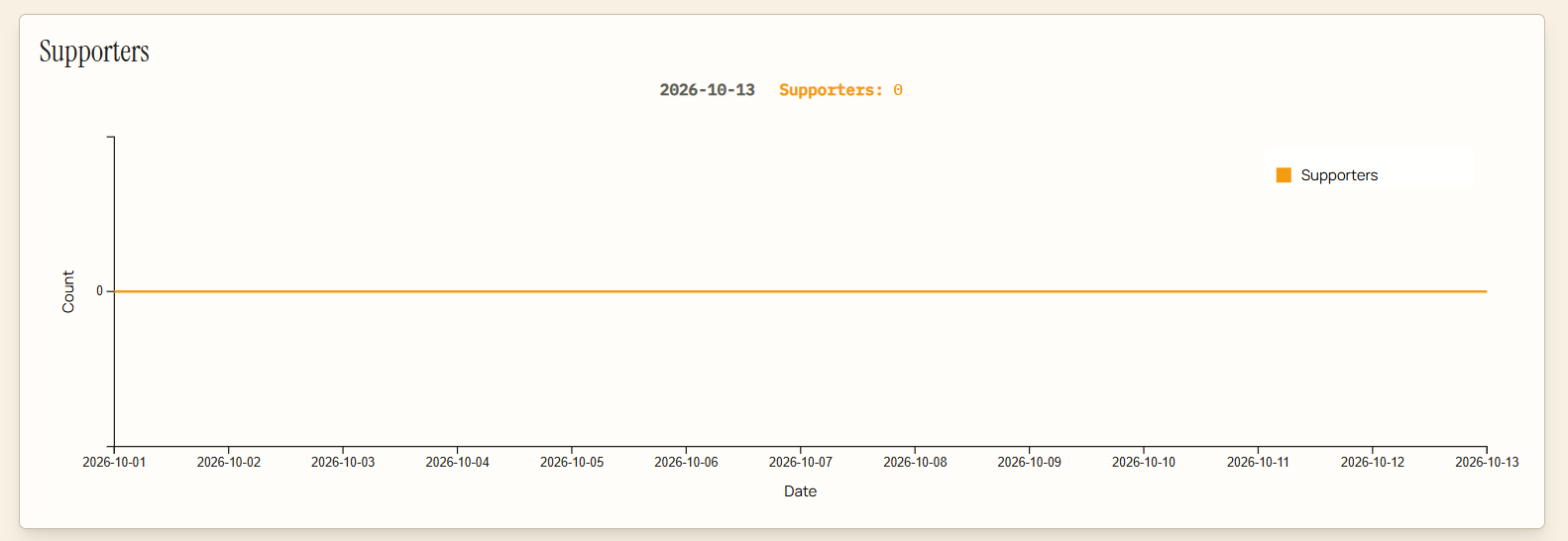
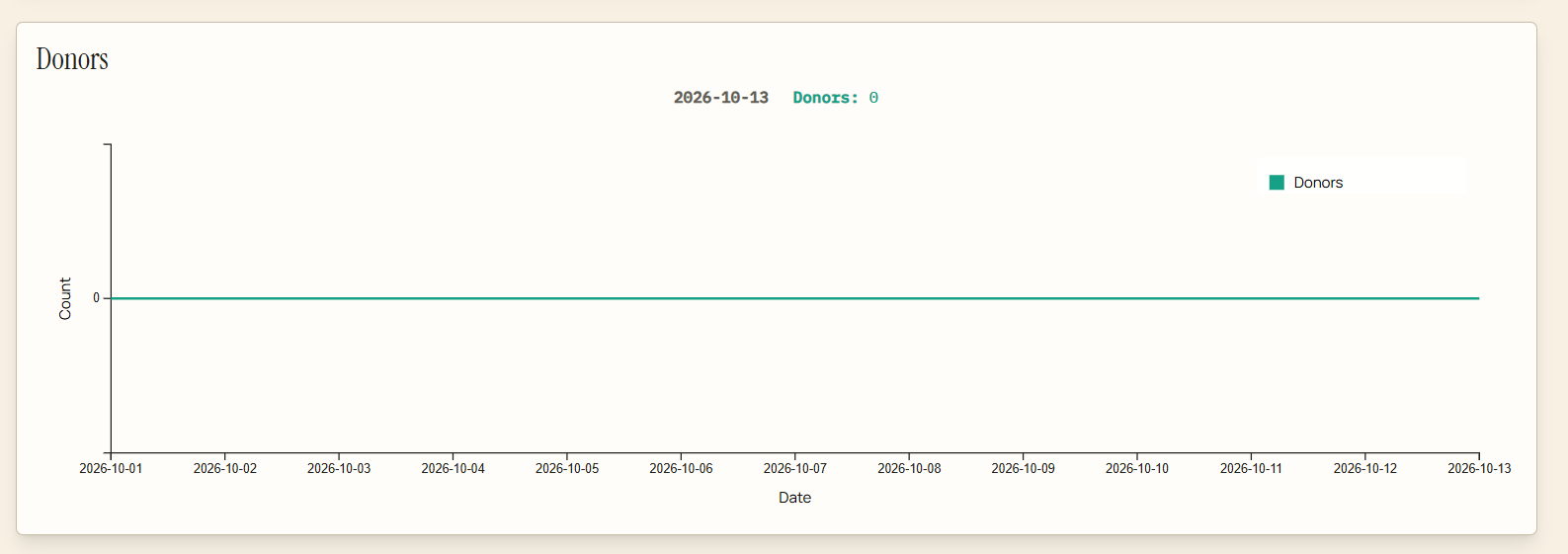
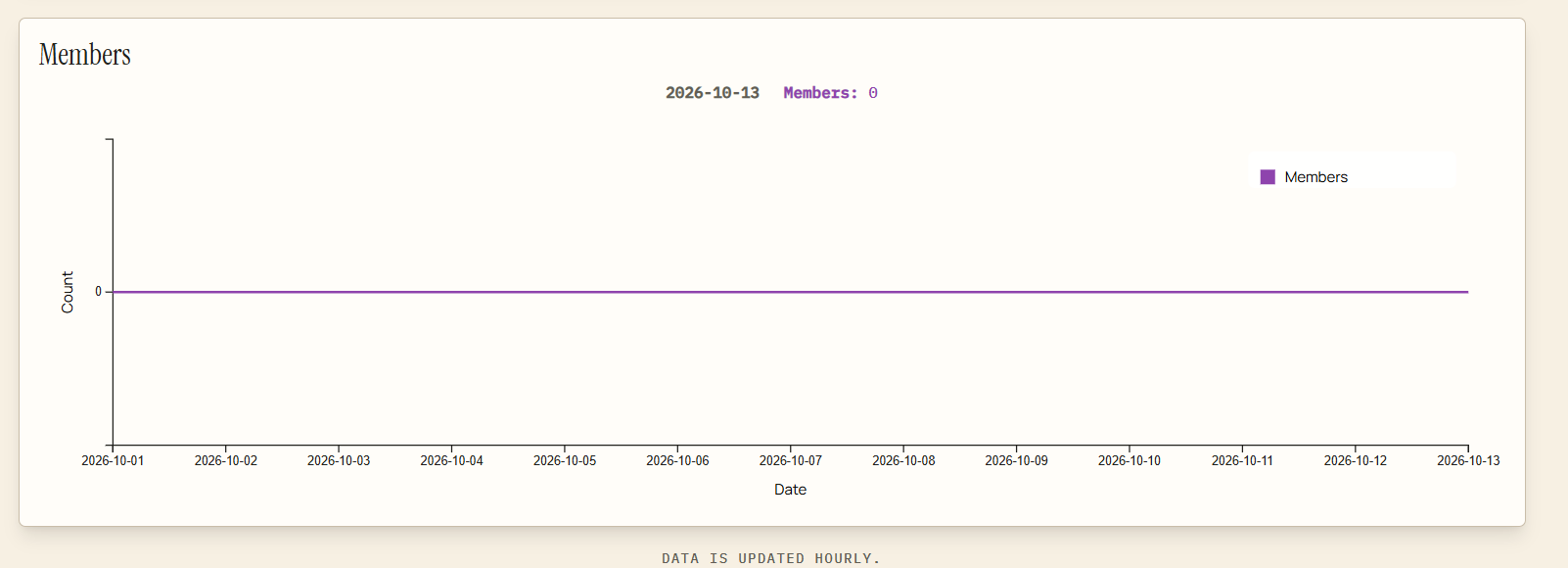
To view your analytics, click on 'Analytics' in the menu. This will show your profile views, supporters, donors, and member data
Non-Profit Reports
74 words
Move Corporations Join Zinda
Open Corporations Join Zinda
Corporations Join Zinda
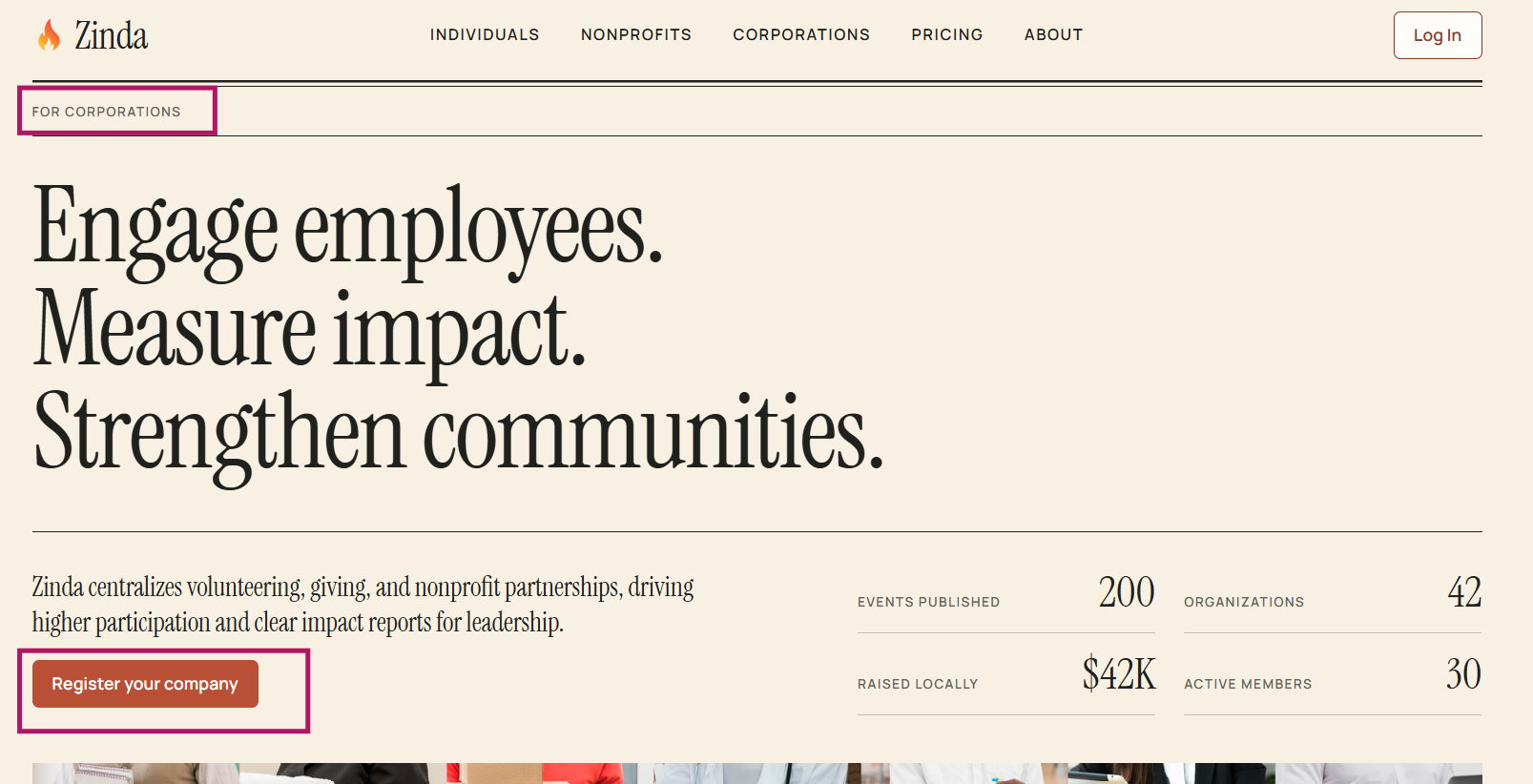
Register your company with Zinda by clicking 'Register your company'
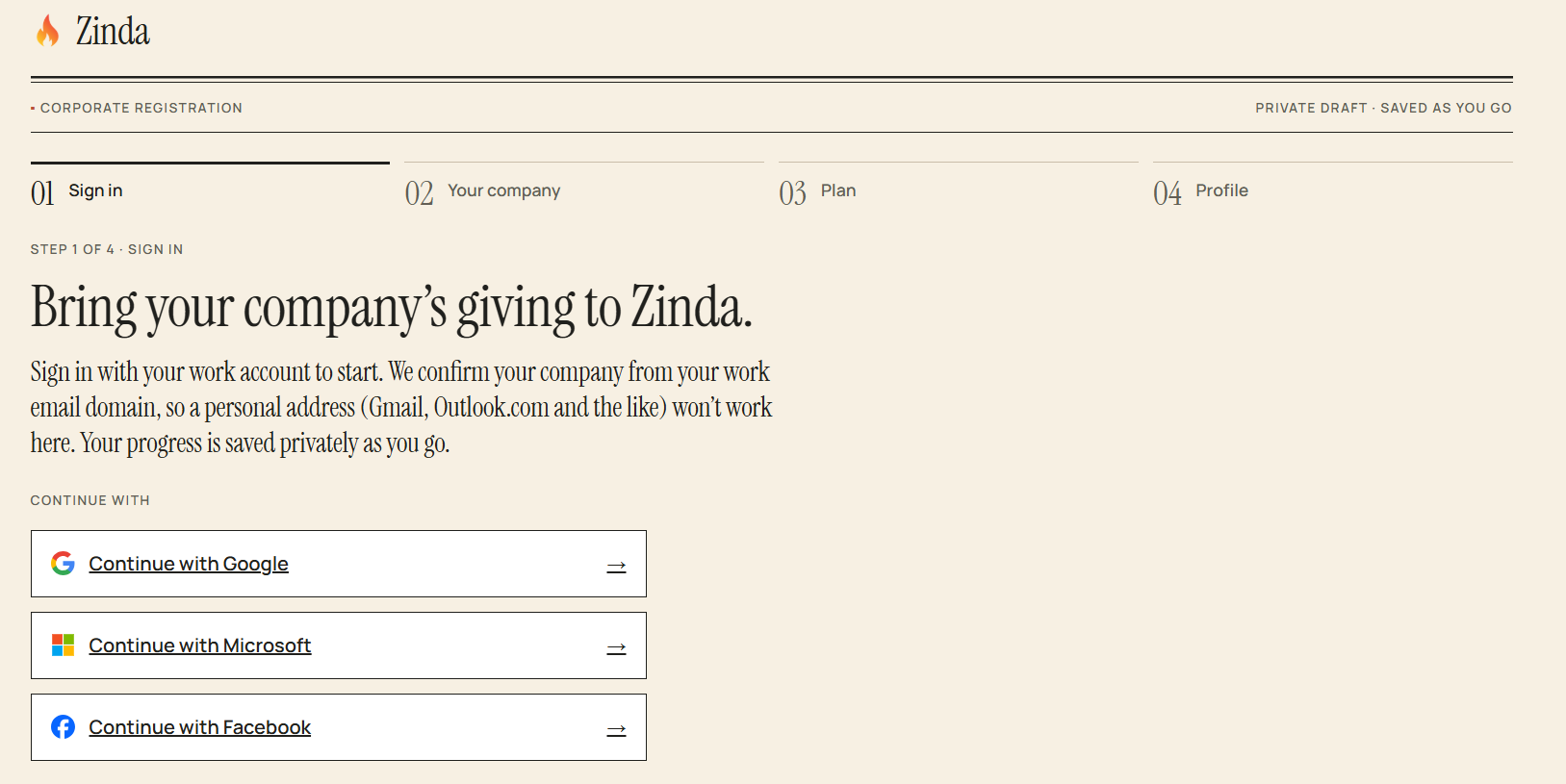
Login with your corporations's email (not a personal email account)
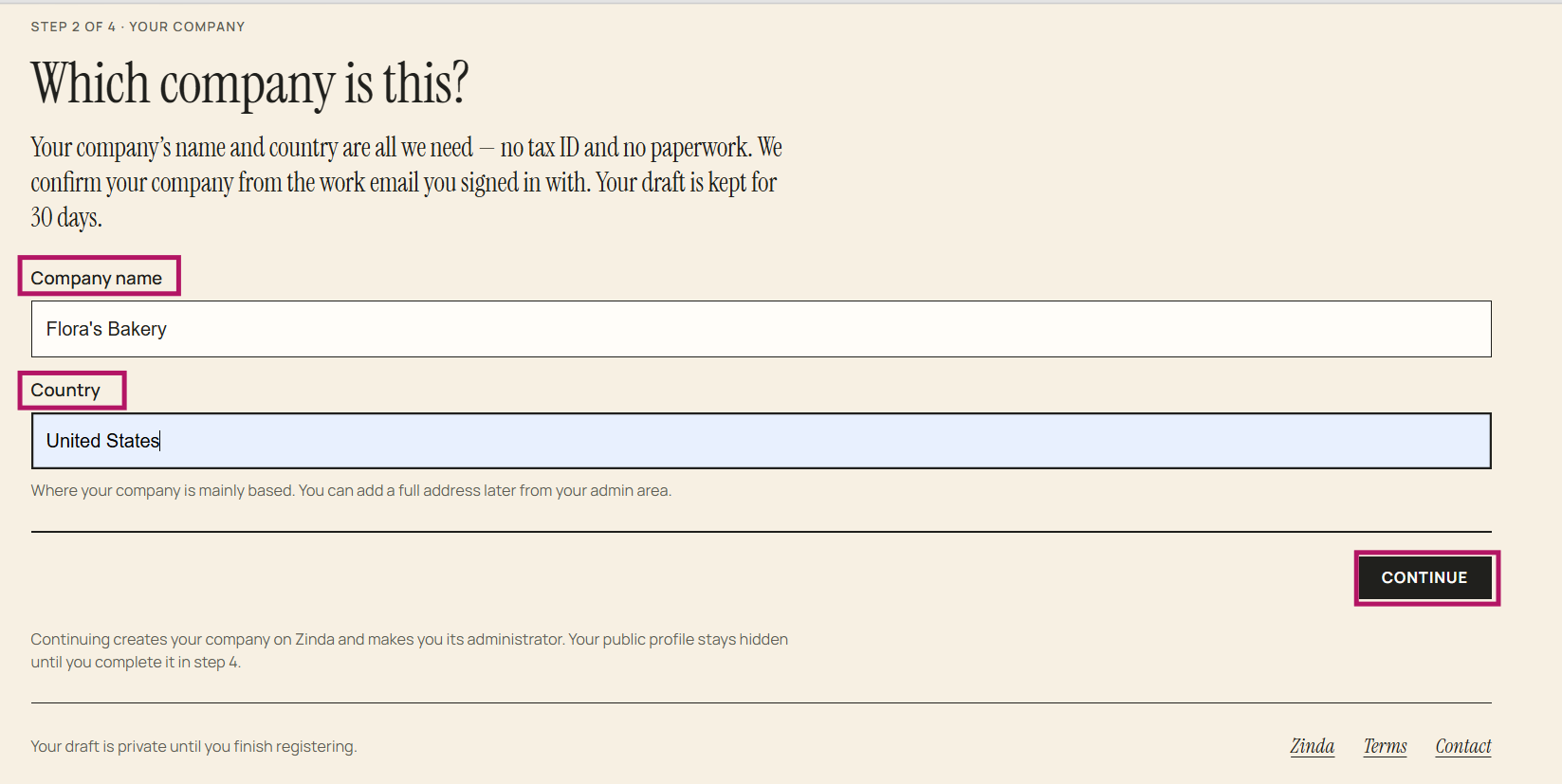
Enter corporation name/country + click 'Continue'
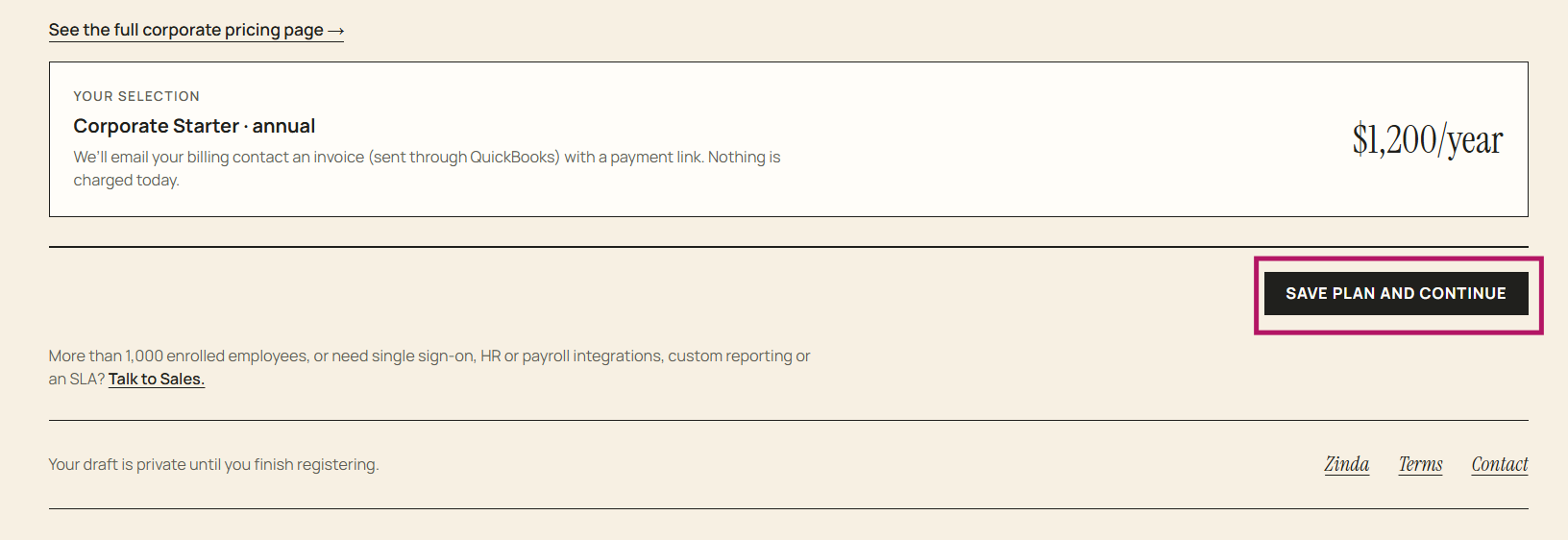
Select a plan, enter the billing contact information + check the box to verify authorization to select a plan and agree to billing on behalf of your organization
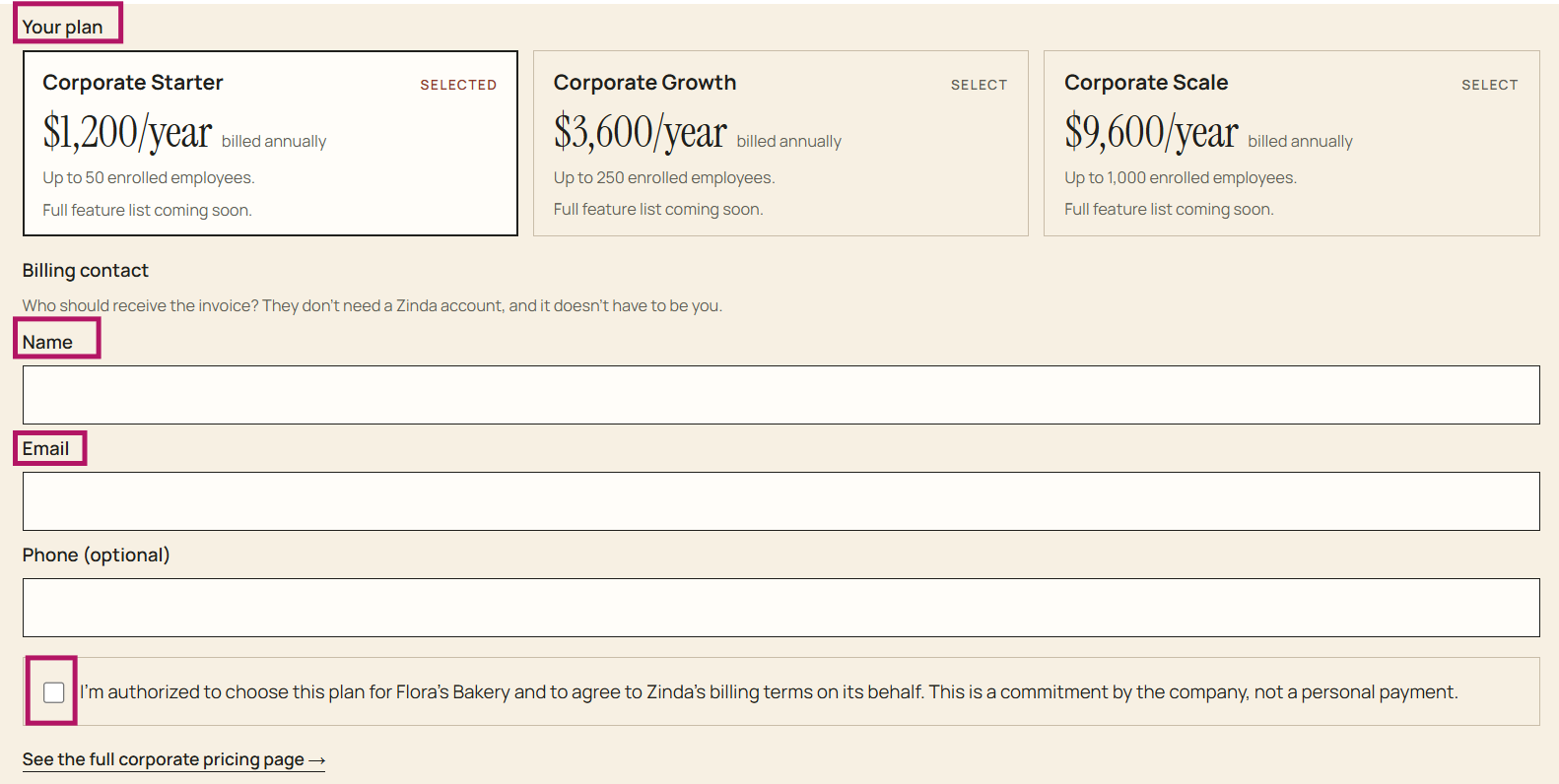
Click 'Save Plan and Continue'
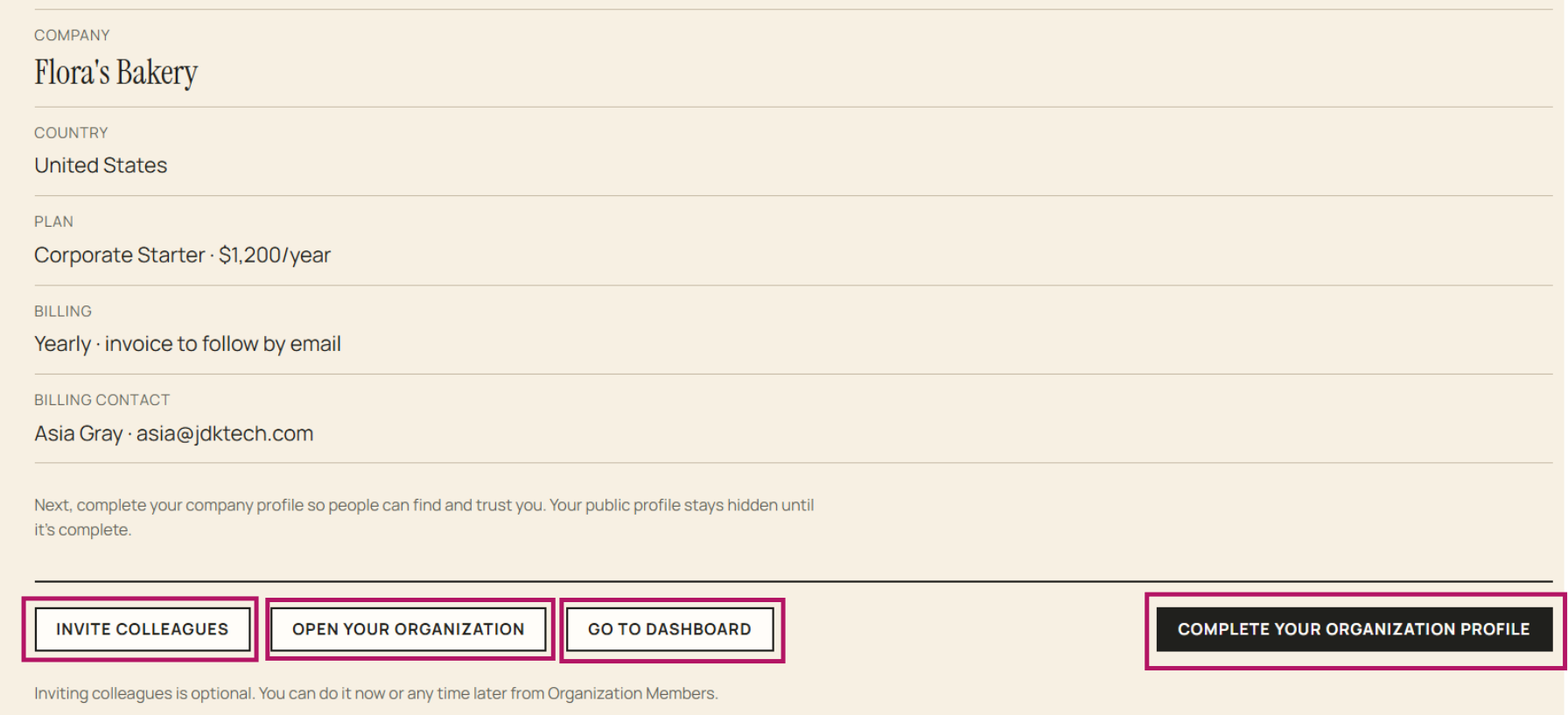
Completed registration, you have several options at this point:
- Complete your organization profile (organization profile page)
- Invite colleagues (organization member page)
- Open your organization (organization page)
- Go to dashboard
Corporations Join Zinda
101 words
Move Organization/Corporation
Open Organization/Corporation
Organization/Corporation
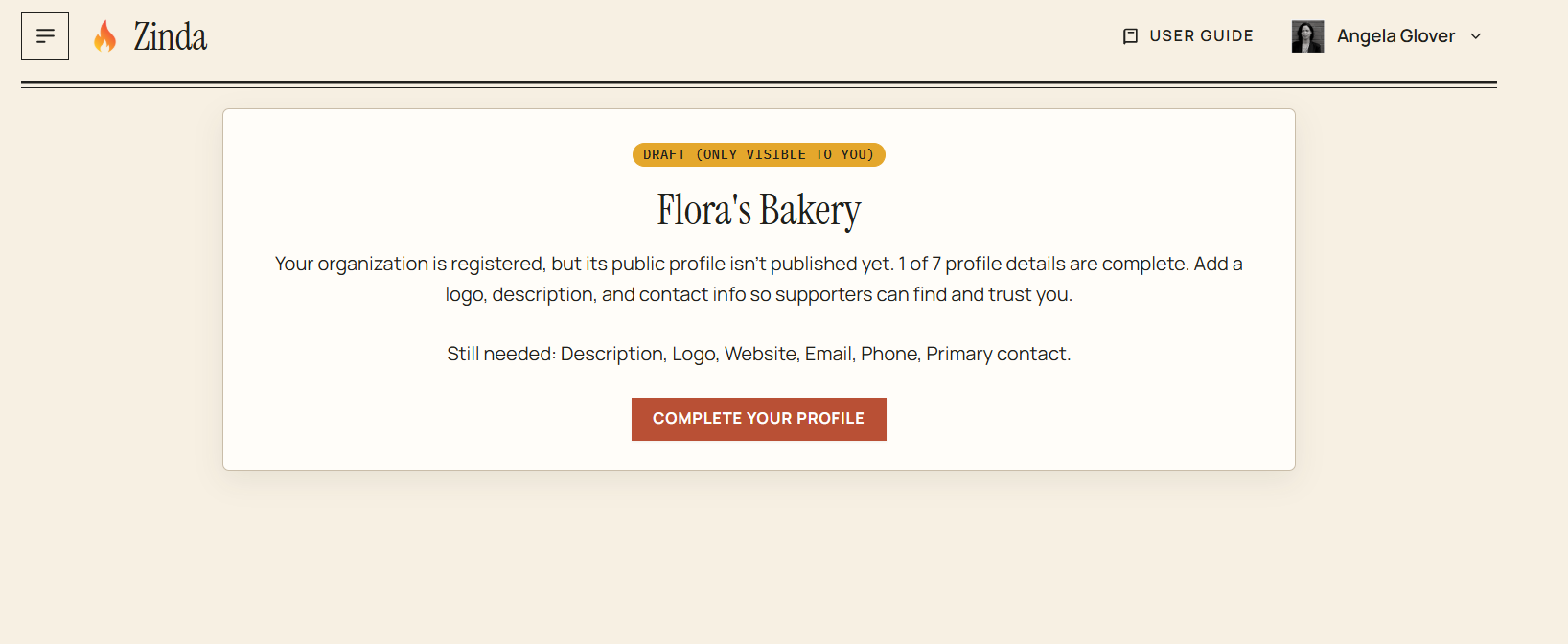
If your corporation's profile page has not been completed, you'll see this screen displaying as a 'Draft' . Click 'Complete your profile'
Organization/Corporation Profile
Complete all the required fields
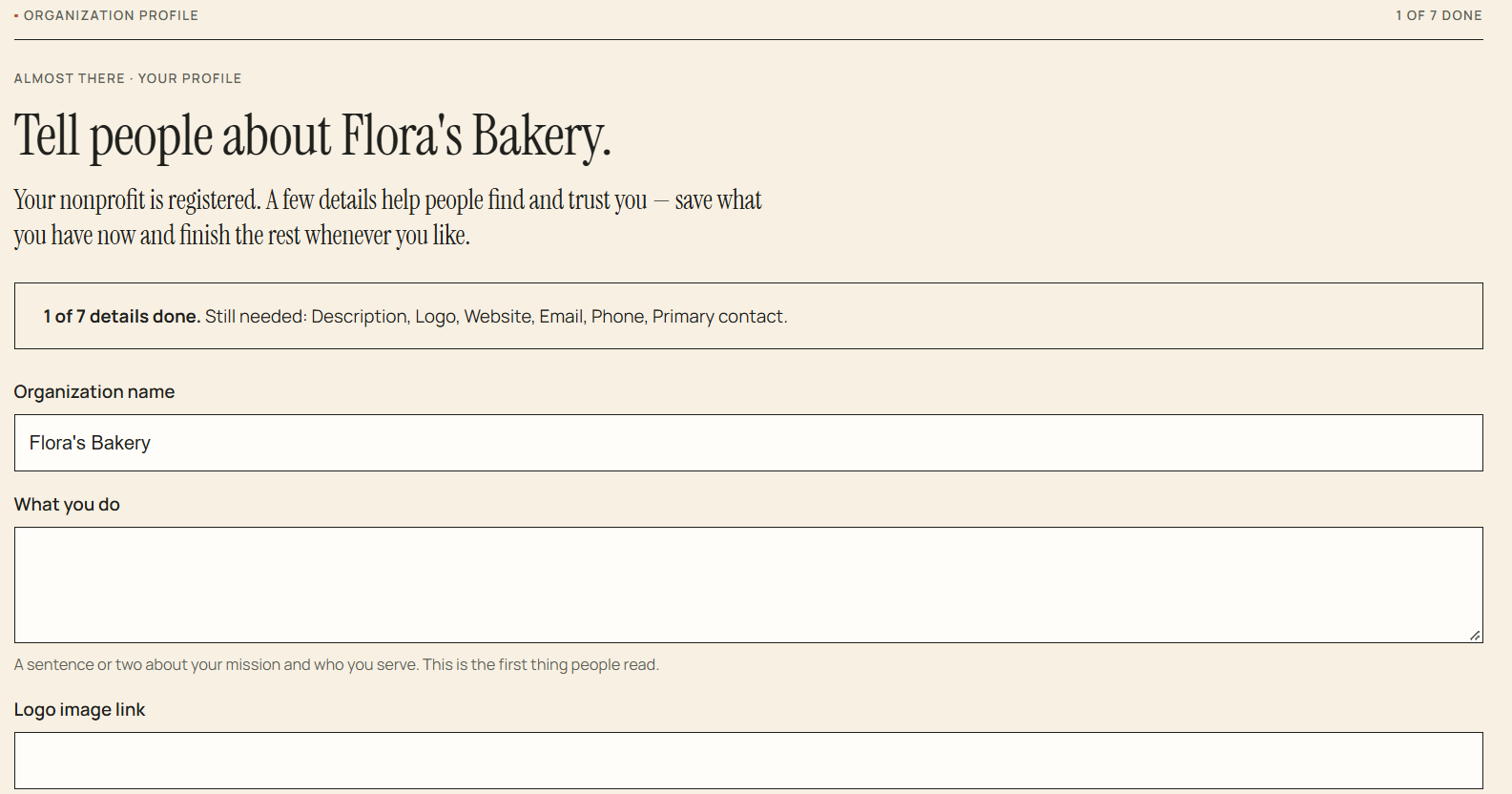
Select 'Skip for now' (goes back to the dashboard) and complete it later using 'Organization' in the menu
Select 'Save Profile'
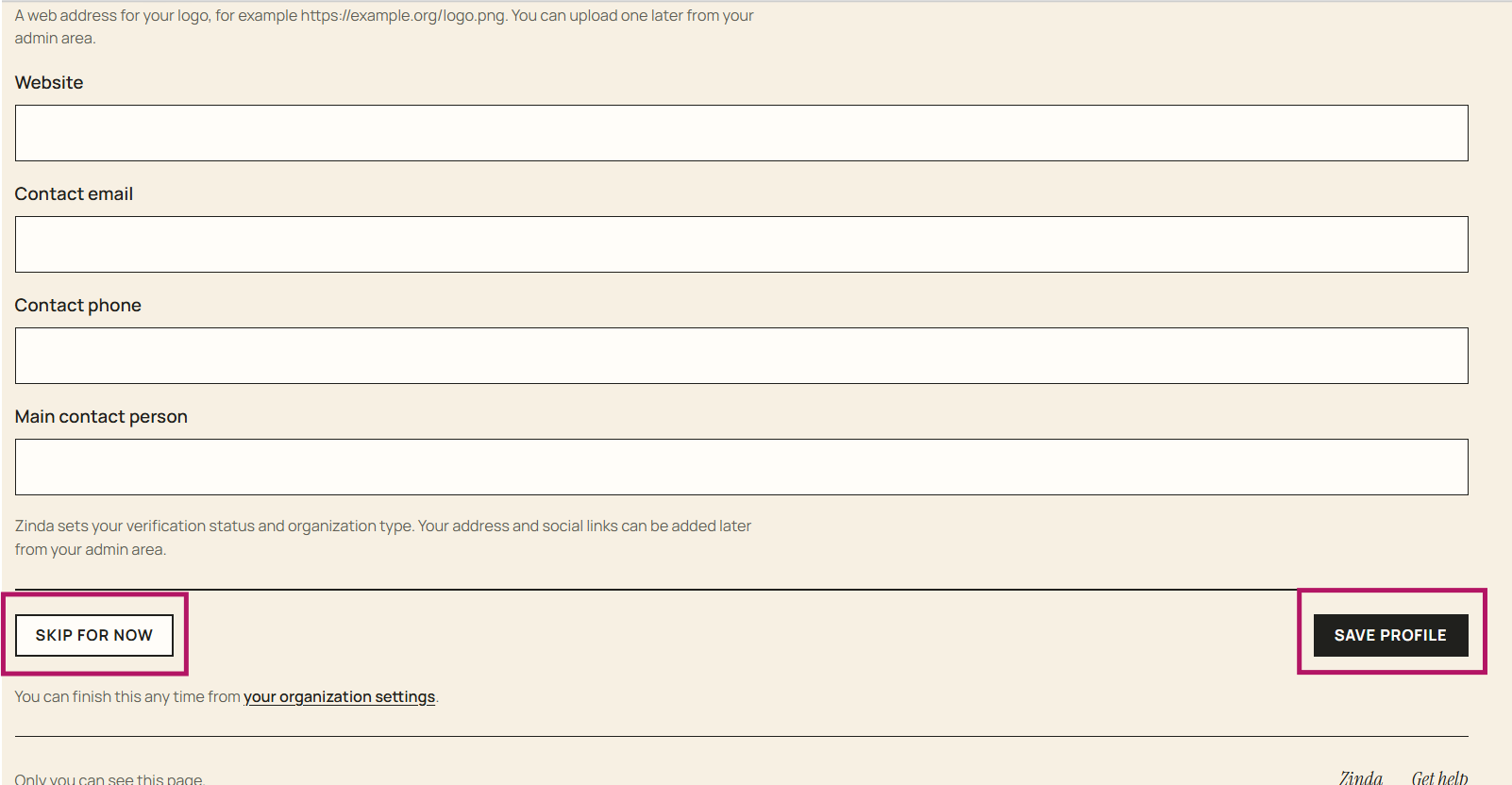
Official corporation profile - add address and any social media links + click 'Update'
To 'Edit' the profile information, enter changes and click 'Update'
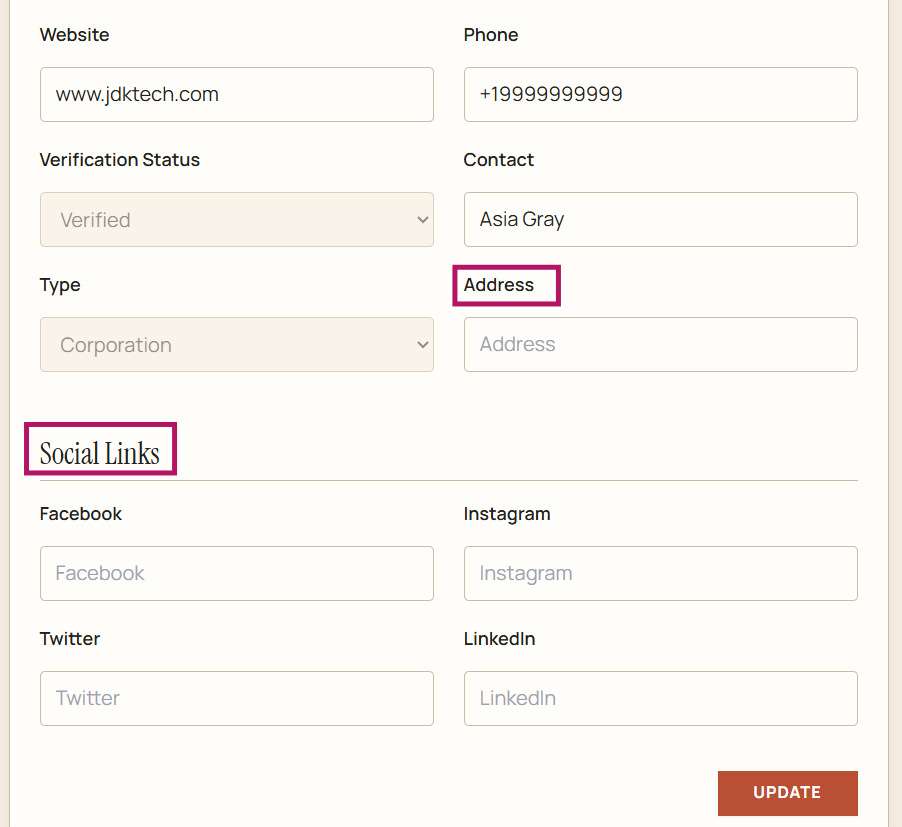
Organization/Corporation
79 words
Move Organization/Corporation Members
Open Organization/Corporation Members
Organization/Corporation Members
To view organization/corporation members, click 'Members' from the menu
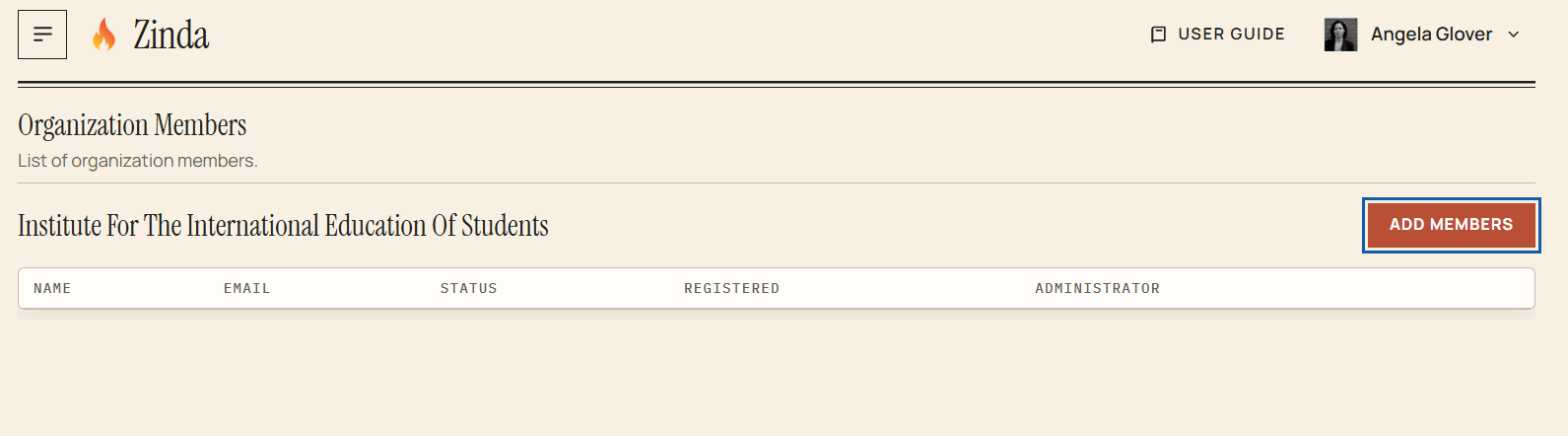
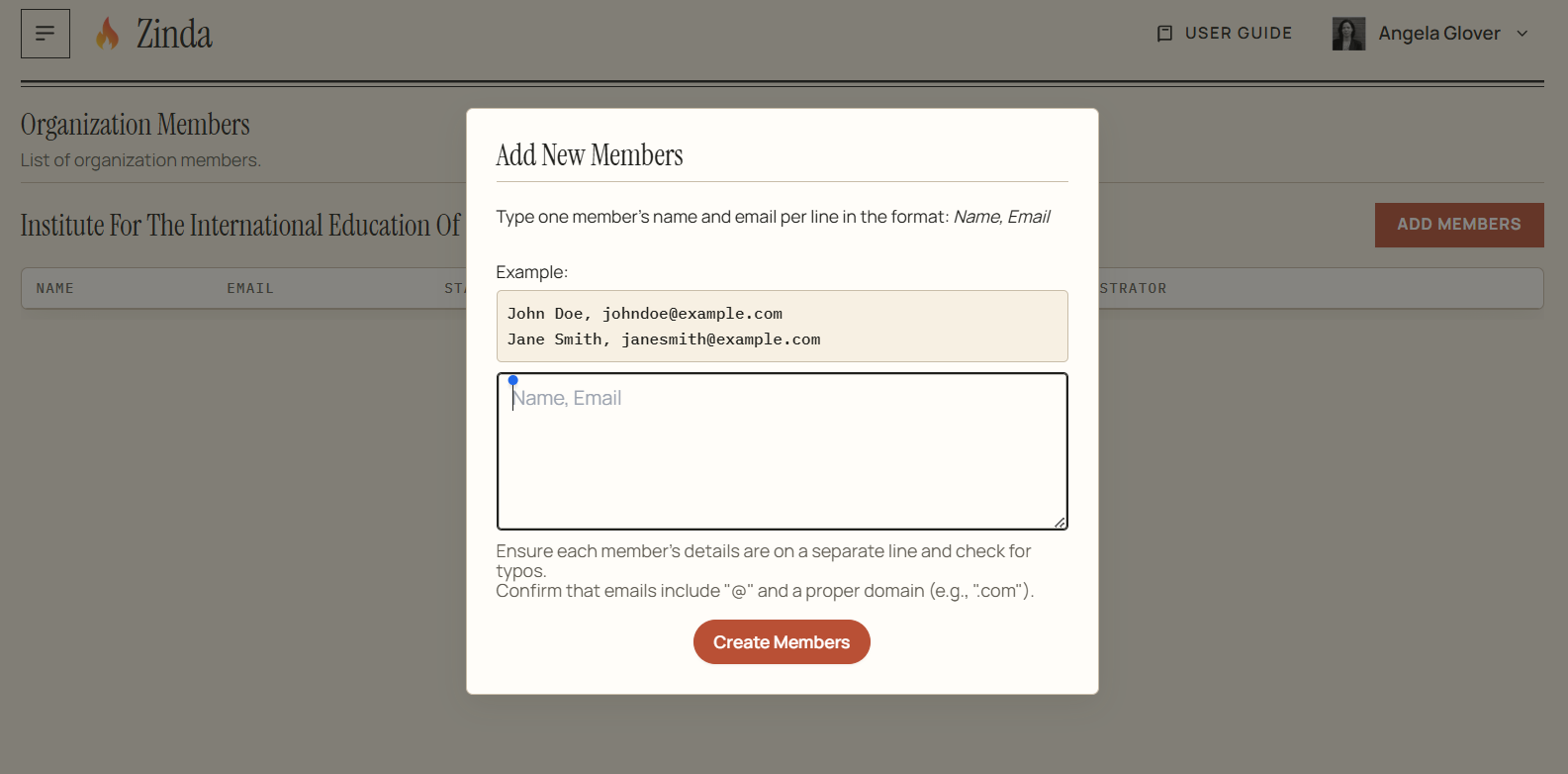
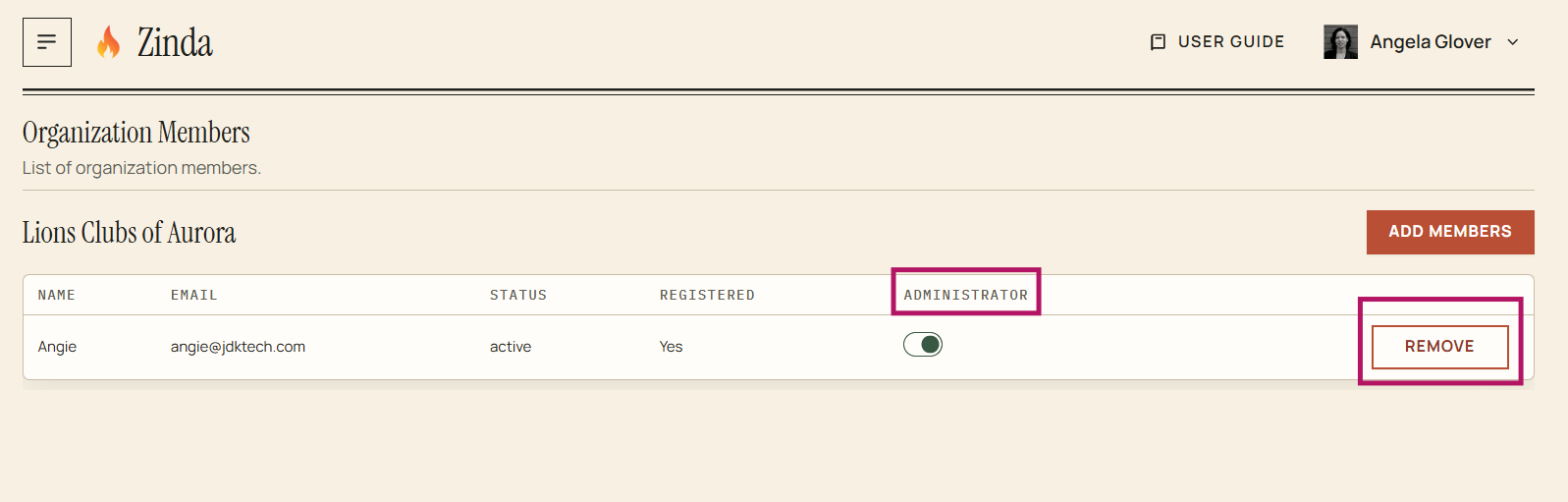
To add member(s), click 'Add members' and follow the example + click 'Create Members'
To assign a member as administrator - toggle to the right
To remove a member as administrator - toggle to the left
To remove a member(s) - click 'Remove'
Organization/Corporation Members
57 words
Move Corporation Reports
Open Corporation Reports
Organization/Corporation Reports
Donation Summary
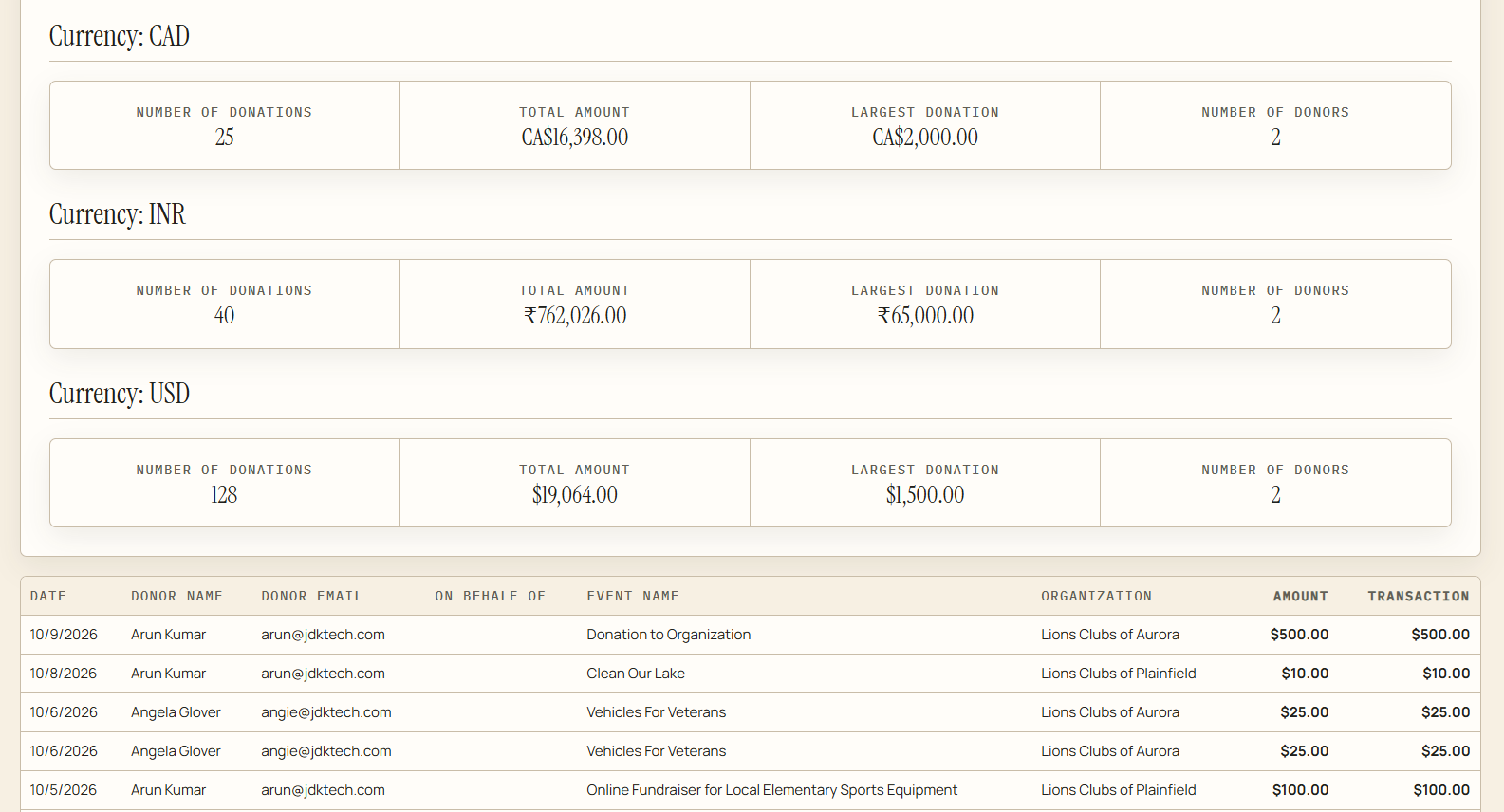
To view your donation summary report, click on 'Donation Summary' in the menu. This report details donations made by members of your organization/corporation
Attendance Summary
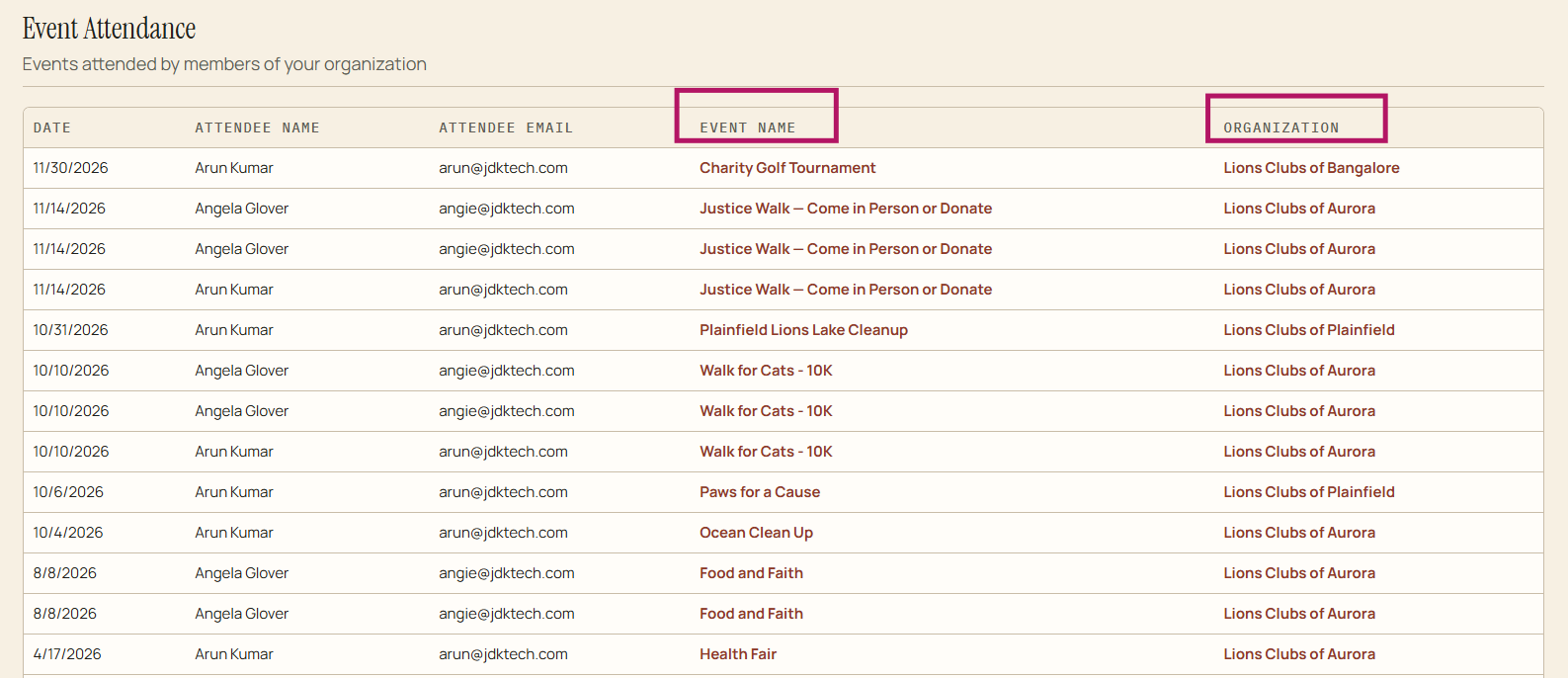
To view your attendance summary report, click on 'Attendance Summary' in the menu. This report details events attended by memebers of your organization/corporation. Event name and organization are clickable and will take you to the event details and organization/corporation page
Analytics
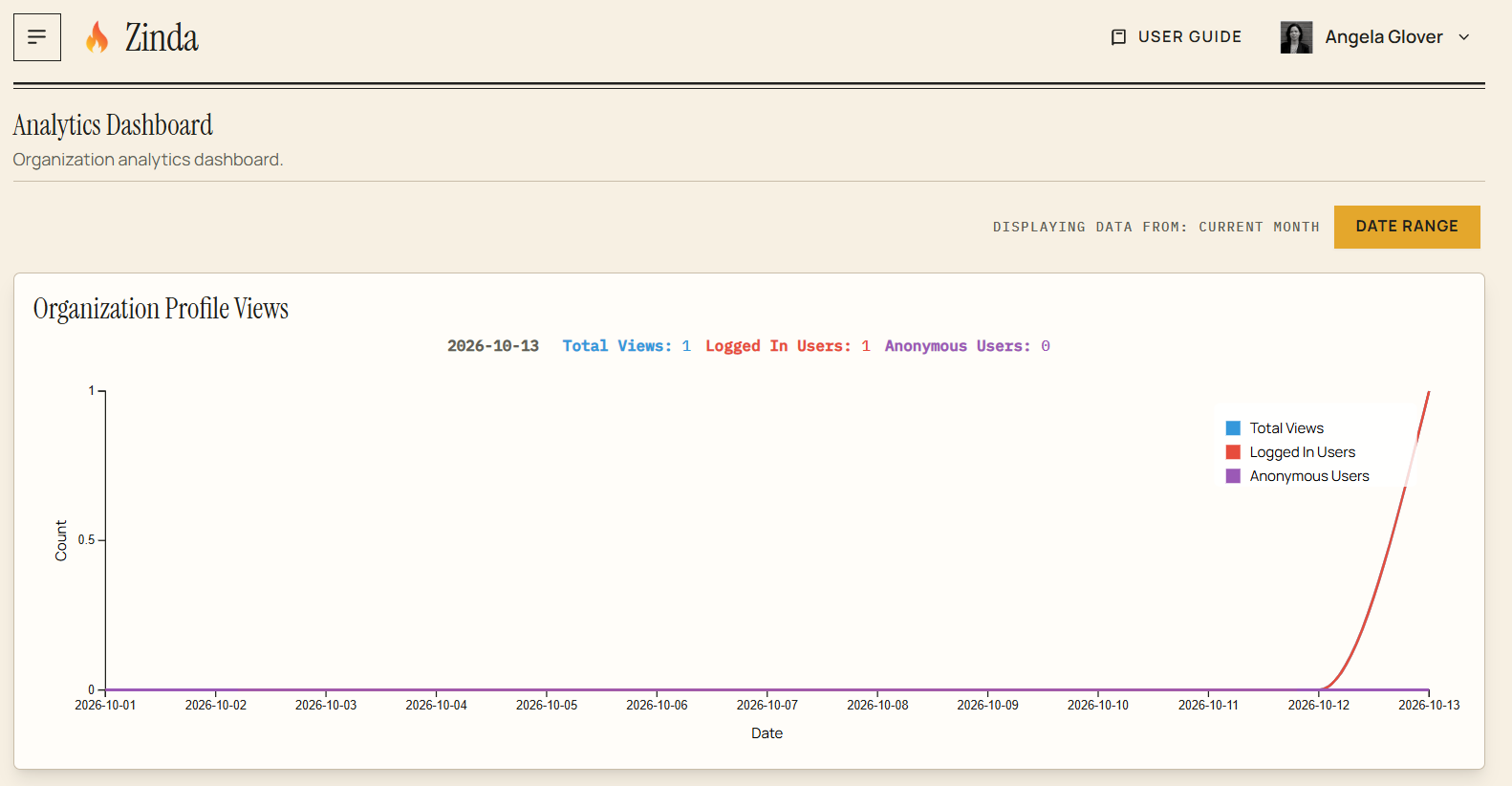
To view your analytics, click on 'Analytics' in the menu. This will provide profile views, supporters, donors, and member data
Corporation Reports
96 words